Table of contents
RapidChart : AI-Powered, Instant Technical Diagram Generation
RapidChart: Turn text into precise technical diagrams instantly—AI-powered, fast, and built for engineers & developers.
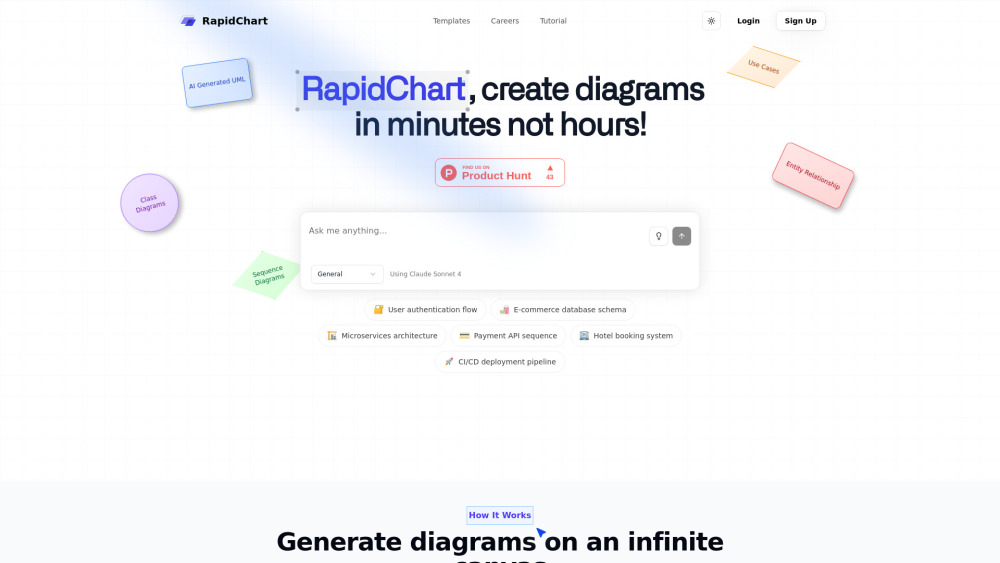
Introducing RapidChart: AI-Powered, Instant Technical Diagram Generation
RapidChart redefines how technical teams visualize complex systems—transforming plain English descriptions or existing code into production-ready diagrams in seconds. Built on cutting-edge multimodal AI, it interprets intent, infers structure, and renders precise, publication-grade visuals without manual drawing. Whether you're mapping a distributed microservice mesh, documenting a legacy database schema, or prototyping an LLM-powered application architecture, RapidChart delivers accurate, editable, and scalable diagrams—on demand.
How It Works: From Prompt to Professional Diagram in One Click
Simply describe your system in everyday language (“Show a sequence diagram for user login with OAuth2 and JWT validation”) or paste relevant source code (e.g., a Spring Boot controller or Terraform module). RapidChart’s inference engine parses logic, identifies components and relationships, then generates a clean, semantically structured diagram—automatically optimized with intelligent spacing, consistent styling, and responsive layout—all on an infinitely pannable and zoomable canvas.
Why Engineers Choose RapidChart
Natural Language → Diagram Translation Engine
Full UML Coverage: Class, Sequence, Activity, State, Component, Deployment & Use Case Diagrams
C4 Model Support (System Context, Container, Component, Code Levels)
Entity-Relationship Modeling with Forward/Reverse Engineering
AI-Specific Visualizations: Transformer architectures, training pipelines, model serving graphs
Cloud-Native Architecture Blueprints (AWS Well-Architected, Azure Reference Architectures, GCP Solutions)
Context-Aware Auto-Layout That Adapts to Complexity
Infinite Canvas with Real-Time Collaboration & Version History
Granular Customization: Themes, icons, colors, connectors, and export formats (PNG, SVG, PDF, Mermaid, PlantUML)
Real-World Applications
Documenting authentication flows across identity providers (Auth0, Okta, Cognito)
Designing normalized relational schemas for fintech transaction systems
Architecting event-driven microservices with Kafka or SQS integration
Visualizing API orchestration layers in backend-for-frontend (BFF) patterns
Mapping hotel inventory synchronization across PMS, CRS, and OTAs
Modeling GitOps-based CI/CD workflows with Argo CD and Tekton
Translating high-level product requirements into layered software architecture views
Generating ERDs directly from SQL DDL or ORM models (SQLAlchemy, Prisma, Django)
Illustrating end-to-end MLOps stacks—from data ingestion to model monitoring dashboards
Frequently Asked Questions
-
Why is RapidChart free during early access?
-
Does RapidChart support custom LLM integration or bring-your-own-model?
-
Which diagram types are natively supported—and which require advanced prompting?
-
Can I export diagrams for internal documentation or embed them in Confluence, Notion, or GitHub?
-
About RapidChart
RapidChart is developed by TYY Labs—a team of ex-Google, AWS, and Microsoft engineers focused on developer productivity tools rooted in practical engineering rigor.
-
Log In to RapidChart
Access your workspace instantly: https://www.rapidcharts.ai/login
-
Get Started Free
Create your account in under 20 seconds: https://www.rapidcharts.ai/register
FAQ from RapidChart
What is RapidChart?
RapidChart is a next-generation technical diagramming platform powered by domain-specialized AI. It bridges the gap between abstract system thinking and concrete visual representation—enabling developers, architects, and product teams to generate, iterate, and share accurate diagrams faster than ever before.
How do I use RapidChart?
Enter a natural-language prompt describing your system’s behavior, structure, or flow—or upload code snippets (Python, Java, TypeScript, Terraform, SQL). RapidChart analyzes semantics and context, then renders a fully editable diagram with zero manual positioning required.
Why is RapidChart free during early access?
We’re actively gathering real-world usage feedback to refine our AI models and diagram fidelity. The free tier includes full feature access—with no watermarks, usage caps, or hidden paywalls—while we prepare for enterprise-grade security and compliance enhancements.
Does RapidChart support custom LLM integration or bring-your-own-model?
Yes—enterprise plans offer private model deployment options, including fine-tuned domain-specific models and secure VPC-hosted inference. Contact our team for sandbox access and API documentation.
Which diagram types are natively supported—and which require advanced prompting?
All core UML, C4, ER, cloud, and AI diagrams are natively supported. For highly specialized notations (e.g., BPMN, SysML), enhanced prompts or template-guided generation yield optimal results—our prompt library and community templates help accelerate adoption.
Can I export diagrams for internal documentation or embed them in Confluence, Notion, or GitHub?
Absolutely. Export as PNG, SVG, PDF, or copy-paste-ready Mermaid/PlantUML code. Our official integrations for Confluence Cloud and Notion sync diagrams live—updating automatically when edits are made in RapidChart.