AI Advertising Assistant

Rannkly

Rannkly is an online reputation management and social media listening and monitoring tool that uses artificial intelligence to assist you in strengthening your brand's online presence.

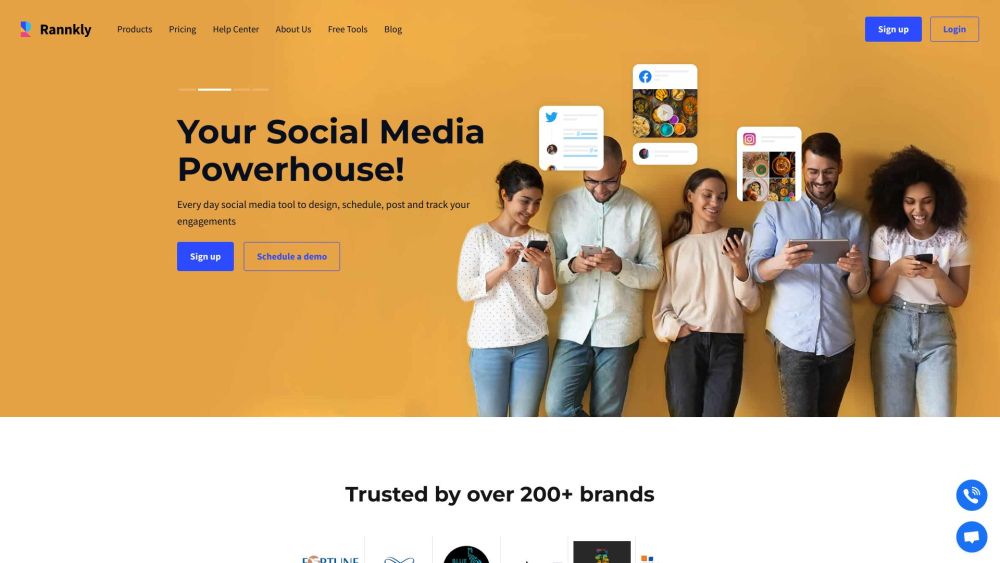
Rannkly website preview

Rannkly Website screenshot

Understanding Rannkly

Rannkly is an advanced tool designed for online reputation management, social media listening, and monitoring. Utilizing artificial intelligence, Rannkly aids in enhancing your brand's online presence by analyzing customer feedback and automating responses.

Getting Started with Rannkly

To start using Rannkly, follow these steps: 1. Register for an account on the Rannkly website. 2. Link your social media and review platforms to your Rannkly dashboard. 3. Oversee and manage all reviews and ratings from one dashboard. 4. Share engaging content across your social media channels and evaluate your campaign performance. 5. Listen to customer feedback and respond quickly. 6. Leverage AI features to understand customer reviews and feedback. 7. Launch campaigns and gather reviews via SMS, email, or QR codes. 8. Create analytical reports to monitor the success of your campaigns and online reputation.

Key Features of Rannkly

Online Reputation Management

Social Media Listening

Social Media Monitoring

Review Management

AI-Powered Analytics

Multi-Channel Publishing

Campaign Planning and Scheduling

Photo Editing Tool

Automated Responses

Multiple Location Monitoring

Feedback and Survey Collection

Practical Applications of Rannkly

Enhancing Brand Visibility

Managing and Responding to Reviews

Boosting Customer Engagement and Conversions

Monitoring Reputation Across Locations

Gathering and Analyzing Customer Feedback for Improvement

Product source: Rannkly official website. Check the provider for current plans, limits and availability.

FAQ

Rannkly questions and answers

Product context and practical checks for evaluating Rannkly.

What is Rannkly used for?

Rannkly is an online reputation management and social media listening and monitoring tool that uses artificial intelligence to assist you in strengthening your brand's online presence.

How do I get started with Rannkly?

To start using Rannkly, follow these steps: 1. Register for an account on the Rannkly website. 2. Link your social media and review platforms to your Rannkly dashboard. 3. Oversee and manage all reviews and ratings from one dashboard. 4. Share engaging content across your social media channels and evaluate your campaign performance. 5. Listen to customer feedback and respond quickly. 6. Leverage AI features to understand customer reviews and feedback. 7. Launch campaigns and gather reviews via SMS, email, or QR codes. 8. Create analytical reports to monitor the success of your campaigns and online reputation.

Which capabilities are described for Rannkly?

Online Reputation ManagementSocial Media ListeningSocial Media MonitoringReview ManagementAI-Powered AnalyticsMulti-Channel PublishingCampaign Planning and SchedulingPhoto Editing ToolAutomated ResponsesMultiple Location MonitoringFeedback and Survey Collection

What projects can I evaluate Rannkly for?

Enhancing Brand VisibilityManaging and Responding to ReviewsBoosting Customer Engagement and ConversionsMonitoring Reputation Across LocationsGathering and Analyzing Customer Feedback for Improvement Rannkly Support Contact Information For customer support, email: [email protected]. For more details, visit our Contact Us page. About Rannkly Learn more about Rannkly on our About Us page. Rannkly Login Access your account at: Rannkly Login. Rannkly Sign Up Create a new account here: Rannkly Sign Up. Rannkly Pricing Explore our pricing options at: Rannkly Pricing. Rannkly on Facebook Follow us on Facebook: Rannkly Facebook. Rannkly on YouTube Subscribe to our channel: Rannkly YouTube. Rannkly on LinkedIn Connect with us: Rannkly LinkedIn. Rannkly on Twitter Follow us on Twitter: Rannkly Twitter. Rannkly on Instagram Check out our Instagram: Rannkly Instagram.

What should I compare before choosing a Rannkly plan?

Explore our pricing options at: Rannkly Pricing. Confirm current prices and allowances on the provider’s website before purchasing.

What inputs should I prepare for a Rannkly trial?

Look for text prompts, image references, masks or sketches as appropriate. Compare composition control, supported upload types and the ability to revise a selected area.

How can I check the quality of a Rannkly result?

Inspect text, hands, edges, reflections and repeated objects at full size. Check that important product or brand details survive editing.

Which export options should I check in Rannkly?

Compare pixel dimensions, transparency, file formats and any enlargement options. Confirm that the downloaded result works in your design or publishing software.

What is a practical way to test Rannkly against alternatives?

Prepare a brief with a subject, composition, lighting and required output size. Test a first generation and a targeted revision to see how much control you retain.

Where is the official Rannkly website?

The website linked from this profile is https://www.promptdodo.com. Use the provider’s own documentation, account area and support channels to confirm current product details.

Visit Rannkly