AI Blog Writer

QuickPR

QuickPR: All-in-one digital PR platform to boost brand visibility—features, pricing, reviews, use cases & top alternatives. Streamline your PR strategy today!

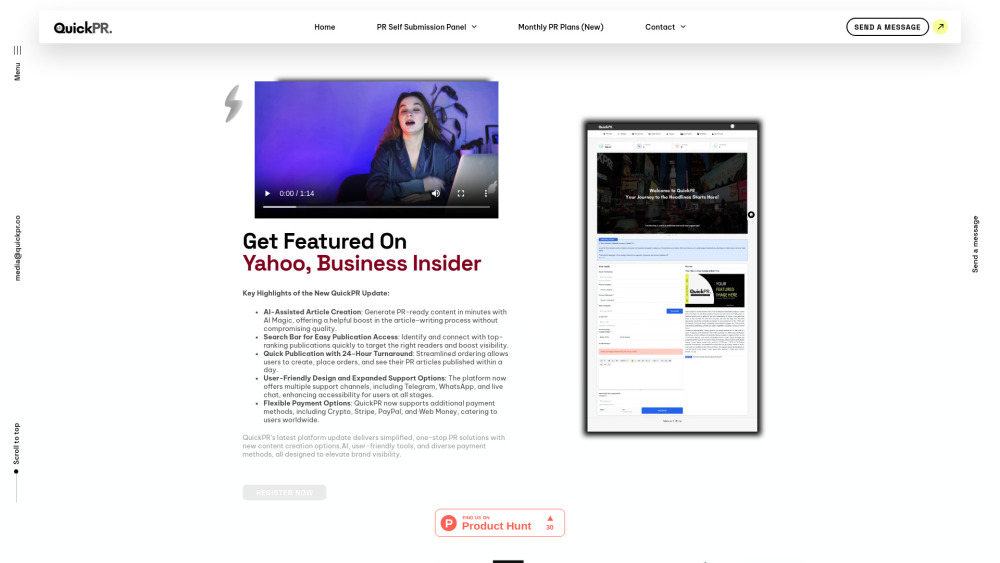
QuickPR website preview

QuickPR Website screenshot

What Is QuickPR? A Modern Digital PR Accelerator

QuickPR is an end-to-end digital PR automation platform built for startups, agencies, and growth-focused brands. It streamlines press release distribution, AI-powered content development, and strategic media outreach—turning traditional PR workflows into fast, measurable, and scalable campaigns.

Getting Started with QuickPR in Minutes

Sign up, select your campaign goal (e.g., brand announcement, product launch, or SEO-driven guest post), generate or upload content, choose target publications, and hit publish—all from a single dashboard. No PR agency overhead, no lengthy onboarding.

Key Features That Set QuickPR Apart

Smart AI Content Engine — Drafts SEO-optimized press releases & pitch emails in seconds

Real-time Media Database — Filter outlets by domain authority, niche, geography, and editorial guidelines

Guaranteed 24-Hour Placement — Verified delivery SLA across 500+ vetted news sites and blogs

Dedicated Success Support — Live chat, email, and WhatsApp assistance with under-2-hour response times

Pay-as-You-Go & Subscription Flexibility — From one-off placements to enterprise-tier plans

Who Uses QuickPR? Real-World Use Cases

Tech startups launching MVPs and securing early traction via credible tech media coverage

E-commerce brands amplifying seasonal campaigns with timely, newsworthy storytelling

Marketing agencies white-labeling PR services for clients without hiring in-house specialists

Product source: QuickPR official website. Check the provider for current plans, limits and availability.

FAQ

QuickPR questions and answers

Product context and practical checks for evaluating QuickPR.

What is QuickPR used for?

QuickPR: All-in-one digital PR platform to boost brand visibility—features, pricing, reviews, use cases & top alternatives. Streamline your PR strategy today!

How do I get started with QuickPR?

Sign up, select your campaign goal (e.g., brand announcement, product launch, or SEO-driven guest post), generate or upload content, choose target publications, and hit publish—all from a single dashboard. No PR agency overhead, no lengthy onboarding.

Which capabilities are described for QuickPR?

Smart AI Content Engine — Drafts SEO-optimized press releases & pitch emails in secondsReal-time Media Database — Filter outlets by domain authority, niche, geography, and editorial guidelinesGuaranteed 24-Hour Placement — Verified delivery SLA across 500+ vetted news sites and blogsDedicated Success Support — Live chat, email, and WhatsApp assistance with under-2-hour response timesPay-as-You-Go & Subscription Flexibility — From one-off placements to enterprise-tier plans

What projects can I evaluate QuickPR for?

Tech startups launching MVPs and securing early traction via credible tech media coverageE-commerce brands amplifying seasonal campaigns with timely, newsworthy storytellingMarketing agencies white-labeling PR services for clients without hiring in-house specialists

What should I compare before choosing a QuickPR plan?

Transparent, tiered pricing—from solo founders to scaled teams. View all options and compare features: https://quickpr.co/quickpr-monthly-plans/ Confirm current prices and allowances on the provider’s website before purchasing.

What inputs should I prepare for a QuickPR trial?

Identify the files, text or account connections your task needs. Confirm that the product accepts those inputs and offers controls for reviewing its work.

How can I check the quality of a QuickPR result?

Test one representative task and inspect the result for accuracy and completeness. Record where manual corrections or extra tools are needed.

Which export options should I check in QuickPR?

Check export formats, integrations and whether you can keep using your work outside the service. Test a real export before committing to a longer plan.

What is a practical way to test QuickPR against alternatives?

Choose one task with a clear success condition. Keep the input consistent, record the time spent reviewing and compare the complete workflow cost.

Where is the official QuickPR website?

The website linked from this profile is https://quickpr.co. Use the provider’s own documentation, account area and support channels to confirm current product details.

Visit QuickPR