AI Blog Writer

Quick Creator

Elevate your online presence with Quick Creator: the AI tool for effortless, SEO-driven blogs and high-conversion landing pages. Create, optimize, and attract!

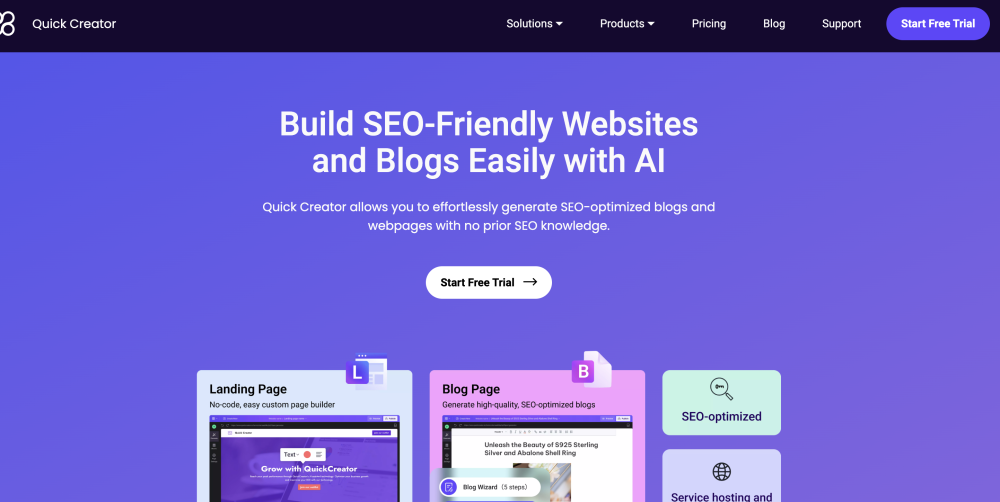
Quick Creator website preview

Quick Creator Website screenshot

What is Quick Creator?

Quick Creator is an innovative AI-powered platform designed for effortless creation of SEO-focused blogs and high-conversion landing pages. With its user-friendly writing assistant, diverse article styles, and customizable templates, Quick Creator helps you enhance your online presence and attract organic traffic efficiently.

How to use Quick Creator?

To get started with Quick Creator, sign up and begin your free trial. Choose between creating a landing page or a blog post. For landing pages, you can use pre-designed templates or custom blocks to tailor your content, and generate it using concise prompts. For blog posts, the AI-driven platform guides you in crafting high-quality content. Utilize the robust editor to refine and optimize your work. Additionally, Quick Creator offers an advanced SEO toolkit for keyword research and content enhancement.

Quick Creator's Core Features

AI-driven content creation

Intuitive writing assistant

Diverse article styles

Customizable templates

AI-enhanced content

Advanced text editor

SEO optimization tools

User-friendly editing interface

Landing page customization

SEO toolkit for keyword research

Mobile-responsive and SEO-optimized pages

Multi-language support

Hosting services and custom domain setup

Quick Creator's Use Cases

SMBs: Develop SEO-optimized websites, high-conversion landing pages, and content-rich blogs to boost organic traffic and enhance online presence.

SaaS startups: Rapidly create compelling landing pages to test and validate business ideas, with AI-generated content based on product features.

Marketers: Quickly generate and publish SEO-optimized blog posts without technical support, maintaining brand voice and passing anti-AI detection.

Shopify store owners: Easily integrate with Shopify to create SEO-friendly blogs and landing pages, improving marketing strategies and driving store traffic.

Product source: Quick Creator official website. Check the provider for current plans, limits and availability.

FAQ

Quick Creator questions and answers

Product context and practical checks for evaluating Quick Creator.

What is Quick Creator used for?

Elevate your online presence with Quick Creator: the AI tool for effortless, SEO-driven blogs and high-conversion landing pages. Create, optimize, and attract!

How do I get started with Quick Creator?

To get started with Quick Creator, sign up and begin your free trial. Choose between creating a landing page or a blog post. For landing pages, you can use pre-designed templates or custom blocks to tailor your content, and generate it using concise prompts. For blog posts, the AI-driven platform guides you in crafting high-quality content. Utilize the robust editor to refine and optimize your work. Additionally, Quick Creator offers an advanced SEO toolkit for keyword research and content enhancement.

Which capabilities are described for Quick Creator?

AI-driven content creationIntuitive writing assistantDiverse article stylesCustomizable templatesAI-enhanced contentAdvanced text editorSEO optimization toolsUser-friendly editing interfaceLanding page customizationSEO toolkit for keyword researchMobile-responsive and SEO-optimized pagesMulti-language supportHosting services and custom domain setup

What projects can I evaluate Quick Creator for?

SMBs: Develop SEO-optimized websites, high-conversion landing pages, and content-rich blogs to boost organic traffic and enhance online presence.SaaS startups: Rapidly create compelling landing pages to test and validate business ideas, with AI-generated content based on product features.Marketers: Quickly generate and publish SEO-optimized blog posts without technical support, maintaining brand voice and passing anti-AI detection.Shopify store owners: Easily integrate with Shopify to create SEO-friendly blogs and landing pages, improving marketing strategies and driving store traffic. Quick Creator Discord Join the Quick Creator community on Discord: https://discord.com/invite/CfQxnV3s5V. For more Discord details, click here. Quick Creator Support Email & Customer Service Contact Contact Quick Creator support at: [email protected]. Quick Creator Login Access your account here: https://quickcreator.io/# Quick Creator Pricing View pricing details: https://quickcreator.io/pricing Quick Creator Facebook Join our Facebook group: https://www.facebook.com/groups/quickcreatorofficial Quick Creator YouTube Subscribe to our YouTube channel: https://www.youtube.com/@QuickCreator10 Quick Creator LinkedIn Follow us on LinkedIn: https://www.linkedin.com/company/quick-creator/ Quick Creator Twitter Follow us on Twitter: https://twitter.com/quick_creator

What should I compare before choosing a Quick Creator plan?

View pricing details: https://quickcreator.io/pricing Confirm current prices and allowances on the provider’s website before purchasing.

What inputs should I prepare for a Quick Creator trial?

Compare support for source documents, style instructions, outlines and length limits. Check whether citations link to real material rather than merely looking like references.

How can I check the quality of a Quick Creator result?

Verify names, dates, quotations and factual claims against the original sources. Edit tone, remove repetition and make sure the text answers the intended reader’s question.

Which export options should I check in Quick Creator?

Check export to plain text, Markdown, documents or your publishing system. Formatting, headings and working links matter when moving a draft into production.

What is a practical way to test Quick Creator against alternatives?

Use a real brief and a short source document. Compare factual accuracy, structure and editing time rather than accepting the longest or most confident draft.

Where is the official Quick Creator website?

The website linked from this profile is https://quickcreator.io. Use the provider’s own documentation, account area and support channels to confirm current product details.

Visit Quick Creator