AI Product Description Generator

Quest

Quest is a tool that allows you to generate clean and extendable React components from your Figma design. It helps you build React apps easily and efficiently, without the need for manual coding.

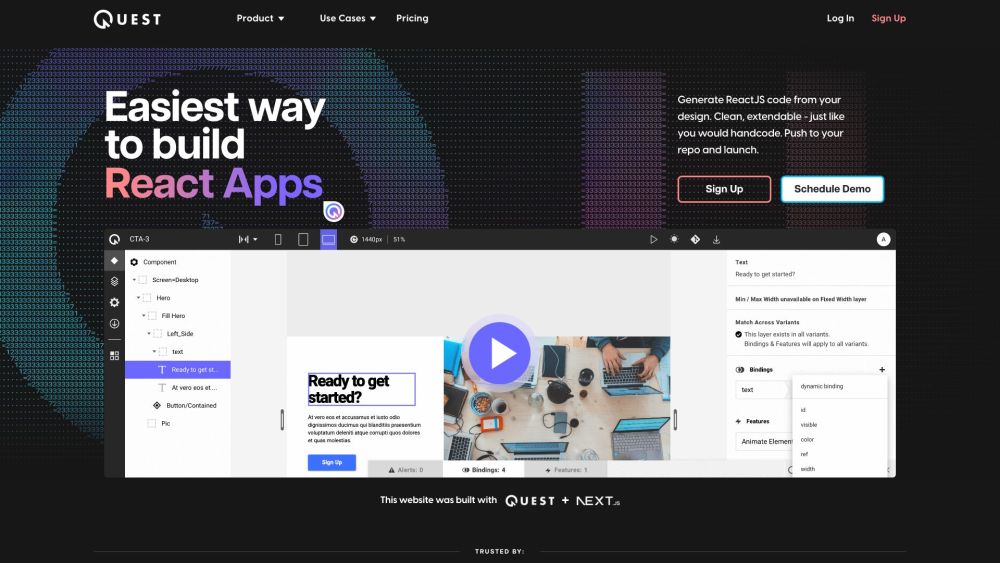
Quest website preview

Quest Website screenshot

What is Quest?

Quest is an innovative tool designed to transform your Figma designs into fully functional, clean, and extendable React components. It streamlines the process of building React applications, eliminating the need for extensive manual coding.

How to use Quest?

Using Quest is straightforward. Import your custom designs from Figma into Quest, which will then generate the corresponding code components, incorporating various design systems and component libraries. You can preview your application and deploy the code directly to your GitHub repository. Quest also supports sophisticated animations, allowing you to create state and variant animations with its built-in animation library, all while giving you full control over the code to ensure it meets industry standards.

Quest's Core Features

Generate React components from Figma designs

Clean and extendable code

Support for MUI and Chakra UI design systems

Integrated animation library for creating state and variant animations

Full control over the generated code

Seamless design-dev updates

No vendor lock-in

Quest's Use Cases

Building React apps effortlessly

Generating clean code from custom designs

Automating tedious development tasks

Effortless integration with design systems

Enhancing collaboration within development teams

Boosting productivity for product teams

Speeding up project delivery for agencies

Helping startups launch products quickly

Product source: Quest official website. Check the provider for current plans, limits and availability.

FAQ

Quest questions and answers

Product context and practical checks for evaluating Quest.

What is Quest used for?

Quest is a tool that allows you to generate clean and extendable React components from your Figma design. It helps you build React apps easily and efficiently, without the need for manual coding.

How do I get started with Quest?

Using Quest is straightforward. Import your custom designs from Figma into Quest, which will then generate the corresponding code components, incorporating various design systems and component libraries. You can preview your application and deploy the code directly to your GitHub repository. Quest also supports sophisticated animations, allowing you to create state and variant animations with its built-in animation library, all while giving you full control over the code to ensure it meets industry standards.

Which capabilities are described for Quest?

Generate React components from Figma designsClean and extendable codeSupport for MUI and Chakra UI design systemsIntegrated animation library for creating state and variant animationsFull control over the generated codeSeamless design-dev updatesNo vendor lock-in

What projects can I evaluate Quest for?

Building React apps effortlesslyGenerating clean code from custom designsAutomating tedious development tasksEffortless integration with design systemsEnhancing collaboration within development teamsBoosting productivity for product teamsSpeeding up project delivery for agenciesHelping startups launch products quickly Quest Discord Join the Quest Discord community: https://discord.com/invite/EHkMgvcQ2R. For more information, click here(/discord/ehkmgvcq2r). Quest Support Email & Customer Service For support, visit our contact page(https://www.quest.ai/contact). Quest Company Learn more about Quest on our about us page(https://www.quest.ai/about). Quest Login Log in to Quest: https://app.quest.ai/platform/login Quest Pricing View our pricing plans: https://www.quest.ai/pricing Quest Facebook Follow us on Facebook: https://www.facebook.com/madewithQuest/ Quest Youtube Subscribe to our YouTube channel: https://www.youtube.com/channel/UCZLJl9NXCr2tF982j0ImrjQ Quest Linkedin Connect with us on LinkedIn: https://www.linkedin.com/company/madewithquestai/ Quest Twitter Follow us on Twitter: https://twitter.com/MadeWithQuestAI Quest Instagram Follow us on Instagram: https://www.instagram.com/madewithquest/

What should I compare before choosing a Quest plan?

View our pricing plans: https://www.quest.ai/pricing Confirm current prices and allowances on the provider’s website before purchasing.

What inputs should I prepare for a Quest trial?

Look for text prompts, image references, masks or sketches as appropriate. Compare composition control, supported upload types and the ability to revise a selected area.

How can I check the quality of a Quest result?

Inspect text, hands, edges, reflections and repeated objects at full size. Check that important product or brand details survive editing.

Which export options should I check in Quest?

Compare pixel dimensions, transparency, file formats and any enlargement options. Confirm that the downloaded result works in your design or publishing software.

What is a practical way to test Quest against alternatives?

Prepare a brief with a subject, composition, lighting and required output size. Test a first generation and a targeted revision to see how much control you retain.

Where is the official Quest website?

The website linked from this profile is https://quest.ai. Use the provider’s own documentation, account area and support channels to confirm current product details.

Visit Quest