Writing Assistants

PRTY

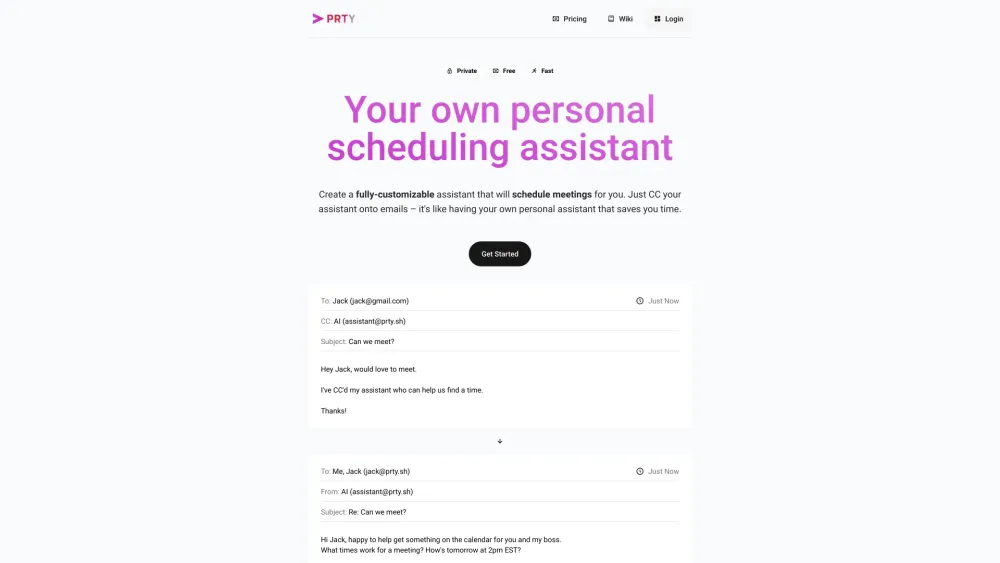
PRTY is your personal AI scheduling assistant.

PRTY website preview

PRTY Website screenshot

Introducing PRTY: Your Personal AI Scheduling Assistant

Discover the power of PRTY, your ultimate AI scheduling companion that streamlines your meeting coordination effortlessly.

Unlocking PRTY's Potential

Empower yourself with a fully customizable assistant that takes charge of scheduling tasks for you. By simply CC'ing your assistant on emails, you'll experience the convenience of having a dedicated scheduler at your fingertips.

Exploring PRTY's Key Features

Effortless Event Coordination

Insightful Briefings

Seamless Event Forwarding

Flexible Event Rescheduling

Cross-Platform Compatibility

Harnessing PRTY for Various Use Cases

Streamline Meeting Schedules

Stay Informed with Calendar Briefings

Effortlessly Add Events through Email Forwarding

Simplify Daily Event Rescheduling

Sync Seamlessly with Google, Outlook, and Meeting Platforms

  • Need Assistance? Contact PRTY Support

    For any inquiries or support, reach out to our dedicated team at [email protected].

  • Discover Parity: The Team Behind PRTY

    Meet the minds behind PRTY at Parity, committed to revolutionizing your scheduling experience.

  • Explore PRTY's Pricing Options

    Find the perfect plan for your needs by visiting https://ccparity.com/pricing.

Product source: PRTY official website. Check the provider for current plans, limits and availability.

FAQ

PRTY questions and answers

Product context and practical checks for evaluating PRTY.

What is PRTY used for?

PRTY is your personal AI scheduling assistant.

How do I get started with PRTY?

Open the official PRTY website and identify the workflow that matches your task. Choose one task with a clear success condition. Keep the input consistent, record the time spent reviewing and compare the complete workflow cost.

Which capabilities are described for PRTY?

Effortless Event CoordinationInsightful BriefingsSeamless Event ForwardingFlexible Event ReschedulingCross-Platform Compatibility

What projects can I evaluate PRTY for?

Streamline Meeting SchedulesStay Informed with Calendar BriefingsEffortlessly Add Events through Email ForwardingSimplify Daily Event ReschedulingSync Seamlessly with Google, Outlook, and Meeting Platforms Need Assistance? Contact PRTY Support For any inquiries or support, reach out to our dedicated team at [email protected]. Discover Parity: The Team Behind PRTY Meet the minds behind PRTY at Parity, committed to revolutionizing your scheduling experience. Explore PRTY's Pricing Options Find the perfect plan for your needs by visiting https://ccparity.com/pricing.

What should I compare before choosing a PRTY plan?

Find the perfect plan for your needs by visiting https://ccparity.com/pricing. Confirm current prices and allowances on the provider’s website before purchasing.

What inputs should I prepare for a PRTY trial?

Identify the files, text or account connections your task needs. Confirm that the product accepts those inputs and offers controls for reviewing its work.

How can I check the quality of a PRTY result?

Test one representative task and inspect the result for accuracy and completeness. Record where manual corrections or extra tools are needed.

Which export options should I check in PRTY?

Check export formats, integrations and whether you can keep using your work outside the service. Test a real export before committing to a longer plan.

What is a practical way to test PRTY against alternatives?

Choose one task with a clear success condition. Keep the input consistent, record the time spent reviewing and compare the complete workflow cost.

Where is the official PRTY website?

The website linked from this profile is https://makebestmusic.com. Use the provider’s own documentation, account area and support channels to confirm current product details.

Visit PRTY