AI Trading Bot Assistant

Prosperse

Prosperse: Automate your trading with 24/7 stock scanning for custom signals. Tailor scans to your strategy and never miss the perfect entry again!

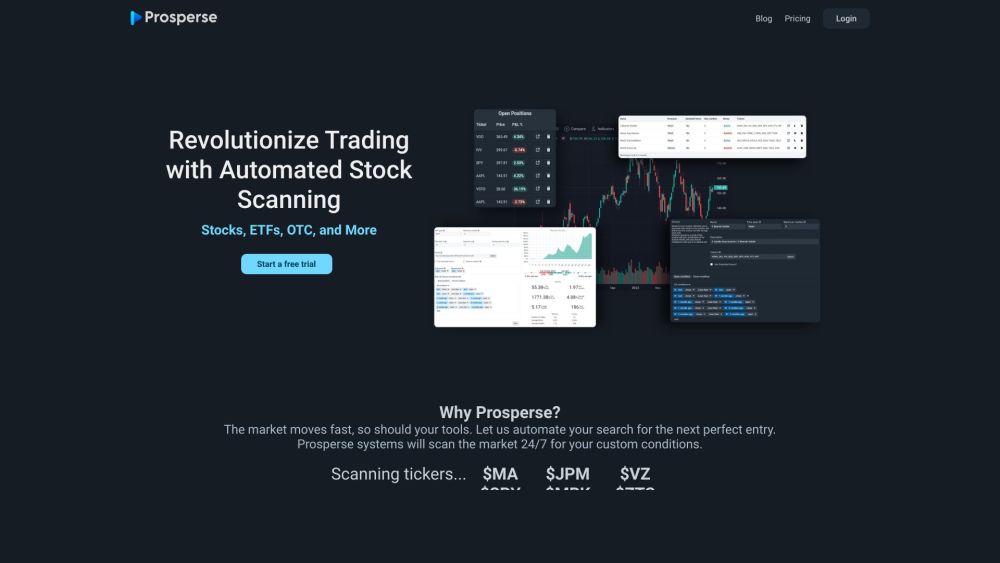
Prosperse website preview

Prosperse | Automated Stock Scanning Website screenshot

Understanding Prosperse: 24/7 Automated Stock Scanning & Custom Trading Signals

Prosperse is an advanced platform designed to help traders enhance their stock market strategies through fully automated, customizable scanning tools. These tools tirelessly monitor the market around the clock, identifying potential trade opportunities based on the user-defined criteria.

How to Maximize Prosperse for Stock Scanning & Trading Signals

Start by choosing the stocks or tickers you wish to track. Customize your scanning parameters to align with your trading strategy. As the market operates, Prosperse’s scanner works continuously, delivering instant alerts when favorable conditions are met. Integrated with TradingView, the platform offers top-tier charting tools, over 150 indicators, and real-time data streams. You can set personalized price alerts, backtest strategies with historical data, and establish exit strategies with defined stop loss and take profit thresholds. Monitor your positions, assess portfolio performance, and access comprehensive reports and analytics. Stay informed with the latest company news related to your investments.

Key Features of Prosperse: 24/7 Stock Scanning & Custom Trading Signals

24/7 automated scanning with customizable criteria

Simultaneous multi-scanner capability

Real-time alerts for trade entry and exit

Advanced charting via TradingView integration

Robust backtesting for strategy validation

Portfolio tracking and performance analytics

Live P&L tracking and position management

Access to detailed company news and data

Applications of Prosperse: Who Can Benefit?

Day traders seeking precise entry and exit signals

Swing traders looking for mid-term opportunities

Portfolio managers aiming to optimize performance

Technical analysts requiring detailed charting tools

Investors conducting in-depth research

Product source: Prosperse official website. Check the provider for current plans, limits and availability.

FAQ

Prosperse questions and answers

Product context and practical checks for evaluating Prosperse.

What is Prosperse used for?

Prosperse: Automate your trading with 24/7 stock scanning for custom signals. Tailor scans to your strategy and never miss the perfect entry again!

How do I get started with Prosperse?

Start by choosing the stocks or tickers you wish to track. Customize your scanning parameters to align with your trading strategy. As the market operates, Prosperse’s scanner works continuously, delivering instant alerts when favorable conditions are met. Integrated with TradingView, the platform offers top-tier charting tools, over 150 indicators, and real-time data streams. You can set personalized price alerts, backtest strategies with historical data, and establish exit strategies with defined stop loss and take profit thresholds. Monitor your positions, assess portfolio performance, and access comprehensive reports and analytics. Stay informed with the latest company news related to your investments.

Which capabilities are described for Prosperse?

24/7 automated scanning with customizable criteriaSimultaneous multi-scanner capabilityReal-time alerts for trade entry and exitAdvanced charting via TradingView integrationRobust backtesting for strategy validationPortfolio tracking and performance analyticsLive P&L tracking and position managementAccess to detailed company news and data

What projects can I evaluate Prosperse for?

Day traders seeking precise entry and exit signalsSwing traders looking for mid-term opportunitiesPortfolio managers aiming to optimize performanceTechnical analysts requiring detailed charting toolsInvestors conducting in-depth research Prosperse Support and Contact Information For customer support or inquiries, visit the contact us page. About Prosperse Learn more about Prosperse by visiting the about us page. Prosperse Login Access your account here: Prosperse Login Prosperse Pricing Explore our pricing options at: Prosperse Pricing Connect with Prosperse on Social Media Follow us on Facebook, YouTube, Twitter, and Instagram.

What should I compare before choosing a Prosperse plan?

Explore our pricing options at: Prosperse Pricing Confirm current prices and allowances on the provider’s website before purchasing.

What inputs should I prepare for a Prosperse trial?

Identify the files, text or account connections your task needs. Confirm that the product accepts those inputs and offers controls for reviewing its work.

How can I check the quality of a Prosperse result?

Test one representative task and inspect the result for accuracy and completeness. Record where manual corrections or extra tools are needed.

Which export options should I check in Prosperse?

Check export formats, integrations and whether you can keep using your work outside the service. Test a real export before committing to a longer plan.

What is a practical way to test Prosperse against alternatives?

Choose one task with a clear success condition. Keep the input consistent, record the time spent reviewing and compare the complete workflow cost.

Where is the official Prosperse website?

The website linked from this profile is https://www.promptdodo.com. Use the provider’s own documentation, account area and support channels to confirm current product details.

Visit Prosperse