Table of contents
Proposa: eSign Software, AI Content Writer, CRM, GPS Tracking
Proposa: Streamline your sales with eSign, AI content writing, CRM, and GPS tracking. Create, send, and sign proposals online effortlessly. Try Proposa today!
Directory : AI Content Generator
What is Proposa?
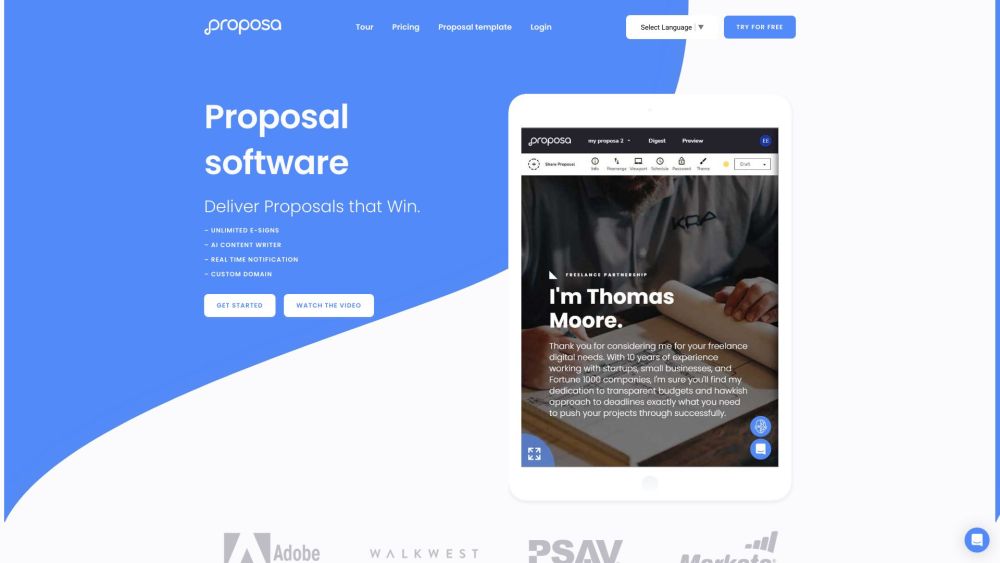
Proposa is a comprehensive web-based solution designed for creating and sending sales proposals and documents electronically. It features eSign capabilities, allowing for seamless document signing. The platform includes a variety of ready-to-use sales templates and an AI content writer to aid in crafting professional proposal content. Additional functionalities include instant notifications, a built-in CRM system, and advanced content writing tools. Users can manage proposals, track document signatures, and monitor GPS, IP address, and device ID for enhanced validation.
How to Use Proposa
Proposa's Core Features
eSign software for documents and proposals
Generate proposals online
Ready sample sales and document templates
Instant notification
Built-in CRM
Content writing tool
Unlimited e-signs with GPS and IP tracking
Intelligently designed proposals
AI-generated content suggestions
Real-time notifications
Use and reuse successful proposal templates
No-risk pricing with a 14-day trial
Proposa's Use Cases
Creating sales proposals
Sending and eSigning documents
Managing client interactions and follow-ups
Generating reports and analytics
Streamlining the proposal process
Increasing proposal conversion rates
Improving proposal content and design
Monitoring proposal performance
-
Proposa Support Email & Customer Service Contact & Refund Contact
For more contact information, visit the contact us page.
-
Proposa Company
Proposa Company Name: Proposa.
-
Proposa Login
Proposa Login Link: https://app.proposa.io
-
Proposa Sign Up
Proposa Sign Up Link: https://app.proposa.io/register
-
Proposa Pricing
Proposa Pricing Link: https://proposa.io/pricing/
-
Proposa Facebook
Proposa Facebook Link: https://www.facebook.com/GetProposa/
-
Proposa YouTube
Proposa YouTube Link: https://www.youtube.com/channel/UC1MNsqHlB5Y0pWYHqKbAKBA/
-
Proposa Twitter
Proposa Twitter Link: https://twitter.com/getproposa
FAQ from Proposa
What is Proposa?
Proposa is a web-based eSign software that allows users to create and send sales proposals and documents online. It offers ready sample sales templates and provides an AI content writer for generating proposal content. Proposa also features instant notification, built-in CRM, and a content writing tool. Users can generate proposals, eSign documents, and track GPS location, IP address, and device ID for validation.
How to use Proposa?
To use Proposa, follow these steps: 1. Sign up for an account on the Proposa website. 2. Choose from the available sales templates or create a custom template. 3. Customize the proposal by adding relevant content and personalizing it for the recipient. 4. Use the AI content writer to generate proposal content or input your own. 5. Send the proposal to the recipient and track its progress through real-time notifications. 6. Utilize the built-in CRM to manage client interactions and follow-ups. 7. Sign and eSign documents for authentication and archiving. 8. Generate reports and analytics to monitor proposal performance. 9. Reuse successful proposal templates and content for future proposals.
How can I use Proposa?
To use Proposa, sign up for an account on the website. Choose from the available sales templates or create a custom template. Customize the proposal by adding relevant content and personalizing it for the recipient. Use the AI content writer to generate proposal content or input your own. Send the proposal to the recipient and track its progress through real-time notifications. Utilize the built-in CRM to manage client interactions and follow-ups. Sign and eSign documents for authentication and archiving. Generate reports and analytics to monitor proposal performance. Reuse successful proposal templates and content for future proposals.
What are the core features of Proposa?
The core features of Proposa include eSign software for documents and proposals, generating proposals online, using ready sample sales and document templates, receiving instant notifications, accessing a built-in CRM, utilizing a content writing tool, sending unlimited e-signs with GPS and IP tracking, creating intelligently designed proposals, getting AI-generated content suggestions, and receiving real-time notifications.
What are the use cases of Proposa?
Proposa can be used for creating sales proposals, sending and eSigning documents, managing client interactions and follow-ups, generating reports and analytics, streamlining the proposal process, increasing proposal conversion rates, improving proposal content and design, and monitoring proposal performance.