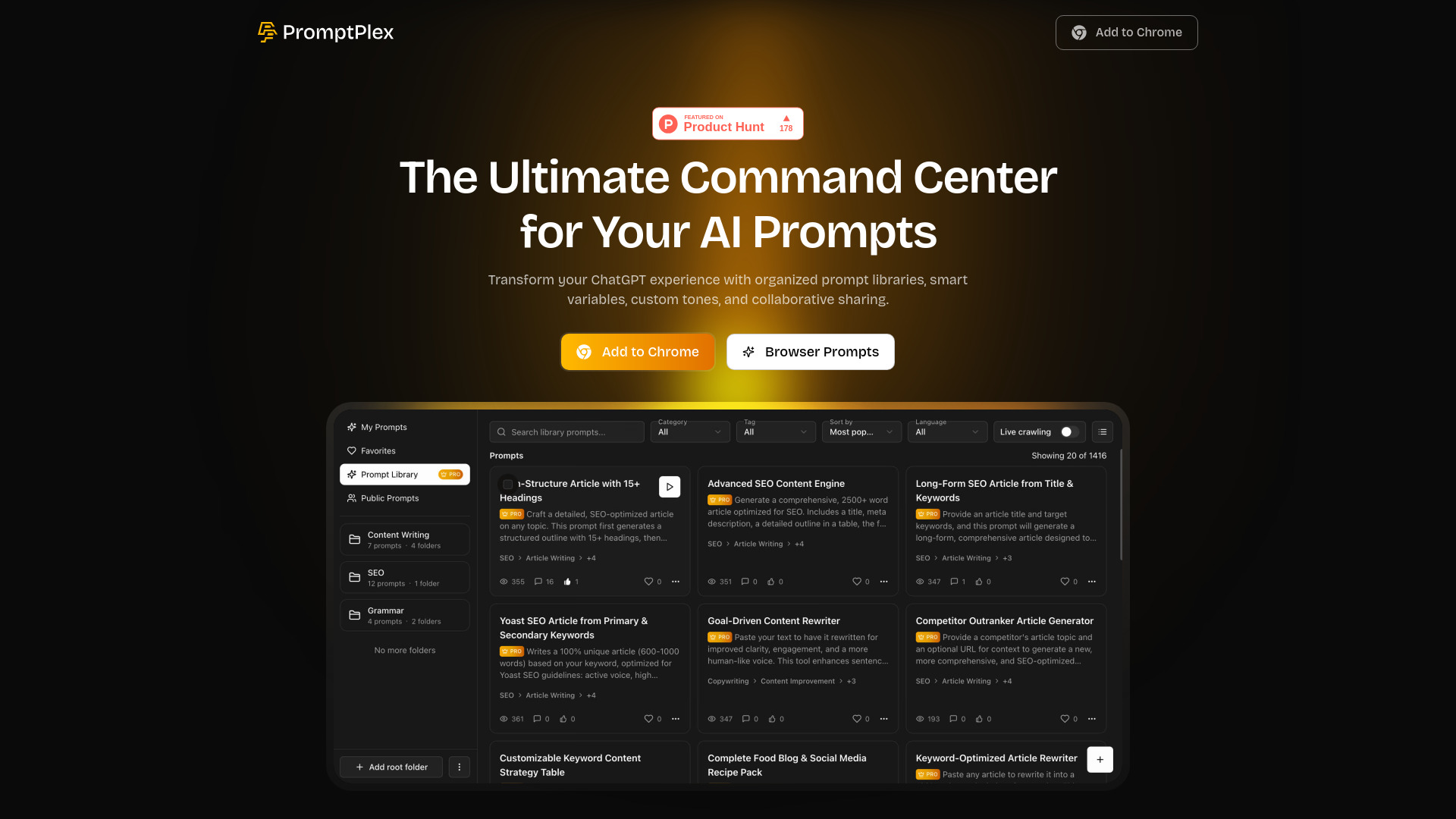
What Is PromptPlex?
PromptPlex is a free AI prompt library and smart workflow manager designed to make everyday AI tasks easier to organize and repeat. Available as a Chrome extension, it helps professionals keep useful prompts in one searchable workspace rather than scattered across documents, bookmarks, and chat histories. With support for tools such as ChatGPT, Claude, and Google Gemini, PromptPlex brings reusable instructions closer to the platforms where you work. Its combination of folders, tags, customizable variables, and sharing tools helps turn individual prompts into a practical resource for content creation, research, design, and business communication.
How to Use PromptPlex
Start by installing the PromptPlex extension from the Chrome Web Store. You can explore its basic functionality without immediately registering for an account, then access your prompt collection while working with supported AI platforms. Use the library interface to browse available templates and locate relevant instructions for your next task. As you develop your collection, group related prompts into folders and apply descriptive tags so that useful templates remain easy to find. Search helps you retrieve the right starting point without digging through previous conversations.
A free account provides access to additional participation and sharing features, including saving favorites and contributing to the prompt community. For repeatable tasks, replace changeable details with dynamic variables, such as a topic, audience, product name, or preferred tone. This approach lets you adapt a template without rewriting its core instructions. You can also connect related prompts into a structured workflow—for example, moving from initial research to an outline, a draft, and a final review. Feature availability may depend on the current plan and supported platform.
Key Features of PromptPlex
- Organized AI Prompt Library: Keep reusable prompts in a central collection with folders, tags, and search. Organizing templates by project, department, or task makes it easier to locate relevant instructions and avoid recreating work you have already completed.
- Dynamic Prompt Variables: Build flexible templates with placeholders for information that changes between assignments. Update details such as the target keyword, customer profile, writing style, or output format while preserving the structure of a useful prompt.
- Personalization and Tone Controls: Adjust prompts to reflect different audiences and communication goals. Whether you need a formal business message, an approachable explanation, or a creative brief, customization options help you give AI tools clearer direction.
- Community Discovery and Sharing: Explore prompts contributed by other users, save useful examples, and share templates from your own workflow. Community feedback and voting can help surface promising approaches, while collaboration encourages ongoing refinement.
- Connected Prompt Workflows: Arrange related prompts into a sequence for tasks that require more than a single AI response. Break larger projects into manageable stages, such as gathering information, identifying themes, creating content, and reviewing the result.
Together, these features support a more consistent approach to AI-assisted work. Instead of starting with a blank input field each time, you can reuse a structured template, provide the necessary context, and focus on evaluating the response. Actual time savings and output quality depend on the task, the prompt, and the AI model you use.
Why Choose PromptPlex?
PromptPlex is built around a common challenge: useful AI instructions are easy to create once and surprisingly difficult to keep organized. A dedicated prompt manager offers a more practical alternative to searching old chats or maintaining disconnected notes. By combining prompt storage, retrieval, and customization in a browser-based workspace, PromptPlex helps content creators, marketers, developers, and business teams establish repeatable processes. Its free entry point also makes it approachable for individuals who want to explore prompt management before deciding whether they need additional capabilities.
The Chrome extension format keeps prompt access close to your everyday AI workflow. You can maintain a collection for different supported tools while adapting individual templates to each model's strengths and requirements. Shared prompts can give teams a common starting point for recurring work, while personal collections preserve specialized instructions for individual projects. Before adopting PromptPlex for sensitive or organization-wide use, review its current permissions, privacy documentation, compatibility details, and plan limits. These checks help ensure that the service fits both your workflow and your data-handling requirements.
Use Cases and Applications
SEO specialists and content teams can use PromptPlex to organize templates for keyword research, article briefs, heading structures, meta descriptions, and editorial reviews. Variables make it easier to reuse these templates across topics, audiences, and brands without overlooking important instructions. Designers and digital artists can maintain collections of image-generation prompts, including style references, composition guidance, lighting descriptions, and visual constraints for tools such as Midjourney or DALL-E. Business professionals can save frameworks for customer emails, meeting summaries, proposals, reports, and presentation outlines. Developers can organize prompts for explaining code, preparing documentation, and planning troubleshooting steps. For agencies and collaborative teams, a shared prompt collection provides a reference point for recurring assignments, helping colleagues exchange ideas and refine useful templates rather than working from unrelated instructions.