Table of contents
Prezi: AI-Powered Presentations, Videos & Infographics
Prezi: AI-powered software that transforms ideas into stunning, engaging presentations, videos & infographics—fast, smart, and unforgettable.
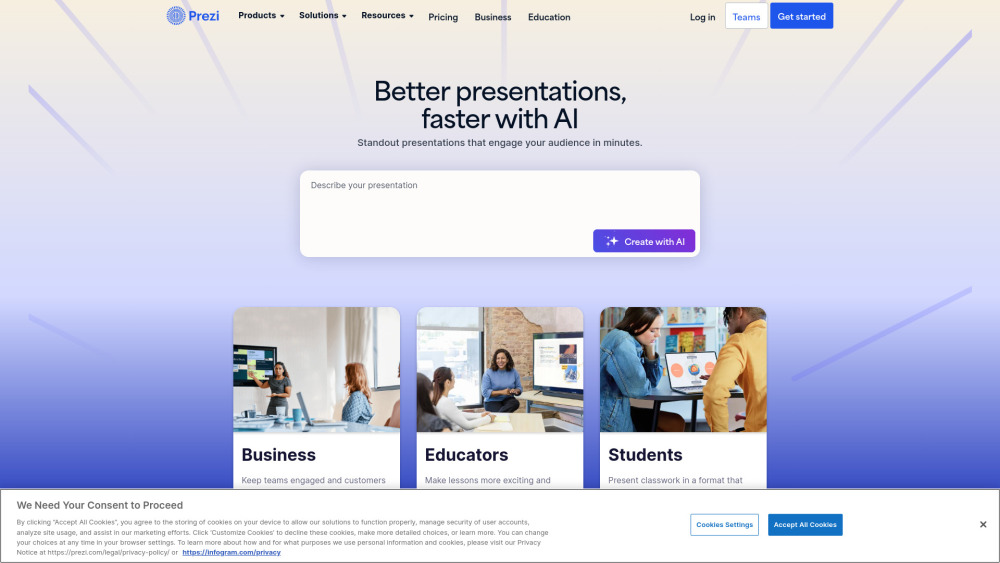
What Is Prezi?
Prezi is a next-generation, AI-powered visual communication platform designed to turn ideas into compelling presentations, dynamic videos, and data-driven infographics — all in one integrated workspace. Moving beyond static slides, Prezi empowers creators with an infinite canvas, cinematic zoom-and-pan navigation, and intelligent automation that adapts to your voice, goals, and brand. Whether you're pitching to investors, teaching remotely, or leading hybrid team meetings, Prezi connects seamlessly with Zoom, Microsoft Teams, and Webex to make every virtual interaction more immersive and memorable.
How Does Prezi Work?
Getting started is intuitive: describe your topic in plain language, and Prezi’s AI instantly drafts a polished, visually cohesive presentation — complete with smart layouts, relevant imagery, animated transitions, and branded styling. From there, refine with drag-and-drop editing, convert legacy PowerPoint decks in seconds, record live narration with Prezi Video, or build custom infographics using real-time data import and interactive object animations. Every step is guided by contextual AI suggestions — helping you write clearer copy, choose stronger visuals, and structure messages for maximum impact.
Prezi’s Core Features
AI Presentation Generator — Create full decks from text prompts
Interactive Canvas — Navigate non-linearly with fluid zoom and motion
Prezi Video — Record professional talking-head videos layered over slides
Prezi Design — Build responsive, publication-ready infographics and social visuals
Real-Time Collaboration — Co-edit, comment, and present together across time zones
PowerPoint Importer — Auto-convert PPTX files into editable Prezi formats
Offline Desktop App — Work without internet; sync changes when back online
Audience Analytics — Track engagement metrics like view duration and hotspot clicks
Brand Kit Manager — Save logos, fonts, colors, and templates for consistent identity
Virtual Meeting Integrations — Launch Prezi directly inside Zoom, Teams, and Webex
Who Uses Prezi?
Marketing teams crafting scroll-stopping, on-brand campaign assets.
Sales professionals delivering persuasive, personality-driven pitches.
HR departments transforming onboarding, compliance, and culture docs into engaging experiences.
Educators designing hybrid lesson plans that spark curiosity and deepen understanding.
Students building standout class projects, thesis defenses, and portfolio presentations.
Remote and distributed teams running lively, visual-first virtual standups and retrospectives.
Content creators repurposing blog posts, reports, or scripts into shareable video and infographic formats.
Nonprofits and startups communicating complex missions with clarity, emotion, and visual storytelling.
Frequently Asked Questions (FAQ)
-
What is Prezi?
-
Does Prezi offer a free trial?
-
Can Prezi integrate with other meeting platforms?
-
Is Prezi suitable for education?
-
How does Prezi use AI?
-
Prezi Support & Contact Information
For help with billing, technical issues, or refund requests, visit Prezi’s official Contact Us page.
-
About Prezi
Company name: Prezi Inc.
Headquarters: San Francisco, CA (U.S.) and Budapest, Hungary
Learn more about our mission, values, and global team on the About Us page. -
Prezi Login
Access your account at: https://prezi.com/login/
-
Prezi Sign Up
Start creating in minutes: https://prezi.com/signup/
-
Prezi Pricing Plans
Compare features across Free, Basic, Professional, and Enterprise tiers: https://prezi.com/pricing/
-
Follow Prezi on Social Media
Facebook: https://www.facebook.com/prezicom/
TikTok: https://www.tiktok.com/@prezicom/
LinkedIn: https://www.linkedin.com/company/216295
X (Twitter): https://twitter.com/prezi
Instagram: https://www.instagram.com/prezicom/
FAQ from Prezi
What is Prezi?
Prezi is an AI-powered visual communication platform that reimagines how teams create, deliver, and share presentations, videos, and infographics. Its signature open canvas, motion-based storytelling, and intelligent design tools help users communicate with greater clarity, creativity, and connection — whether live, virtual, or asynchronous.
How to use Prezi?
Begin by typing a prompt — like “Explain climate change impacts for high school students” — and let Prezi’s AI generate a structured, visually rich draft. Then customize with your brand kit, add video clips or data charts, collaborate in real time, and present directly within Zoom or Teams. No design skills required — just your ideas and intent.
Does Prezi offer a free trial?
Yes. Prezi provides a 14-day free trial of its Professional plan — no credit card needed to start. You’ll get full access to AI generation, Prezi Video, Design tools, analytics, and integrations.
Can Prezi integrate with other meeting platforms?
Absolutely. Prezi Video works natively inside Zoom, Microsoft Teams, and Webex as a virtual background and presenter overlay — letting you appear alongside your content, not just beside it.
Is Prezi suitable for education?
Yes — and it’s widely adopted in K–12 and higher education. Prezi for Education offers discounted licenses, classroom-friendly templates, LMS integrations (like Canvas and Moodle), and pedagogical resources to support active, visual learning.
How does Prezi use AI?
Prezi uses generative AI to accelerate creation — drafting slide content, suggesting visuals, adapting tone and complexity, optimizing layout flow, and even rewriting dense text into concise, audience-focused messaging. It’s AI that augments human creativity, not replaces it.