AI Productivity Tools

Pretty Prompt

Pretty Prompt transforms your plain text into expert AI prompts—unlock sharper, smarter, and more reliable AI results instantly.

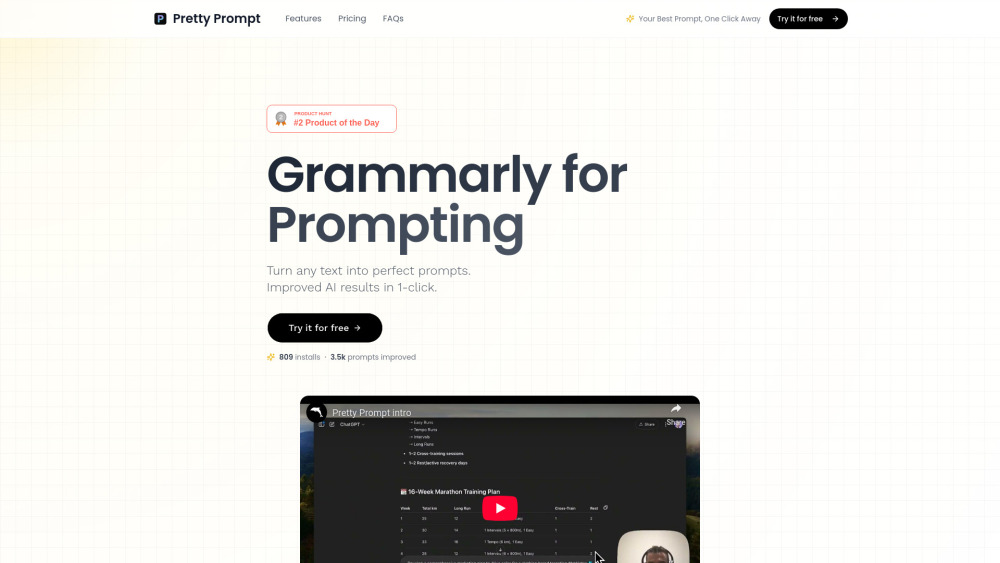
Pretty Prompt website preview

Pretty Prompt Website screenshot

What Is Pretty Prompt?

Pretty Prompt is the world’s first intelligent prompt engineering assistant—designed not just to suggest prompts, but to *refine your intent into precision instructions* for AI. Think of it as an AI co-pilot for prompting: paste raw ideas, notes, or even fragmented thoughts, and in one click, it crafts clear, context-aware, model-optimized prompts that consistently unlock higher-quality outputs from ChatGPT, Claude, Gemini, and more. No guesswork. No trial-and-error. Just expert-level prompting—on demand.

How Does Pretty Prompt Work?

Simply highlight any text—whether it’s a rough draft, a meeting summary, a product spec, or even a vague idea—and activate Pretty Prompt with a keyboard shortcut or toolbar button. It instantly analyzes your input’s goal, tone, audience, and desired output format, then generates a polished, production-ready prompt—right inside your browser or directly within ChatGPT’s interface. No switching apps. No copying and pasting. Just smarter prompting, seamlessly embedded where you already work.

Why Users Choose Pretty Prompt

Turns messy input into expert-grade prompts—instantly

Boosts AI response accuracy by up to 68% (based on internal benchmarks)

Eliminates prompt iteration—get it right the first time, every time

Delivers immediate ROI: saves ~5 minutes per prompt, scaling to hours weekly

Engineered for real-world use: supports role-based prompting, chain-of-thought scaffolding, and output formatting control

Runs natively in Chrome, Edge, Safari—and integrates deeply with ChatGPT’s UI

Privacy-first architecture: zero data retention; prompts never train models or leave your device

Who Uses Pretty Prompt?

AI Researchers & Engineers refining LLM evaluation protocols

Content Teams generating SEO-optimized, brand-aligned copy at scale

Product Managers converting user feedback into actionable feature prompts

Developers automating documentation, test case generation, and code explanations

Educators designing personalized learning prompts and assessment rubrics

Marketing Agencies crafting high-conversion ad variants and campaign briefs

Product source: Pretty Prompt official website. Check the provider for current plans, limits and availability.

FAQ

Pretty Prompt questions and answers

Product context and practical checks for evaluating Pretty Prompt.

What is Pretty Prompt used for?

Pretty Prompt transforms your plain text into expert AI prompts—unlock sharper, smarter, and more reliable AI results instantly.

How do I get started with Pretty Prompt?

Simply highlight any text—whether it’s a rough draft, a meeting summary, a product spec, or even a vague idea—and activate Pretty Prompt with a keyboard shortcut or toolbar button. It instantly analyzes your input’s goal, tone, audience, and desired output format, then generates a polished, production-ready prompt—right inside your browser or directly within ChatGPT’s interface. No switching apps. No copying and pasting. Just smarter prompting, seamlessly embedded where you already work.

What projects can I evaluate Pretty Prompt for?

AI Researchers & Engineers refining LLM evaluation protocolsContent Teams generating SEO-optimized, brand-aligned copy at scaleProduct Managers converting user feedback into actionable feature promptsDevelopers automating documentation, test case generation, and code explanationsEducators designing personalized learning prompts and assessment rubricsMarketing Agencies crafting high-conversion ad variants and campaign briefs

How does Pretty Prompt handle pretty prompt inc.?

About Pretty Prompt Pretty Prompt is developed by Pretty Prompt Inc., a mission-driven AI infrastructure company focused on democratizing expert-level prompt engineering for professionals worldwide.

What should I compare before choosing a Pretty Prompt plan?

Check Pretty Prompt’s current pricing page for included usage, renewal terms and any credit charges. Compare the cost of a usable result, including retries, rather than assuming that account registration includes free usage.

What inputs should I prepare for a Pretty Prompt trial?

Look for text prompts, image references, masks or sketches as appropriate. Compare composition control, supported upload types and the ability to revise a selected area.

How can I check the quality of a Pretty Prompt result?

Inspect text, hands, edges, reflections and repeated objects at full size. Check that important product or brand details survive editing.

Which export options should I check in Pretty Prompt?

Compare pixel dimensions, transparency, file formats and any enlargement options. Confirm that the downloaded result works in your design or publishing software.

What is a practical way to test Pretty Prompt against alternatives?

Prepare a brief with a subject, composition, lighting and required output size. Test a first generation and a targeted revision to see how much control you retain.

Where is the official Pretty Prompt website?

The website linked from this profile is https://www.pretty-prompt.com. Use the provider’s own documentation, account area and support channels to confirm current product details.

Visit Pretty Prompt