Table of contents
Post 5s: AI Chrome Extension for Captions, Hashtags & Speed
Post 5s: AI Chrome extension that crafts polished social posts—captions & hashtags—in seconds. Boost engagement, save time!
What Is Post 5s?
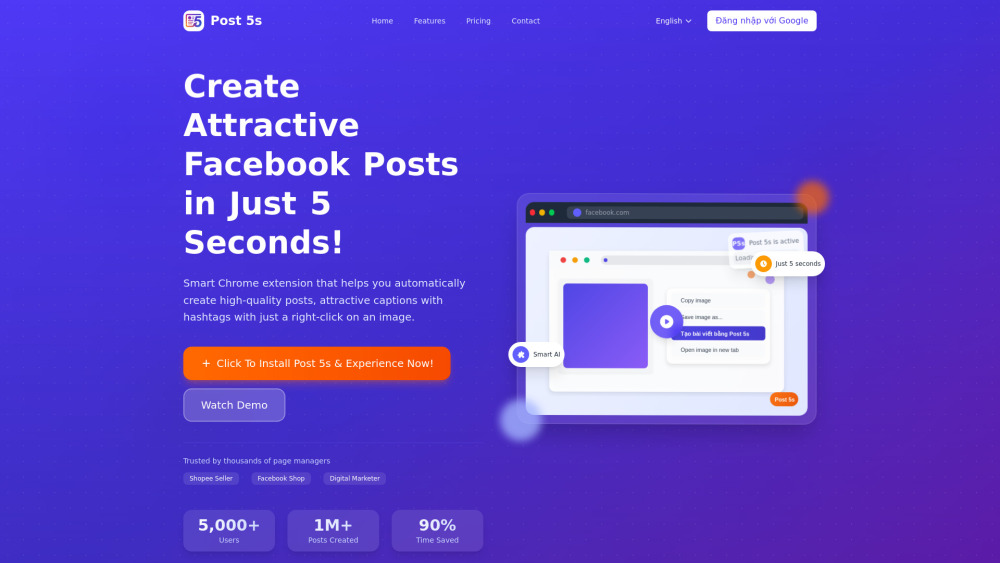
Post 5s is an AI-powered Chrome extension built for speed-first social creators. With true one-click intelligence, it transforms any online image into a polished, platform-ready social post—in under 5 seconds. Instantly generate context-aware captions, conversion-optimized hashtags, and tone-matched messaging—no typing, no brainstorming, no delays. Designed for Shopee sellers, Facebook shop operators, community managers, and growth-focused marketers who demand quality *and* velocity.
How to Use Post 5s — In Under 10 Seconds
Launch high-performing posts in three frictionless steps:
- Install in One Click: Add Post 5s from the Chrome Web Store—no setup, no account required.
- Right-Click Any Image: Whether it’s a product shot on Shopee, a lifestyle photo on Instagram, or a banner on your e-commerce site—just right-click and select “Generate Post with Post 5s”.
- Copy, Paste, Publish: Get AI-crafted copy + smart hashtag sets instantly. Copy with Ctrl+C (or ⌘+C), paste into Facebook, TikTok Shop, or your CMS—and go live.
Why Post 5s Stands Out
✅ 5-Second Post Generation
✅ Context-Aware AI Writing (Not Template-Based)
✅ Platform-Smart Hashtag Engine (Trending + Niche + Brand-Aligned)
✅ Universal Image Support — Works Everywhere You Browse
✅ Zero Learning Curve — Built for Daily Workflow, Not Demo Days
Who Uses Post 5s — And Why It Fits Their Workflow
Shopee & Facebook Sellers:
Turn product images into scroll-stopping posts—complete with persuasive hooks, benefit-driven descriptions, and high-CPC hashtag clusters—all before your coffee cools.
Digital Marketing Teams:
Scale content output across 5+ fan pages without hiring writers. Maintain consistent voice, brand guidelines, and campaign alignment—automatically.
Fashion & Lifestyle Shops:
Post daily new arrivals in seconds—not hours. AI adapts tone (playful, elegant, urgent) based on visual cues like color palette, model pose, or background texture.
Solopreneurs & Side-Hustlers:
No more sacrificing quality for speed—or vice versa. Get pro-level posts that grow engagement, even if you’re managing everything solo.
Frequently Asked Questions (FAQ)
-
How does Post 5s work?
-
Which websites support Post 5s?
-
Is the AI-generated content unique and original?
-
Where can I get help or request a refund?
-
Support & Contact
Have questions? Need troubleshooting? Reach our responsive support team anytime via Zalo: https://zalo.me/0394932696 — we reply within 2 hours during business hours.
-
About Autowork
Post 5s is developed by Autowork — a Vietnam-based SaaS team focused on intelligent automation tools for Southeast Asian digital commerce.
-
Follow Us on Facebook
Stay updated with feature releases, tips, and real-user case studies: https://www.facebook.com/people/AutoWork/61564488969068/
-
Watch the Quick Demo
See Post 5s in action — from right-click to published post — in under 90 seconds: https://youtu.be/vIrTyddf_ws?si=csp-fWtlDudEjLqJ
FAQ from Post 5s
What is Post 5s?
Post 5s is a lightweight, AI-native Chrome extension engineered for instant social content creation. By analyzing image content, composition, and visual context, it generates compelling, platform-optimized captions and strategically selected hashtags—every time you right-click. It’s not just fast—it’s *intelligently fast*.
How to use Post 5s?
Three steps, zero complexity:
1. Install the free extension from Chrome Web Store.
2. Right-click any image on Facebook, Shopee, Instagram, Lazada, TikTok Shop, or your own website.
3. Select “Create Post with Post 5s” → copy the AI-generated text → paste and publish. Done.
How does Post 5s work?
Behind the scenes, Post 5s leverages multimodal AI: computer vision identifies objects, scenes, and aesthetics; language models craft human-toned, goal-oriented copy; and a dynamic hashtag engine cross-references real-time trends, audience intent, and category performance. All processed locally in-browser—no image uploads, no privacy risk.
On which websites can I use Post 5s?
Anywhere images render in Chrome—including social feeds (Facebook, Instagram), marketplaces (Shopee, Lazada, Tiki), blogs, news sites, design portfolios, and internal dashboards. No whitelist required—works out-of-the-box.
Is the generated content duplicated?
No. Every caption and hashtag set is uniquely generated per image using proprietary prompt engineering and contextual fine-tuning. Content passes plagiarism checks and reflects authentic, non-generic phrasing aligned with your visual input.
How do I contact support if I need help?
We offer 24/7 priority support via Zalo (https://zalo.me/0394932696). For urgent issues, mention “POST5S SUPPORT” in your message—we’ll escalate immediately. Refund requests are honored within 14 days of purchase, no questions asked.