Table of contents
Hair Removal Photo Editor Online : AI-Powered, Free, No Signup
Remove unwanted hair from photos instantly—AI-powered, free, no signup needed! Try Pokecut’s Hair Removal Photo Editor online now.
Directory : Text&Writing, AI Tools, Photo Editing, Image Processing, Beauty Tools, Online Tools, Free Software

Introducing the AI Hair Removal Photo Editor — Instant, Effortless, and Always Free
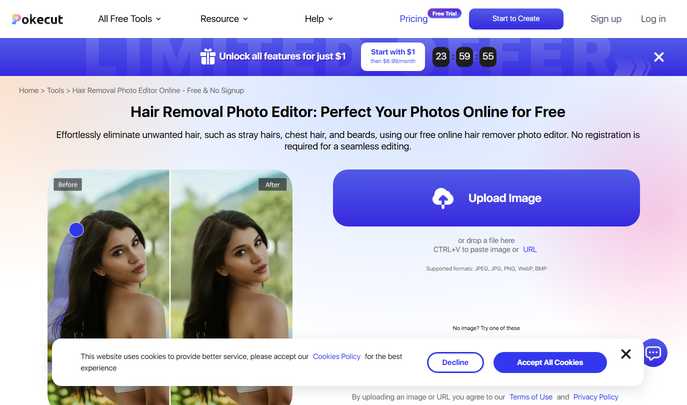
Meet Pokecut’s Hair Removal Photo Editor: a cutting-edge, browser-based solution that leverages state-of-the-art artificial intelligence to erase unwanted hair from photos—no installation, no account, no hidden fees. Whether it’s facial stubble, stray eyebrow hairs, chest hair, or wispy flyaways, our smart editor detects and removes them with surgical accuracy—while preserving skin texture, lighting, and natural detail. Designed for speed and simplicity, it delivers studio-quality retouching in seconds, right from your phone or laptop.
How It Works — Three Simple Steps
- Upload in One Click — Drag and drop your image, click to browse, or paste directly via Ctrl+V (or Cmd+V on Mac). Compatible with JPEG, JPG, PNG, WebP, and BMP files—no size limits or compression compromises.
- Paint & Perfect — Select the AI hair eraser brush (size 10 works best for most cases), then gently stroke over areas with unwanted hair. The model instantly distinguishes hair from skin and background, removing only what you target—no accidental smudging or blurring.
- Export & Enhance — Preview your refined image, adjust brightness or contrast if needed, and download in high-res JPG or PNG format. For next-level polish, tap “Edit More” to access AI background removal, face smoothing, resolution upscaling, and thousands of creative overlays.
Why Photographers, Influencers, and Everyday Users Love This Tool
- Truly Zero-Friction Access: No email signups, no paywalls, no trial periods. Just open pokecut.com, upload, edit, and go—fully functional across Chrome, Safari, Edge, and mobile browsers.
- Smart Hair Recognition Engine: Trained on diverse skin tones and hair types, our AI differentiates fine peach fuzz from coarse beard growth, body hair from head hair—and even handles translucent or backlit strands with remarkable fidelity.
- Built for Real-World Use: From prepping LinkedIn profile photos and Instagram posts to refining product shots or family portraits, this tool adapts seamlessly to professional and personal needs—without demanding design expertise.
- All-in-One Creative Suite: Beyond hair removal, unlock AI-powered enhancements: background replacement, object removal, color grading, text overlays, and over 10,000 customizable templates—all accessible from the same interface.
- Pixel-Aware Output Preservation: Unlike basic clone tools, our algorithm reconstructs missing pixels contextually—blending tone, grain, and micro-texture so edits remain invisible, even at full zoom.
Frequently Asked Questions
- Does it work on all skin tones and hair colors?
Yes—the AI model is trained on a globally representative dataset and performs reliably across light to deep skin tones and light to dark hair, including gray, red, and blonde strands. - Is there a limit to how many images I can process?
You receive 5 free hair removal credits daily—enough for regular personal use. No login means no tracking, no expiration, and no credit rollover—but all core functionality remains fully accessible without upgrading. - Can I undo or refine a removal after applying it?
Absolutely. Every edit is non-destructive. Use the eraser or brush again to add or subtract coverage, toggle between before/after views, or restart entirely—your original file stays untouched. - What makes this better than traditional photo editing apps?
Traditional tools require manual masking, layer adjustments, and hours of learning. Our AI automates complexity—recognizing hair structure, direction, and shadowing—so you get pro results in under 10 seconds, not 10 minutes. - Is my uploaded photo stored or shared?
No. All processing happens client-side or in secure, ephemeral cloud sessions. Uploaded images are automatically deleted within minutes of editing—no retention, no sharing, no third-party access. - Can I use it on mobile devices?
Yes—fully responsive design ensures smooth touch controls, pinch-to-zoom precision, and fast rendering on iOS and Android. No app download required.
Step into smarter photo editing—where AI meets intentionality. With Pokecut’s Hair Removal Photo Editor, flawless, natural-looking results are just a click away. No strings attached. No barriers to entry. Just clean, confident, camera-ready imagery—every time.
Get started now: https://www.pokecut.com/tools/hair-removal-photo-editor