AI Content Generator

Podium

Podium: AI Copywriting Tool for High-Quality Podcast Content. Streamline your podcast production with top-notch show notes, articles, social posts, and more!

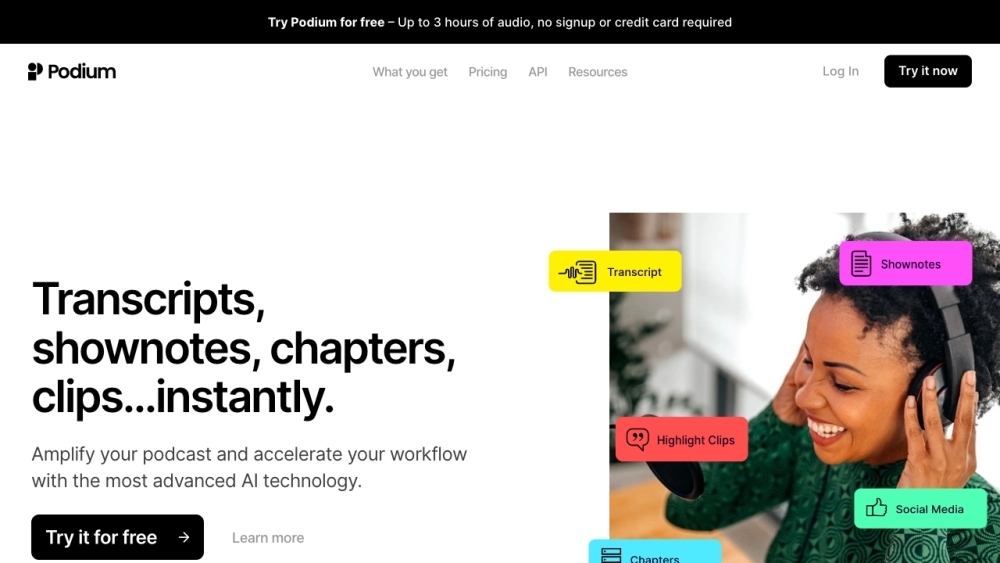
Podium website preview

Podium Website screenshot

What is Podium?

Podium is a specialized AI-driven copywriting tool aimed at podcast producers. It optimizes the podcast production process by creating high-quality show notes, articles, social media posts, and other content effortlessly.

How to use Podium?

Using Podium is straightforward: upload your podcast audio, and the AI will handle the rest. Podium generates show notes, divides episodes into chapters, provides transcripts in TXT and VTT formats, creates highlight clips, and suggests relevant keywords for improved discoverability. The content generated can be easily exported and shared across multiple platforms. Podium helps save time and reduce costs while expanding audience reach.

Podium's Core Features

AI-driven copywriting for show notes, articles, and social media posts

Effortless creation of detailed episode summaries with AI support

Chapter segmentation for easy navigation of episodes

Accurate transcripts in TXT and VTT formats for better accessibility

Highlight clips feature to capture key moments with timestamps and transcripts

Pre-made social media posts for platforms like Twitter, Facebook, and Instagram

Keyword suggestions to enhance search engine discoverability

Podium's Use Cases

Podcasters and producers can streamline their production process, saving time and money

Marketing directors can utilize Podium’s AI to generate promotional content effortlessly

Engineers can speed up content creation tasks with Podium’s automation features

Product source: Podium official website. Check the provider for current plans, limits and availability.

FAQ

Podium questions and answers

Product context and practical checks for evaluating Podium.

What is Podium used for?

Podium: AI Copywriting Tool for High-Quality Podcast Content. Streamline your podcast production with top-notch show notes, articles, social posts, and more!

How do I get started with Podium?

Using Podium is straightforward: upload your podcast audio, and the AI will handle the rest. Podium generates show notes, divides episodes into chapters, provides transcripts in TXT and VTT formats, creates highlight clips, and suggests relevant keywords for improved discoverability. The content generated can be easily exported and shared across multiple platforms. Podium helps save time and reduce costs while expanding audience reach.

Which capabilities are described for Podium?

AI-driven copywriting for show notes, articles, and social media postsEffortless creation of detailed episode summaries with AI supportChapter segmentation for easy navigation of episodesAccurate transcripts in TXT and VTT formats for better accessibilityHighlight clips feature to capture key moments with timestamps and transcriptsPre-made social media posts for platforms like Twitter, Facebook, and InstagramKeyword suggestions to enhance search engine discoverability

What projects can I evaluate Podium for?

Podcasters and producers can streamline their production process, saving time and moneyMarketing directors can utilize Podium’s AI to generate promotional content effortlesslyEngineers can speed up content creation tasks with Podium’s automation features Podium Support Email & Customer service contact & Refund contact etc. For more contact information, visit the contact us page Podium Login Podium Login Link: https://podium.page/login Podium Sign up Podium Sign up Link: https://podium.page/create-account Podium Pricing Podium Pricing Link: https://hello.podium.page/pricing

What should I compare before choosing a Podium plan?

Podium Pricing Link: https://hello.podium.page/pricing Confirm current prices and allowances on the provider’s website before purchasing.

What inputs should I prepare for a Podium trial?

Look for text prompts, image references, masks or sketches as appropriate. Compare composition control, supported upload types and the ability to revise a selected area.

How can I check the quality of a Podium result?

Inspect text, hands, edges, reflections and repeated objects at full size. Check that important product or brand details survive editing.

Which export options should I check in Podium?

Compare pixel dimensions, transparency, file formats and any enlargement options. Confirm that the downloaded result works in your design or publishing software.

What is a practical way to test Podium against alternatives?

Prepare a brief with a subject, composition, lighting and required output size. Test a first generation and a targeted revision to see how much control you retain.

Where is the official Podium website?

The website linked from this profile is https://hello.podium.page. Use the provider’s own documentation, account area and support channels to confirm current product details.

Visit Podium