Table of contents
Pixvify: AI Photo Gen & Edit, Use Cases, Pricing, Reviews
Pixvify: Elevate your visuals with AI-powered realistic photo generation & editing. Explore use cases, pricing, reviews, features, and alternatives today! Transform creativity effortlessly.
Directory : AI Photo & Image Generator, AI Art Generator, Large Language Models LLMs, AI Tools Directory
Discover Pixvify: Your AI-Powered Photo Generator and Editor
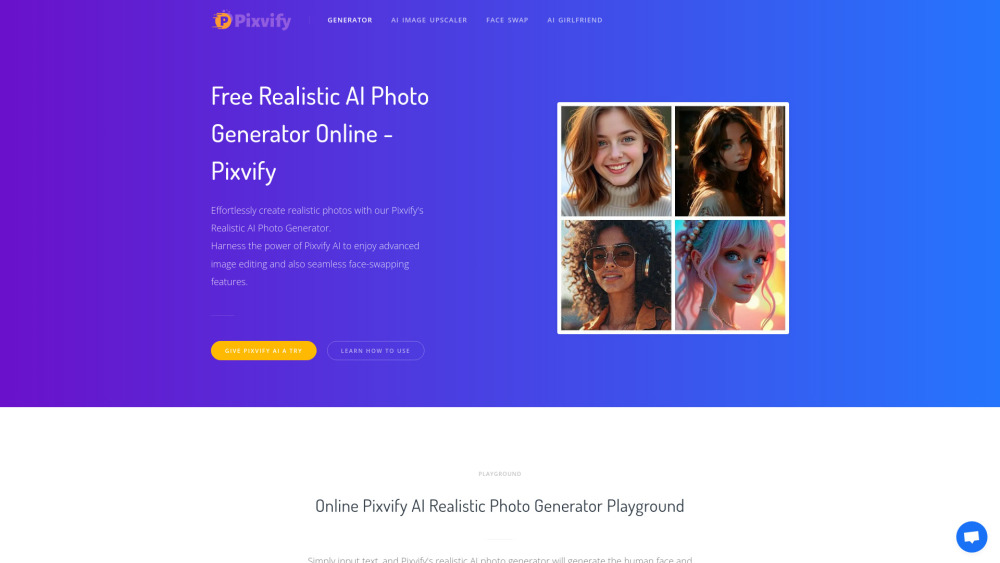
Pixvify is a cutting-edge, free-to-use online platform designed to help users generate realistic AI photos with ease. From creating avatars and character images to performing advanced face swaps, this tool offers endless possibilities for creativity.
How Can You Get Started with Pixvify?
Simply head over to the Pixvify playground, where you can describe your desired image in detail. Within seconds, the platform will generate stunning visuals based on your input, allowing you to bring your ideas to life effortlessly.
Key Features of Pixvify
Text-to-Image Generation
Advanced Face Swapping
Powerful Image Enhancement
Access to Over 100 AI Filters
Practical Applications of Pixvify
Quickly Design Unique Avatars and Character Illustrations
Common Questions About Pixvify
-
Does Using Pixvify Cost Anything?
-
How Can I Save My Generated Photos?
-
The Company Behind Pixvify
Pixvify is brought to you by the innovative team at Pixvify.
-
Connect with Pixvify on Facebook
Follow Pixvify on Facebook via this link.
-
Stay Updated with Pixvify on TikTok
Check out their latest creations on TikTok at this address.
-
Explore Pixvify's Pinterest Board
Discover more visual inspiration on Pinterest through their page.
FAQ Section
What Exactly is Pixvify?
Pixvify stands as an advanced, freely accessible online service that leverages AI technology to produce and refine lifelike photographs. This includes options for face swapping and avatar creation.
Steps to Utilize Pixvify?
To begin using Pixvify, access its interactive space, provide detailed descriptions for your desired photo, and watch as it swiftly generates results.
Is There a Fee Associated with Pixvify?
No, Pixvify remains entirely free of charge, offering watermark-free images without requiring any login details.
Saving Images Generated by Pixvify?
For desktop users, simply right-click the image and choose 'Save As.' Mobile users can long-press the image and then select 'Save Picture.'