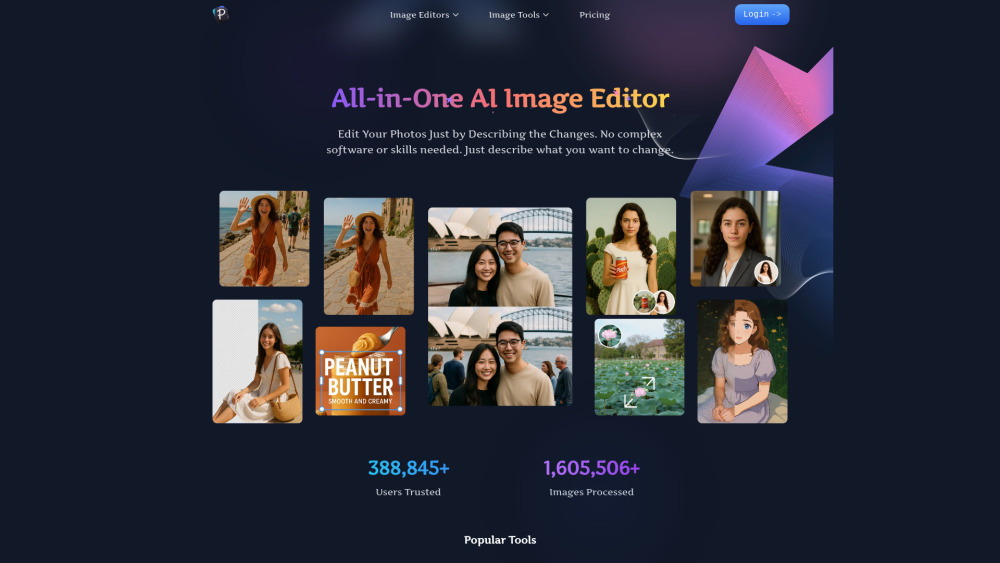
What Is Pixfy AI?
Pixfy AI is a next-generation, browser-based AI photo editor built for everyone—from casual users snapping vacation pics to professionals refining visual assets. Powered by cutting-edge generative models, it delivers studio-grade enhancements with zero learning curve. Whether reviving grainy childhood photos, transforming smartphone shots into gallery-worthy prints, or crafting playful yet photorealistic face swaps, Pixfy AI handles it all in seconds. Its intelligent engine intelligently reconstructs textures, preserves natural skin tones, adapts lighting across compositions, and scales images up to 4× without artifacts—no subscriptions, no downloads, no expertise required.
How Does Pixfy AI Work?
Getting stunning results takes just three effortless steps:
1. Pick Your Tool: Select from intuitive modules—AI Enhancer, Ultra Upscaler, Face Swap Studio, or Batch Processor.
2. Upload & Customize (Optional): Drag-and-drop your image(s); adjust intensity sliders or toggle advanced options like “Preserve Facial Structure” or “Enhance Fine Details.”
3. Export Instantly: Download your refined image in high-resolution PNG or JPEG—no watermarks, no delays, no login needed for basic use.
Core Capabilities of Pixfy AI
Smart Image Restoration: Revives dull, blurry, or low-light photos by intelligently recovering lost edges, reducing compression noise, and balancing contrast—all while preserving authentic detail.
Intelligent 4× Upscaling: Uses deep-learning super-resolution to reconstruct missing pixels—delivering crisp, lifelike enlargements ideal for framing, printing, or social media banners.
Context-Aware Face Swap: Matches facial geometry, ambient lighting, expression continuity, and skin undertones between source and target—producing swaps that look convincingly natural, not cartoonish.
Zero-Click Optimization: Most edits complete automatically—but fine-tune with optional sliders for sharpening strength, denoising level, or swap realism for full creative control.
Privacy-First Architecture: All processing occurs in secure, isolated environments. Uploaded files are purged within minutes—and never shared, sold, or retained.
Who Uses Pixfy AI?
Professional Photographers: Rescue underexposed RAW exports, upscale drone shots for large-format displays, or pre-process portfolios before client delivery.
Content Creators & Influencers: Produce eye-catching thumbnails, meme-ready face swaps, and polished Instagram carousels—fast enough for daily posting rhythms.
Online Retailers: Elevate product imagery—sharpen fabric textures, remove background distractions, and scale catalog photos to meet marketplace resolution standards.
Genealogists & Memory Keepers: Digitally restore century-old portraits, correct faded sepia tones, and enhance facial clarity in scanned family heirlooms.
Students, Educators & Hobbyists: Create engaging presentations, design personalized greeting cards, or explore AI creativity through safe, guided experimentation.