Text&ampWriting

Pixfy AI

Pixfy AI: Edit photos instantly with natural language—remove backgrounds, erase objects, swap faces & enhance images—all in seconds!

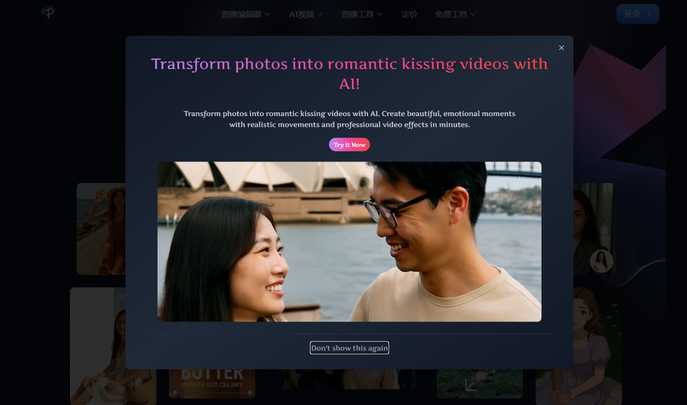
Pixfy AI website preview

Pixfy AI Image Editor

Introducing Pixfy AI: Your Smart Visual Assistant

Pixfy AI is a next-generation, language-driven image editor that redefines creative control—no technical skills required. Whether you're erasing distractions, replacing skies, swapping smiles, or breathing new life into low-res shots, Pixfy interprets your intent in plain English and delivers studio-grade edits instantly. It’s not just another photo tool—it’s intelligent visual editing, simplified.

How Pixfy AI Works (In Just 3 Steps)

1. Upload any image—JPEG, PNG, or even smartphone snapshots
2. Type a simple instruction: “Remove the fence behind me and place me on a tropical beach” or “Make this portrait sharper and replace the background with bokeh”
3. Let Pixfy’s multimodal AI process, refine, and render your vision—then download, share, or integrate seamlessly

Powerful Capabilities, Unified in One Platform

• One-Click Background Removal: Pixel-perfect segmentation—even for hair, transparency, and complex edges
• Smart Object Erasure: Seamlessly delete wires, logos, bystanders, or unwanted elements—no manual masking
• Realistic Face Swapping: Preserve lighting, expression, and perspective for natural, ethical swaps
• AI-Powered Enhancement: Upscale resolution, reduce noise, correct exposure, and restore faded or compressed images
• Context-Aware Background Replacement: Choose from curated scenes—or generate custom backdrops via text prompts
• Style & Appearance Adjustments: Change outfits, hairstyles, accessories, or even age appearance—non-destructively
• Lightning-Fast Output: Professional edits delivered in under 8 seconds, optimized for web and print
• Built for Real Workflows: Tailored for online sellers, content creators, marketers, and everyday users alike

Your Pixfy AI Questions—Answered

Q: Do I need design experience to use Pixfy?
A: Not at all. Pixfy was built around human language—not layers, masks, or menus. Describe what you see and what you want—and it happens.

Q: Can Pixfy handle tricky edits like transparent objects or overlapping people?
A: Yes. Its advanced diffusion + segmentation architecture intelligently understands depth, occlusion, and context—so even complex scenes get clean, convincing results.

Q: Is face swapping safe and respectful?
A: Absolutely. Pixfy enforces strict ethical safeguards—including explicit consent verification for face swaps involving identifiable individuals—and prohibits misuse by design.

Q: Are there usage limits on the free plan?
A: You can edit up to 5 images per day for free—full access to all core features including background removal, object erasure, face swap, and enhancement. Premium unlocks batch processing, HD exports, and priority rendering.

Get Started Today

Website: https://pixfy.io/
Where imagination meets intelligent imaging

Copyright © 2024 Pixfy AI — All Rights Reserved

Product source: Pixfy AI official website. Check the provider for current plans, limits and availability.

FAQ

Pixfy AI questions and answers

Product context and practical checks for evaluating Pixfy AI.

What is Pixfy AI used for?

Pixfy AI: Edit photos instantly with natural language—remove backgrounds, erase objects, swap faces & enhance images—all in seconds!

How do I get started with Pixfy AI?

1. Upload any image—JPEG, PNG, or even smartphone snapshots 2. Type a simple instruction: “Remove the fence behind me and place me on a tropical beach” or “Make this portrait sharper and replace the background with bokeh” 3. Let Pixfy’s multimodal AI process, refine, and render your vision—then download, share, or integrate seamlessly

Which capabilities are described for Pixfy AI?

• One-Click Background Removal: Pixel-perfect segmentation—even for hair, transparency, and complex edges • Smart Object Erasure: Seamlessly delete wires, logos, bystanders, or unwanted elements—no manual masking • Realistic Face Swapping: Preserve lighting, expression, and perspective for natural, ethical swaps • AI-Powered Enhancement: Upscale resolution, reduce noise, correct exposure, and restore faded or compressed images • Context-Aware Background Replacement: Choose from curated scenes—or generate custom backdrops via text prompts • Style & Appearance Adjustments: Change outfits, hairstyles, accessories, or even age appearance—non-destructively • Lightning-Fast Output: Professional edits delivered in under 8 seconds, optimized for web and print • Built for Real Workflows: Tailored for online sellers, content creators, marketers, and everyday users alike

What should I compare before choosing a Pixfy AI plan?

Check Pixfy AI’s current pricing page for included usage, renewal terms and any credit charges. Compare the cost of a usable result, including retries, rather than assuming that account registration includes free usage.

What inputs should I prepare for a Pixfy AI trial?

Look for text prompts, image references, masks or sketches as appropriate. Compare composition control, supported upload types and the ability to revise a selected area.

How can I check the quality of a Pixfy AI result?

Inspect text, hands, edges, reflections and repeated objects at full size. Check that important product or brand details survive editing.

Which export options should I check in Pixfy AI?

Compare pixel dimensions, transparency, file formats and any enlargement options. Confirm that the downloaded result works in your design or publishing software.

What is a practical way to test Pixfy AI against alternatives?

Prepare a brief with a subject, composition, lighting and required output size. Test a first generation and a targeted revision to see how much control you retain.

What should I review before uploading material to Pixfy AI?

Read the provider’s rules on access, retention, deletion and use of uploaded material. Start with a non-confidential sample that you have permission to use.

Where is the official Pixfy AI website?

The website linked from this profile is https://pixfy.io/. Use the provider’s own documentation, account area and support channels to confirm current product details.

Visit Pixfy AI