AI Product Description Generator

PinMy

PinMy: Effortlessly pin, collaborate, and innovate on images. Enhance teamwork and creativity with PinMy – the ultimate tool for image collaboration.

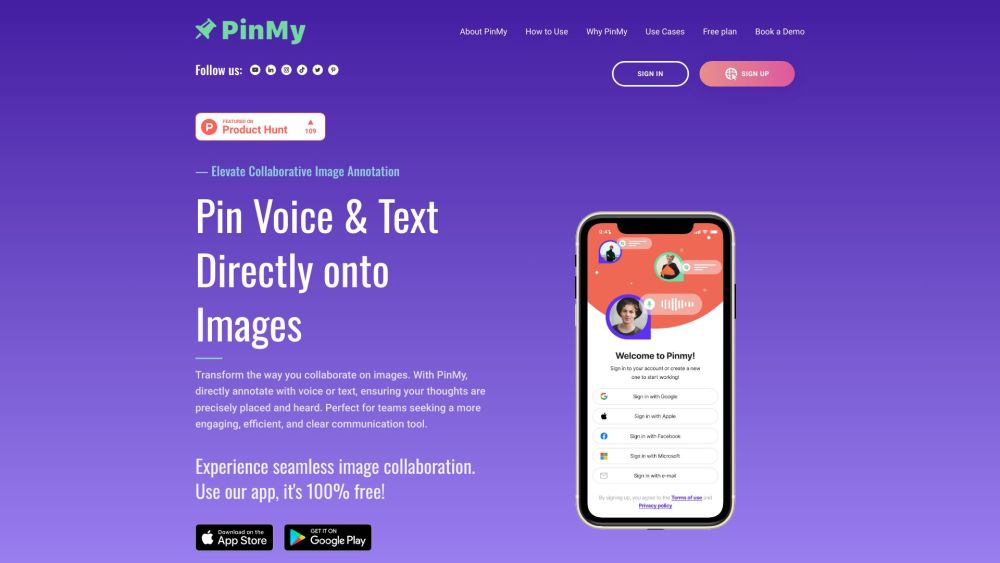
PinMy website preview

PinMy Website screenshot

Discover PinMy

Effortlessly pin images, collaborate with others, and foster innovation.

How to Get Started with PinMy

PinMy serves as a comprehensive visual collaboration platform, allowing users to annotate images with pinpoint accuracy, share insights, and streamline team feedback. Users can pin both voice and text comments directly onto images, ensuring clear and precise communication. Accessible via mobile and web apps, PinMy supports seamless collaboration across various devices.

Key Features of PinMy

Image Annotation

Seamless Image Sharing

Enhanced Team Collaboration

Cross-Platform Compatibility

Instant Feedback

Comprehensive Project Management

Collaborative Editing Tools

Who Can Benefit from PinMy?

Development Teams

Sales, Marketing & Content Creators

Educators and Mentors

Professional Photographers

Real Estate Professionals

Civil Engineers

Product source: PinMy official website. Check the provider for current plans, limits and availability.

FAQ

PinMy questions and answers

Product context and practical checks for evaluating PinMy.

What is PinMy used for?

PinMy: Effortlessly pin, collaborate, and innovate on images. Enhance teamwork and creativity with PinMy – the ultimate tool for image collaboration.

How do I get started with PinMy?

PinMy serves as a comprehensive visual collaboration platform, allowing users to annotate images with pinpoint accuracy, share insights, and streamline team feedback. Users can pin both voice and text comments directly onto images, ensuring clear and precise communication. Accessible via mobile and web apps, PinMy supports seamless collaboration across various devices.

Which capabilities are described for PinMy?

Image AnnotationSeamless Image SharingEnhanced Team CollaborationCross-Platform CompatibilityInstant FeedbackComprehensive Project ManagementCollaborative Editing Tools

What should I compare before choosing a PinMy plan?

For pricing details, visit: https://pinmy.co/#choose-plan Confirm current prices and allowances on the provider’s website before purchasing.

What inputs should I prepare for a PinMy trial?

Look for text prompts, image references, masks or sketches as appropriate. Compare composition control, supported upload types and the ability to revise a selected area.

How can I check the quality of a PinMy result?

Inspect text, hands, edges, reflections and repeated objects at full size. Check that important product or brand details survive editing.

Which export options should I check in PinMy?

Compare pixel dimensions, transparency, file formats and any enlargement options. Confirm that the downloaded result works in your design or publishing software.

What is a practical way to test PinMy against alternatives?

Prepare a brief with a subject, composition, lighting and required output size. Test a first generation and a targeted revision to see how much control you retain.

What should I review before uploading material to PinMy?

Read the provider’s rules on access, retention, deletion and use of uploaded material. Start with a non-confidential sample that you have permission to use.

Where is the official PinMy website?

The website linked from this profile is https://pinmy.co. Use the provider’s own documentation, account area and support channels to confirm current product details.

Visit PinMy