AI Builder

PillRem

PillRem: Track meds, set reminders & manage for up to 8 users. Scan, store & get alerts for doses and expirations. Access global med info for optimal care.

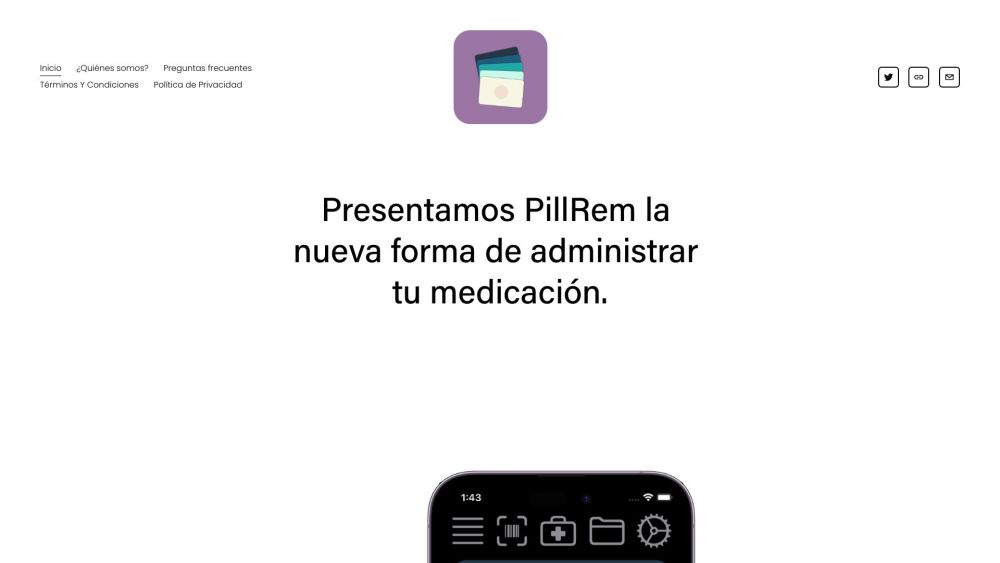
PillRem website preview

PillRem Website screenshot

What is PillRem?

PillRem is a comprehensive medication management app designed to simplify the process of tracking and organizing medications. This user-friendly platform allows individuals to monitor and manage the medication schedules of up to eight users. With PillRem, users can effortlessly scan and store medication details, set dosage reminders, and get alerts for medication expiration dates. The app also provides access to a vast database of medication information from over 40 countries, ensuring the well-being of users and their loved ones.

How to Use PillRem?

Getting started with PillRem is simple. Download the app and create an account to begin. After logging in, users can add medications by scanning the barcode or manually entering the details. The app enables users to set dosage reminders and manage their entire medication cabinet. Expiration alerts are also provided to maintain medication safety and efficacy. With support for up to eight users, PillRem is perfect for families or caregivers managing multiple medication schedules.

PillRem's Core Features

Medication Scanning and Storage

Dose Reminders

Medication Cabinet Management

Expiration Alerts

Global Medication Information Access

PillRem's Use Cases

PillRem is ideal for individuals and families seeking an efficient way to manage medications. Caregivers will find it particularly useful for overseeing the medication needs of multiple users. Whether managing a complex medication regimen or ensuring medication safety, PillRem streamlines the process and enhances overall health management.

  • PillRem Support Email & Customer Service Contact

    For customer service, please contact PillRem at: [email protected].

  • PillRem Company

    Company Name: PillRem

    For more information about PillRem, please visit the About Us page.

  • PillRem on Twitter

    Follow PillRem on Twitter: https://twitter.com/PillRem

Product source: PillRem official website. Check the provider for current plans, limits and availability.

FAQ

PillRem questions and answers

Product context and practical checks for evaluating PillRem.

What is PillRem used for?

PillRem: Track meds, set reminders & manage for up to 8 users. Scan, store & get alerts for doses and expirations. Access global med info for optimal care.

How do I get started with PillRem?

Getting started with PillRem is simple. Download the app and create an account to begin. After logging in, users can add medications by scanning the barcode or manually entering the details. The app enables users to set dosage reminders and manage their entire medication cabinet. Expiration alerts are also provided to maintain medication safety and efficacy. With support for up to eight users, PillRem is perfect for families or caregivers managing multiple medication schedules.

Which capabilities are described for PillRem?

Medication Scanning and StorageDose RemindersMedication Cabinet ManagementExpiration AlertsGlobal Medication Information Access

What projects can I evaluate PillRem for?

PillRem is ideal for individuals and families seeking an efficient way to manage medications. Caregivers will find it particularly useful for overseeing the medication needs of multiple users. Whether managing a complex medication regimen or ensuring medication safety, PillRem streamlines the process and enhances overall health management. PillRem Support Email & Customer Service Contact For customer service, please contact PillRem at: [email protected]. PillRem Company Company Name: PillRem For more information about PillRem, please visit the About Us page. PillRem on Twitter Follow PillRem on Twitter: https://twitter.com/PillRem

What should I compare before choosing a PillRem plan?

Check PillRem’s current pricing page for included usage, renewal terms and any credit charges. Compare the cost of a usable result, including retries, rather than assuming that account registration includes free usage.

What inputs should I prepare for a PillRem trial?

Identify the files, text or account connections your task needs. Confirm that the product accepts those inputs and offers controls for reviewing its work.

How can I check the quality of a PillRem result?

Test one representative task and inspect the result for accuracy and completeness. Record where manual corrections or extra tools are needed.

Which export options should I check in PillRem?

Check export formats, integrations and whether you can keep using your work outside the service. Test a real export before committing to a longer plan.

What is a practical way to test PillRem against alternatives?

Choose one task with a clear success condition. Keep the input consistent, record the time spent reviewing and compare the complete workflow cost.

Where is the official PillRem website?

The website linked from this profile is https://www.promptdodo.com. Use the provider’s own documentation, account area and support channels to confirm current product details.

Visit PillRem