AI Blog Writer

Piggy Magic

Piggy Magic: Effortlessly transform thoughts into dynamic digital content for blogs, social media, portfolios, resumes, and more. Your ideas, our magic!

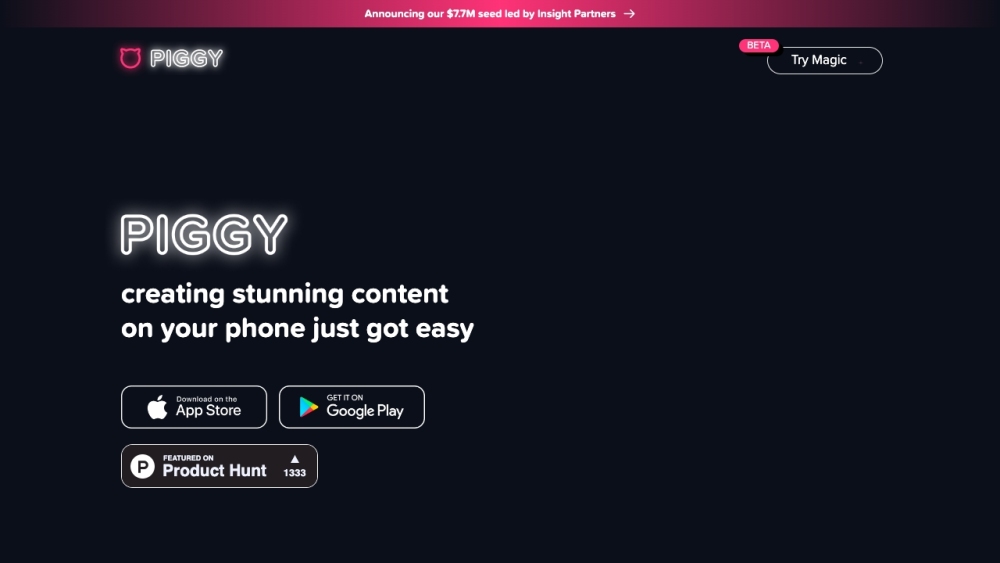
Piggy Magic website preview
```html

Piggy Magic Website screenshot

What is Piggy Magic?

Piggy Magic is an innovative online platform designed to transform your thoughts and ideas into stunning magic documents with ease. Whether you're crafting a blog post, an Instagram story, a social media presentation, a photo album, a portfolio, a resume, fan fiction, a collage, a journal, or a greeting card, Piggy Magic equips you with the necessary tools to turn your vision into reality.

How to Use Piggy Magic?

Using Piggy Magic is straightforward and user-friendly. Simply create an account on our website to access a vast selection of document templates and design options. Choose the type of document you want to create, such as a blog post or a portfolio. Customize your document with text, images, and interactive elements. Once you're happy with your creation, save it and publish it online or download it for offline use. Piggy Magic seamlessly integrates with popular platforms like Instagram, TikTok, and more, ensuring your content reaches a broad audience.

Core Features of Piggy Magic

Piggy Magic offers a variety of core features to enhance your document creation experience, including: 1. A diverse range of templates for different document types 2. Customizable design options 3. Integration with popular social media platforms 4. Collaboration tools for team projects 5. Both online and offline publishing capabilities 6. Easy sharing options 7. Automatic synchronization across devices for seamless access 8. Real-time editing and previewing 9. An extensive library of fonts, graphics, and media assets 10. A user-friendly interface for effortless navigation and document management

Use Cases for Piggy Magic

Piggy Magic is suitable for a wide range of use cases, benefiting both individuals and professionals. Common use cases include: 1. Bloggers and content creators who need to craft engaging blog posts and social media content 2. Businesses and marketers aiming to create visually appealing presentations and portfolios 3. Artists and designers showcasing their work through beautiful photo albums and portfolios 4. Job seekers creating professional resumes or CVs 5. Writers and fan fiction enthusiasts publishing their stories or creative writing 6. Students creating interactive presentations or collages for assignments 7. Event planners designing eye-catching invitations and greeting cards 8. Journalists and writers maintaining organized journals or blogs 9. Influencers designing and sharing visually striking content with their audience 10. Individuals creating newsletters, mood boards, or personal portfolios

```

Product source: Piggy Magic official website. Check the provider for current plans, limits and availability.

FAQ

Piggy Magic questions and answers

Product context and practical checks for evaluating Piggy Magic.

What is Piggy Magic used for?

Piggy Magic: Effortlessly transform thoughts into dynamic digital content for blogs, social media, portfolios, resumes, and more. Your ideas, our magic!

How do I get started with Piggy Magic?

Using Piggy Magic is straightforward and user-friendly. Simply create an account on our website to access a vast selection of document templates and design options. Choose the type of document you want to create, such as a blog post or a portfolio. Customize your document with text, images, and interactive elements. Once you're happy with your creation, save it and publish it online or download it for offline use. Piggy Magic seamlessly integrates with popular platforms like Instagram, TikTok, and more, ensuring your content reaches a broad audience.

Which capabilities are described for Piggy Magic?

Piggy Magic offers a variety of core features to enhance your document creation experience, including: 1. A diverse range of templates for different document types 2. Customizable design options 3. Integration with popular social media platforms 4. Collaboration tools for team projects 5. Both online and offline publishing capabilities 6. Easy sharing options 7. Automatic synchronization across devices for seamless access 8. Real-time editing and previewing 9. An extensive library of fonts, graphics, and media assets 10. A user-friendly interface for effortless navigation and document management

What projects can I evaluate Piggy Magic for?

Piggy Magic is suitable for a wide range of use cases, benefiting both individuals and professionals. Common use cases include: 1. Bloggers and content creators who need to craft engaging blog posts and social media content 2. Businesses and marketers aiming to create visually appealing presentations and portfolios 3. Artists and designers showcasing their work through beautiful photo albums and portfolios 4. Job seekers creating professional resumes or CVs 5. Writers and fan fiction enthusiasts publishing their stories or creative writing 6. Students creating interactive presentations or collages for assignments 7. Event planners designing eye-catching invitations and greeting cards 8. Journalists and writers maintaining organized journals or blogs 9. Influencers designing and sharing visually striking content with their audience 10. Individuals creating newsletters, mood boards, or personal portfolios

What should I compare before choosing a Piggy Magic plan?

Check Piggy Magic’s current pricing page for included usage, renewal terms and any credit charges. Compare the cost of a usable result, including retries, rather than assuming that account registration includes free usage.

What inputs should I prepare for a Piggy Magic trial?

Compare support for source documents, style instructions, outlines and length limits. Check whether citations link to real material rather than merely looking like references.

How can I check the quality of a Piggy Magic result?

Verify names, dates, quotations and factual claims against the original sources. Edit tone, remove repetition and make sure the text answers the intended reader’s question.

Which export options should I check in Piggy Magic?

Check export to plain text, Markdown, documents or your publishing system. Formatting, headings and working links matter when moving a draft into production.

What is a practical way to test Piggy Magic against alternatives?

Use a real brief and a short source document. Compare factual accuracy, structure and editing time rather than accepting the longest or most confident draft.

Where is the official Piggy Magic website?

The website linked from this profile is https://piggy.to/magic. Use the provider’s own documentation, account area and support channels to confirm current product details.

Visit Piggy Magic