Table of contents
Picbolt : Turn Screenshots into Visuals & Mockups in Seconds
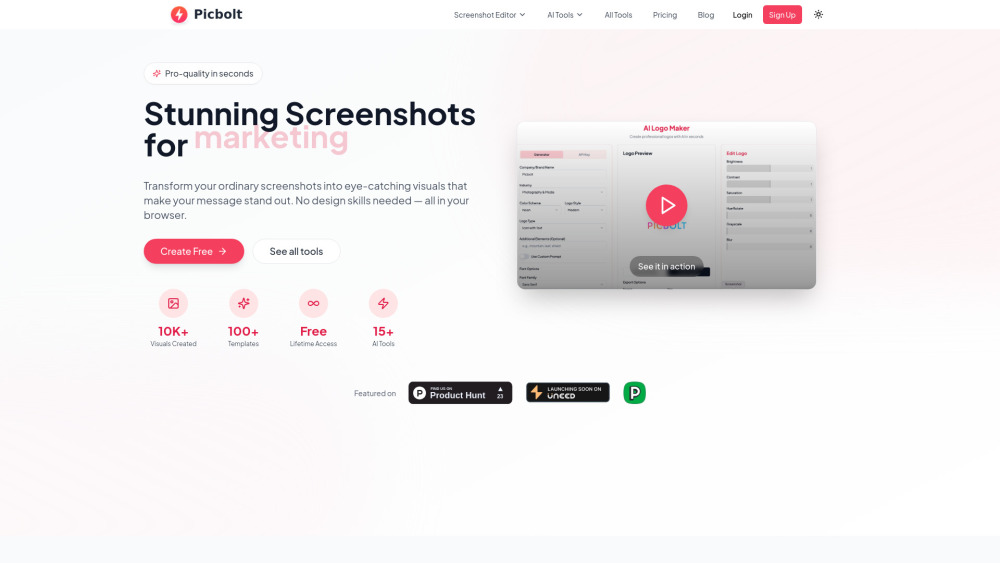
Picbolt turns screenshots into stunning visuals & mockups—in seconds. No design skills needed. Try it free online!
Directory : AI Logo Generator, AI Design Generator, AI Social Media Post Generator, AI Photo Editor, AI Mockup Generator
What Is Picbolt?
Picbolt is a lightning-fast, browser-based visual design studio built for creators who need polished visuals—fast. Whether you're showcasing an app UI, documenting a workflow, or building marketing assets, Picbolt instantly converts raw screenshots into stunning, presentation-ready visuals: device mockups, social media previews, annotated code blocks, testimonials, and more—all without opening Photoshop or hiring a designer.
How Picbolt Works (In Under 10 Seconds)
Paste a URL or upload a screenshot → choose a frame (iPhone, Mac, Twitter, Dribbble, etc.) → apply one-click enhancements (glow, shadow, gradient background, blur) → customize with text, icons, arrows, or syntax-highlighted code. No installation. No learning curve. Just instant visual polish—directly in your browser.
Powerful Features, Built for Real Workflows
One-Click Screenshot Editor
Smart Mockup Generator (iOS, Android, Web, Social, Print)
Syntax-Aware Code Snippet Styler
Testimonial & Quote Visualizer
Drag-and-Drop Image Studio (Frames, Backgrounds, Overlays, Effects)
AI-Powered Enhancements (Custom OpenAI API integration)
Intelligent Auto-Crop & Responsive Resizing
Who Uses Picbolt — And Why It Sticks
Product Managers & Dev Teams
Turn Figma exports or live URLs into App Store screenshots and pitch-ready demos—instantly.
Marketers & Growth Specialists
Create scroll-stopping social proof: tweet carousels, client quote graphics, and campaign mockups that convert.
Developers & Technical Writers
Generate beautiful, themeable code snippets with line numbers, dark/light modes, and language detection—zero config.
Educators & Trainers
Annotate tutorials, highlight UI interactions, and build accessible visual guides—without design tools.
Freelancers & Agencies
Deliver branded mockups and case study visuals faster—keeping clients impressed and timelines tight.
Researchers & Academics
Elevate papers, presentations, and conference submissions with clean, publication-ready interface visuals.
Frequently Asked Questions
-
How does Picbolt work?
-
Do I need design experience to use Picbolt?
-
What’s included in the Free plan vs. Lifetime plan?
-
Can I use Picbolt for client or commercial projects?
-
Is my screenshot data processed on servers—or stays private in my browser?
-
Why does AI functionality require my own OpenAI API key?
-
Which image formats can I upload and export?
-
Does Picbolt support team workspaces or shared projects?
-
Are new features and updates included with the Lifetime plan?
-
What’s your refund policy?
-
Where can I get help or report an issue?
-
Do you offer white-label or enterprise plans?
-
Get in Touch
Have questions? Need support? Reach our team directly at picbolt.co/contact.
-
About Picbolt
Picbolt is an independent design tool crafted by a small team passionate about empowering creators—not complicating them. Learn our story, mission, and values at picbolt.co/about.
-
Log In to Your Account
Already onboard? Sign in here: picbolt.co/login
-
Start Free — No Credit Card Required
Try Picbolt today: picbolt.co/signup
-
Follow Us
Join our community: Facebook | YouTube | LinkedIn | X (Twitter)
Quick Answers
What is Picbolt?
Picbolt is a next-generation visual toolkit that turns static screenshots into dynamic, professional-grade assets—mockups, code cards, testimonials, and more—in seconds. Designed for speed, simplicity, and scalability.
How do I get started?
Go to picbolt.co → click “Capture” or “Upload” → pick a preset or customize manually → download or share. Done.
Do I need design skills?
None. Picbolt replaces complexity with intentionality: intuitive controls, smart defaults, and purpose-built templates mean anyone—from interns to CTOs—can ship great visuals instantly.
What makes Picbolt different from other editors?
It’s built *for screenshots*, not generic images. Every feature—from device-frame alignment to syntax-aware code styling—is engineered around real-world screenshot workflows—not theoretical design theory.
Is my data secure?
Yes. All editing happens locally in your browser. Files never leave your device unless you explicitly choose to save or share. Payments are secured via Stripe with PCI-DSS compliance.
Why bring my own OpenAI key?
To ensure full transparency, control, and privacy—we don’t store or route your AI prompts through our infrastructure. You retain ownership, usage rights, and billing responsibility.
What file types does Picbolt support?
Upload: PNG, JPG, JPEG, WEBP. Export: PNG (transparent), JPG, and high-res PDF (for print & presentations).
What plans are available?
A free tier for casual use—and a single, one-time Lifetime Plan unlocking everything forever: unlimited exports, all AI tools, priority support, and every future feature—no subscriptions, no surprises.
Why a lifetime model?
We believe powerful tools shouldn’t lock users into recurring fees. The Lifetime plan reflects our commitment to sustainability, trust, and long-term creator empowerment.
Can I use Picbolt commercially?
Absolutely. All plans—including Free—allow full commercial use: client deliverables, SaaS dashboards, course materials, and marketing campaigns.
Are updates included with Lifetime?
Yes—100%. From new mockup templates and AI capabilities to performance upgrades and integrations: your Lifetime access grows with Picbolt, always.
AI Toolsdevice mockupsImage customizationdesign platformmockup generatorscreenshot toolscreenshot editorImage editing softwareFree Design Toolimage editor onlinecode screenshot makersocial media mockupstestimonial generatorscreenshot backgroundsapp store screenshotscode snippet stylingtweet mockupsinstagram mockup generatorwebsite mockup creatorprofessional mockupsfree online editorscreenshot editor online free