AI Photo Enhancer

Photoshift

Transform product photos effortlessly with Photoshift AI, blending them into any backdrop for stunning, realistic imagery.

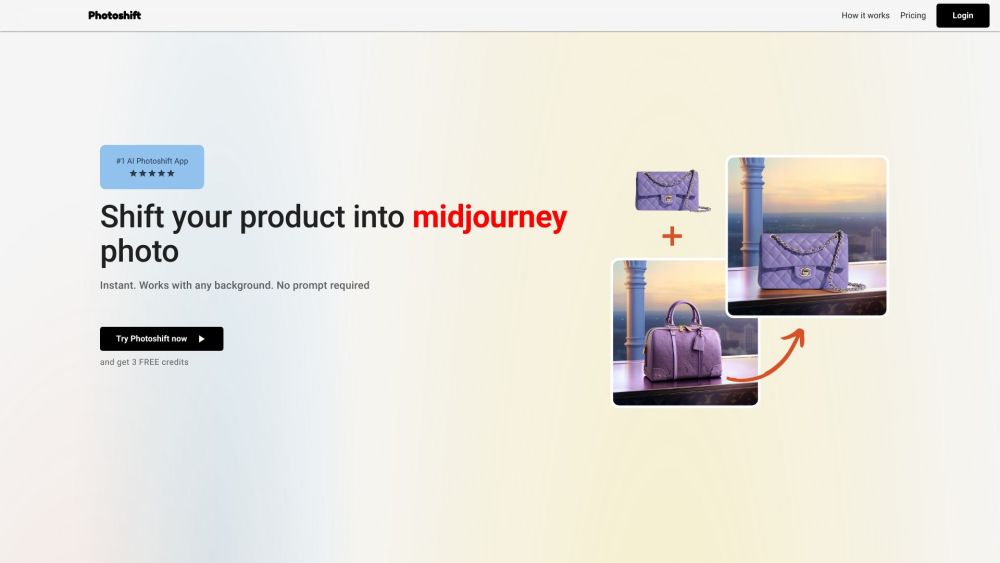
Photoshift website preview

Photoshift Website screenshot

What is Photoshift?

Photoshift is an advanced AI-powered tool that revolutionizes product photo editing, seamlessly blending your product images into various scenes for a polished, realistic appearance.

How to use Photoshift?

Simply upload a background scene, add your product image, and with a single click, Photoshift will seamlessly integrate your product into the backdrop, creating stunningly realistic visuals.

Photoshift's Core Features

Instant photo transformations

Automatic background removal

Effortless integration of various product types

Customizable user experience with stock backgrounds

Flexible composition tools

Smart lighting and shadow adjustments

Support for transparent background images

Full commercial license and photo ownership

Photoshift's Use Cases

Enhancing product presentation

Creating engaging visual scenes

Displaying products from multiple angles and sizes

Product source: Photoshift official website. Check the provider for current plans, limits and availability.

FAQ

Photoshift questions and answers

Product context and practical checks for evaluating Photoshift.

What is Photoshift used for?

Transform product photos effortlessly with Photoshift AI, blending them into any backdrop for stunning, realistic imagery.

How do I get started with Photoshift?

Simply upload a background scene, add your product image, and with a single click, Photoshift will seamlessly integrate your product into the backdrop, creating stunningly realistic visuals.

Which capabilities are described for Photoshift?

Instant photo transformationsAutomatic background removalEffortless integration of various product typesCustomizable user experience with stock backgroundsFlexible composition toolsSmart lighting and shadow adjustmentsSupport for transparent background imagesFull commercial license and photo ownership

What projects can I evaluate Photoshift for?

Enhancing product presentationCreating engaging visual scenesDisplaying products from multiple angles and sizes Photoshift Support Email & Customer Service Contact & Refund Contact For customer support, contact us at: [email protected]. Photoshift Company Company name: Photoshift. Photoshift Login Login here: https://photoshift.co/login Photoshift Pricing Check pricing here: https://photoshift.co/ Photoshift Twitter Follow us on Twitter: https://twitter.com/saquiboye

What should I compare before choosing a Photoshift plan?

Check pricing here: https://photoshift.co/ Confirm current prices and allowances on the provider’s website before purchasing.

What inputs should I prepare for a Photoshift trial?

Look for text prompts, image references, masks or sketches as appropriate. Compare composition control, supported upload types and the ability to revise a selected area.

How can I check the quality of a Photoshift result?

Inspect text, hands, edges, reflections and repeated objects at full size. Check that important product or brand details survive editing.

Which export options should I check in Photoshift?

Compare pixel dimensions, transparency, file formats and any enlargement options. Confirm that the downloaded result works in your design or publishing software.

What is a practical way to test Photoshift against alternatives?

Prepare a brief with a subject, composition, lighting and required output size. Test a first generation and a targeted revision to see how much control you retain.

Where is the official Photoshift website?

The website linked from this profile is https://photoshift.co. Use the provider’s own documentation, account area and support channels to confirm current product details.

Visit Photoshift