AI Photo Enhancer

PhotoRoom

PhotoRoom is a mobile app that allows users to create product and portrait pictures using just their phone. It provides tools to remove backgrounds, change backgrounds, retouch images, add text to photos, resize images, and generate instant shadows. It caters to various industries such as clothing & apparel, beauty, furniture, jewelry, film, and entertainment.

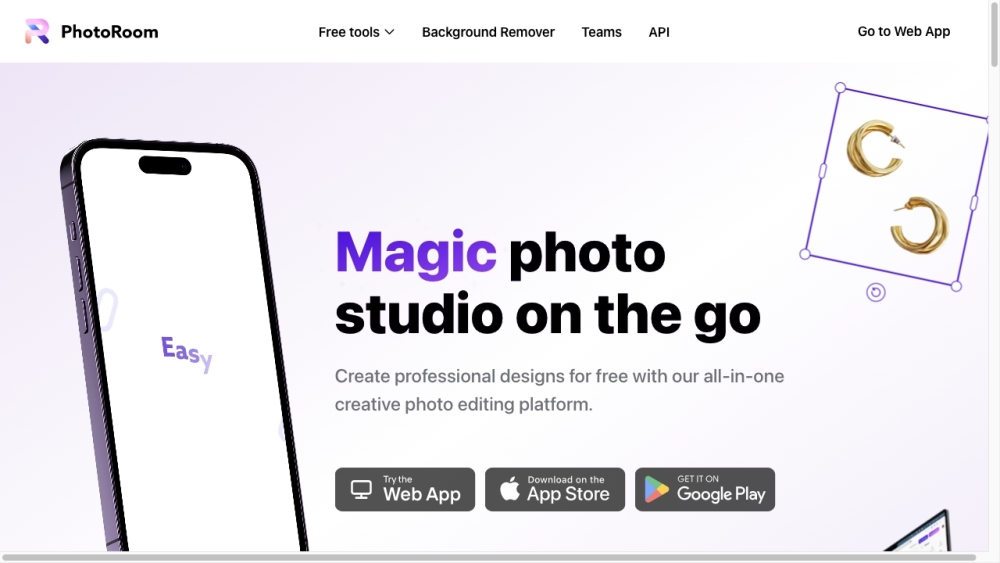
PhotoRoom website preview

PhotoRoom Website screenshot

Discover PhotoRoom

PhotoRoom is an innovative mobile application designed to help users craft high-quality product and portrait photos right from their smartphones. This app offers a variety of features such as background removal, background replacement, image retouching, text addition, image resizing, and instant shadow creation. It is widely used across multiple sectors, including fashion, beauty, furniture, jewelry, film, and entertainment.

Getting Started with PhotoRoom

To start using PhotoRoom, download the app on your mobile device. Launch the app, and you can either choose an image from your photo library or take a new picture. Utilize the 'Remove Background' feature to automatically eliminate the background of your image. You can also explore other tools like 'Instant Backgrounds' for generating realistic backgrounds, 'Retouch' to erase unwanted parts with a swipe, 'Blur Background' for an automatic blur effect, and 'Add Text to Photo' to insert text. Once your editing is complete, save and share your image with ease.

Key Features of PhotoRoom

Remove Background: Quickly remove backgrounds from photos

Change Background: Substitute the background with a new image

Retouch: Swipe to remove unwanted elements

Blur Background: Automatically blur the image background

Instant Shadows: Create realistic shadows instantly

White Background: Convert background to white

Black Background: Convert background to black

Image Resizer: Adjust the size of your images

Add Text to Photo: Add text overlays to your images

Change Background Color: Alter the background color

Transparent Background Maker: Create transparent backgrounds

Applications of PhotoRoom

Product Photography: Enhance product images for a professional look

Portrait Photography: Create impressive portrait images for social media or personal use

Fashion Industry: Capture and showcase clothing with high-quality photos

Beauty Sector: Improve beauty product images for marketing

Furniture Market: Display furniture pieces with clean and attractive photos

Jewelry Industry: Highlight jewelry with stunning visuals

Film and Entertainment: Generate promotional images for films and celebrities

  • About PhotoRoom

    Company Name: Photoroom, Inc.

    For more details, visit the About Us page.

  • PhotoRoom Login

    Access PhotoRoom via the login page.

  • PhotoRoom Pricing

    View pricing details on the pricing page.

  • PhotoRoom Community

    Join the PhotoRoom community on Facebook.

  • PhotoRoom on YouTube

    Watch tutorials and more on the YouTube channel.

  • PhotoRoom on TikTok

    Follow PhotoRoom on TikTok.

  • PhotoRoom on LinkedIn

    Connect with PhotoRoom on LinkedIn.

  • PhotoRoom on Twitter

    Follow updates on Twitter.

  • PhotoRoom on Instagram

    Check out PhotoRoom's content on Instagram.

Product source: PhotoRoom official website. Check the provider for current plans, limits and availability.

FAQ

PhotoRoom questions and answers

Product context and practical checks for evaluating PhotoRoom.

What is PhotoRoom used for?

PhotoRoom is a mobile app that allows users to create product and portrait pictures using just their phone. It provides tools to remove backgrounds, change backgrounds, retouch images, add text to photos, resize images, and generate instant shadows. It caters to various industries such as clothing & apparel, beauty, furniture, jewelry, film, and entertainment.

How do I get started with PhotoRoom?

To start using PhotoRoom, download the app on your mobile device. Launch the app, and you can either choose an image from your photo library or take a new picture. Utilize the 'Remove Background' feature to automatically eliminate the background of your image. You can also explore other tools like 'Instant Backgrounds' for generating realistic backgrounds, 'Retouch' to erase unwanted parts with a swipe, 'Blur Background' for an automatic blur effect, and 'Add Text to Photo' to insert text. Once your editing is complete, save and share your image with ease.

Which capabilities are described for PhotoRoom?

Remove Background: Quickly remove backgrounds from photosChange Background: Substitute the background with a new imageRetouch: Swipe to remove unwanted elementsBlur Background: Automatically blur the image backgroundInstant Shadows: Create realistic shadows instantlyWhite Background: Convert background to whiteBlack Background: Convert background to blackImage Resizer: Adjust the size of your imagesAdd Text to Photo: Add text overlays to your imagesChange Background Color: Alter the background colorTransparent Background Maker: Create transparent backgrounds

What projects can I evaluate PhotoRoom for?

Product Photography: Enhance product images for a professional lookPortrait Photography: Create impressive portrait images for social media or personal useFashion Industry: Capture and showcase clothing with high-quality photosBeauty Sector: Improve beauty product images for marketingFurniture Market: Display furniture pieces with clean and attractive photosJewelry Industry: Highlight jewelry with stunning visualsFilm and Entertainment: Generate promotional images for films and celebrities About PhotoRoom Company Name: Photoroom, Inc. For more details, visit the About Us page. PhotoRoom Login Access PhotoRoom via the login page. PhotoRoom Pricing View pricing details on the pricing page. PhotoRoom Community Join the PhotoRoom community on Facebook. PhotoRoom on YouTube Watch tutorials and more on the YouTube channel. PhotoRoom on TikTok Follow PhotoRoom on TikTok. PhotoRoom on LinkedIn Connect with PhotoRoom on LinkedIn. PhotoRoom on Twitter Follow updates on Twitter. PhotoRoom on Instagram Check out PhotoRoom's content on Instagram.

What should I compare before choosing a PhotoRoom plan?

View pricing details on the pricing page. Confirm current prices and allowances on the provider’s website before purchasing.

What inputs should I prepare for a PhotoRoom trial?

Compare text prompts, reference frames, source footage and audio support. Check duration, aspect ratio and whether the tool lets you keep a subject consistent between shots.

How can I check the quality of a PhotoRoom result?

Watch the entire clip for motion errors, distorted objects, changing identities, lip-sync problems and abrupt transitions. Inspect the downloaded file as well as the preview.

Which export options should I check in PhotoRoom?

Check export resolution, frame rate, aspect ratio, audio tracks and watermark rules. A good preview is not a substitute for an export that fits your publishing channel.

What is a practical way to test PhotoRoom against alternatives?

Use a short shot with one subject and one camera movement. Keep the prompt and duration constant, then compare usable seconds and the number of regenerations.

Where is the official PhotoRoom website?

The website linked from this profile is https://www.photoroom.com. Use the provider’s own documentation, account area and support channels to confirm current product details.

Visit PhotoRoom