AI Image Enhancer

Photo Eraser

Edit, enhance, and remove objects or backgrounds effortlessly with Photo Eraser. Available as an app or web app for powerful editing on the go.

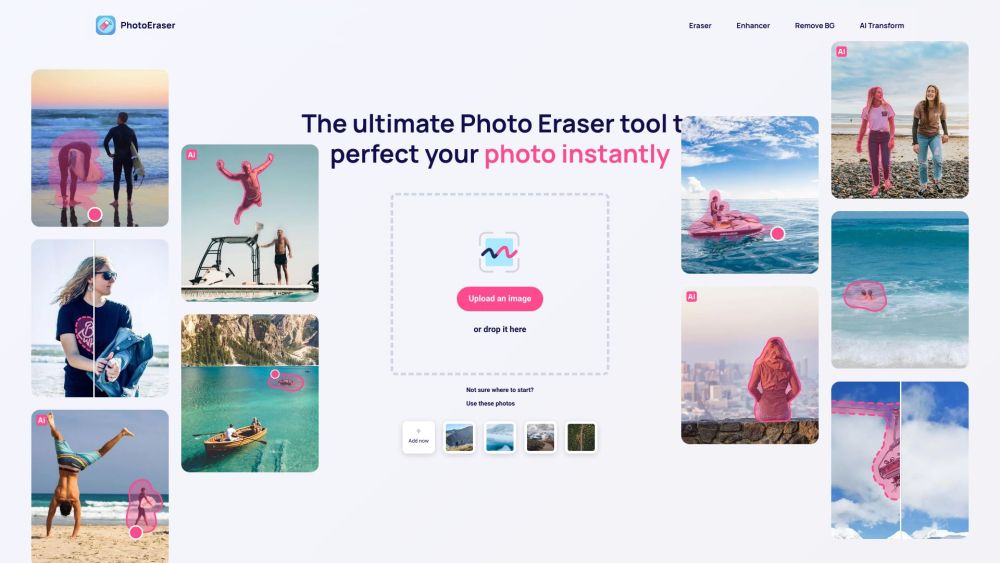
Photo Eraser website preview

Photo Eraser Website screenshot

What is Photo Eraser?

Photo Eraser is an advanced photo editing tool designed to help you effortlessly remove unwanted objects, people, or imperfections from your images. Beyond object removal, it also provides a powerful image enhancer to boost the overall quality of your photos, and a background remover to change or eliminate backgrounds as needed. Accessible as both a mobile app and a web app, you can utilize these comprehensive tools from any device.

How to use Photo Eraser?

Using Photo Eraser is simple. Upload your image to either the app or web app, select the undesired object or blemish using the Eraser tool, and let the app do the rest. The tool uses advanced AI to seamlessly remove the selected areas and enhance your image. Additionally, you can use the enhancer tool to refine the image quality and the background remover tool to alter or delete the background entirely.

Photo Eraser's Core Features

Remove unwanted objects, people, or blemishes

Enhance the quality of your images

Replace or remove the background

User-friendly interface

Available as a web app and mobile app

Advanced AI technology for precise editing

Photo Eraser's Use Cases

Removing tourists or unwanted people from vacation photos

Removing distracting objects from the background of photos

Removing blemishes or imperfections from close-up shots

Removing unwanted text or graffiti from images

Removing reflections or glares from shiny surfaces

Enhancing the overall quality of photos

Product source: Photo Eraser official website. Check the provider for current plans, limits and availability.

FAQ

Photo Eraser questions and answers

Product context and practical checks for evaluating Photo Eraser.

What is Photo Eraser used for?

Edit, enhance, and remove objects or backgrounds effortlessly with Photo Eraser. Available as an app or web app for powerful editing on the go.

How do I get started with Photo Eraser?

Using Photo Eraser is simple. Upload your image to either the app or web app, select the undesired object or blemish using the Eraser tool, and let the app do the rest. The tool uses advanced AI to seamlessly remove the selected areas and enhance your image. Additionally, you can use the enhancer tool to refine the image quality and the background remover tool to alter or delete the background entirely.

Which capabilities are described for Photo Eraser?

Remove unwanted objects, people, or blemishesEnhance the quality of your imagesReplace or remove the backgroundUser-friendly interfaceAvailable as a web app and mobile appAdvanced AI technology for precise editing

What projects can I evaluate Photo Eraser for?

Removing tourists or unwanted people from vacation photosRemoving distracting objects from the background of photosRemoving blemishes or imperfections from close-up shotsRemoving unwanted text or graffiti from imagesRemoving reflections or glares from shiny surfacesEnhancing the overall quality of photos Photo Eraser Support Email & Customer Service Contact For customer service, reach out to Photo Eraser support at: [email protected]. Photo Eraser Company Company Name: AEREUS SRL Address: Piazza Cittadella 11, 29121 Piacenza (PC) Photo Eraser Login Access your account at: https://web.photoeraser.app/?my-account=1 Photo Eraser Facebook Follow us on Facebook: https://www.facebook.com/profile.php?id=100089809908017 Photo Eraser YouTube Watch our tutorials on YouTube: https://www.youtube.com/channel/UCiTKLh6_4hmQ4Fltxo-td9Q Photo Eraser TikTok Check out our TikTok: https://www.tiktok.com/@photoeraserapp?is_from_webapp=1&sender_device=pc Photo Eraser Instagram Follow us on Instagram: https://www.instagram.com/photoeraserapp/

What should I compare before choosing a Photo Eraser plan?

Check Photo Eraser’s current pricing page for included usage, renewal terms and any credit charges. Compare the cost of a usable result, including retries, rather than assuming that account registration includes free usage.

What inputs should I prepare for a Photo Eraser trial?

Look for text prompts, image references, masks or sketches as appropriate. Compare composition control, supported upload types and the ability to revise a selected area.

How can I check the quality of a Photo Eraser result?

Inspect text, hands, edges, reflections and repeated objects at full size. Check that important product or brand details survive editing.

Which export options should I check in Photo Eraser?

Compare pixel dimensions, transparency, file formats and any enlargement options. Confirm that the downloaded result works in your design or publishing software.

What is a practical way to test Photo Eraser against alternatives?

Prepare a brief with a subject, composition, lighting and required output size. Test a first generation and a targeted revision to see how much control you retain.

Where is the official Photo Eraser website?

The website linked from this profile is https://photoeraser.app. Use the provider’s own documentation, account area and support channels to confirm current product details.

Visit Photo Eraser