AI Builder

Phion

Phion: AI-powered coding platform—zero setup, DevOps integration. Code faster, ship smarter.

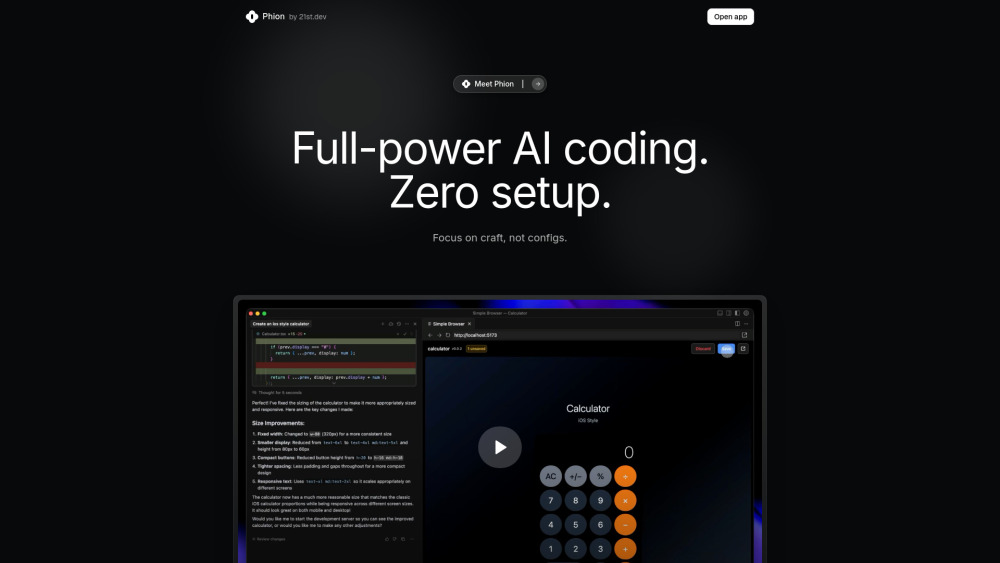
Phion website preview

Phion Website screenshot

Introducing Phion: The AI-Native Coding Platform Built for Speed & Simplicity

Phion redefines modern development by merging enterprise-grade DevOps automation with intuitive AI-powered coding—no configuration required. It abstracts away infrastructure, CI/CD pipelines, version control setup, and deployment orchestration, letting developers write code and ship instantly. Deeply integrated with Cursor, Phion delivers a frictionless inner loop: edit → save → deploy → validate—all powered by contextual AI that understands your stack, constraints, and intent.

Getting Started in Under 10 Seconds

Launch Cursor, open any folder—or start from scratch—and Phion activates automatically. Your dev environment spins up in real time, serving a live preview URL. Every local file save triggers an atomic, versioned deployment to a globally distributed edge network. When errors occur, the AI Error Assistant analyzes stack traces, suggests precise fixes, and applies corrections with one click—no debugging detours, no manual log scanning.

Engineered for Developer Velocity

AI-Powered Full-Stack Development

Zero-Setup Onboarding (No CLI, No Git Init, No Config Files)

One-Click Dev Environment (Auto-resolves dependencies, launches server, opens preview)

Smart Save & Deploy (Immutable, versioned deployments on every save)

Context-Aware AI Error Assistant (Fixes runtime & build errors inline)

Built-in DevOps Governance (Enforces architecture rules, manages publishing, handles semantic versioning)

Who Benefits Most from Phion?

Frontend & full-stack engineers building fast-moving web apps

Product teams shipping MVPs, demos, and marketing sites in hours—not days

Engineering leads standardizing CI/CD without locking teams into complex toolchains

Students and learners mastering modern web development without DevOps overhead

Product source: Phion official website. Check the provider for current plans, limits and availability.

FAQ

Phion questions and answers

Product context and practical checks for evaluating Phion.

What is Phion used for?

Phion: AI-powered coding platform—zero setup, DevOps integration. Code faster, ship smarter.

How do I get started with Phion?

Launch Cursor, open any folder—or start from scratch—and Phion activates automatically. Your dev environment spins up in real time, serving a live preview URL. Every local file save triggers an atomic, versioned deployment to a globally distributed edge network. When errors occur, the AI Error Assistant analyzes stack traces, suggests precise fixes, and applies corrections with one click—no debugging detours, no manual log scanning.

What should I compare before choosing a Phion plan?

Check Phion’s current pricing page for included usage, renewal terms and any credit charges. Compare the cost of a usable result, including retries, rather than assuming that account registration includes free usage.

What inputs should I prepare for a Phion trial?

Look for text prompts, image references, masks or sketches as appropriate. Compare composition control, supported upload types and the ability to revise a selected area.

How can I check the quality of a Phion result?

Inspect text, hands, edges, reflections and repeated objects at full size. Check that important product or brand details survive editing.

Which export options should I check in Phion?

Compare pixel dimensions, transparency, file formats and any enlargement options. Confirm that the downloaded result works in your design or publishing software.

What is a practical way to test Phion against alternatives?

Prepare a brief with a subject, composition, lighting and required output size. Test a first generation and a targeted revision to see how much control you retain.

What should I review before uploading material to Phion?

Read the provider’s rules on access, retention, deletion and use of uploaded material. Start with a non-confidential sample that you have permission to use.

How can I check whether Phion fits my existing workflow?

List the steps before and after using Phion, including preparation, review and export. Test that complete sequence and check whether handoffs require manual conversion or another paid service.

Where is the official Phion website?

The website linked from this profile is https://phion.dev. Use the provider’s own documentation, account area and support channels to confirm current product details.

Visit Phion