AI Photo &amp Image Generator

PFP.AI

PFP.AI is an AI Profile Picture Generator and Maker that uses artificial intelligence to create personalized profile pictures. It allows users to transform themselves into anyone or anything, capturing their unique personality and style.

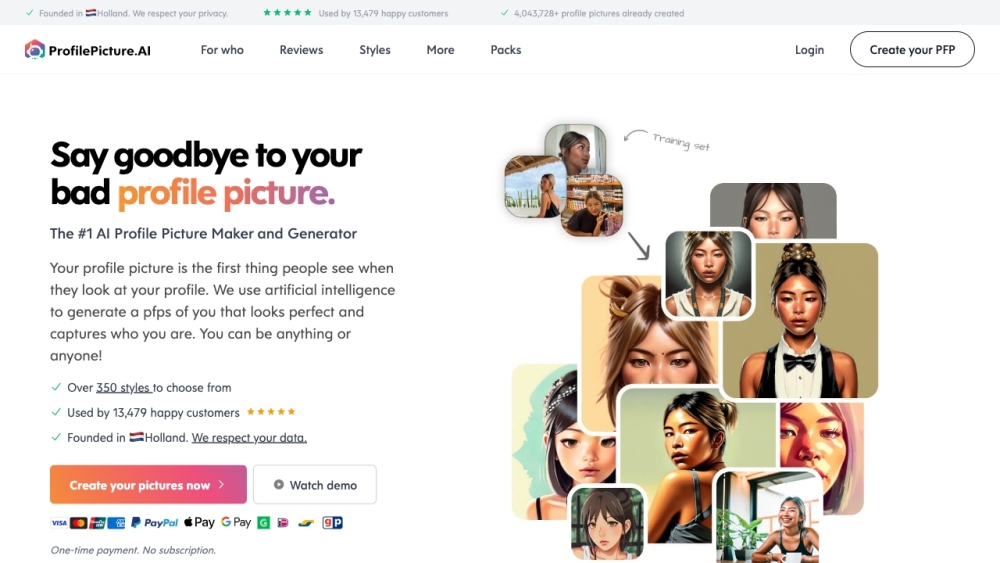
PFP.AI website preview

PFP.AI Website screenshot

Understanding PFP.AI

PFP.AI is an innovative tool that leverages artificial intelligence to generate customized profile pictures. This AI-driven platform allows users to create profile pictures that reflect their individuality and style, transforming them into unique avatars.

Steps to Utilize PFP.AI

Using PFP.AI is simple: upload your photos to the platform. It's best to provide a range of images, including close-ups, side views, and full-body shots. The AI will process these photos to create personalized avatars. With over 350 styles available, you can customize your profile picture to your liking. Once you're happy with the result, download the image for use on social media, websites, or personal projects.

Key Features of PFP.AI

AI-driven profile picture creation

More than 350 styles to select from

Avatars tailored to user input

Supports various photo formats (JPG, PNG, WebP, HEIC)

Data securely stored on US servers

One-time payment, no recurring fees

Strong commitment to user privacy

Applications of PFP.AI

Professional headshots for LinkedIn or resumes

Realistic corporate headshots for business

Striking profile pictures for dating apps like Tinder

Fantasy-themed profile pictures for social media like Instagram and TikTok

Aesthetic or cartoon-style profile pictures for personal use

Custom profile pictures for gaming channels on YouTube, Discord, or Twitch

Product source: PFP.AI official website. Check the provider for current plans, limits and availability.

FAQ

PFP.AI questions and answers

Product context and practical checks for evaluating PFP.AI.

What is PFP.AI used for?

PFP.AI is an AI Profile Picture Generator and Maker that uses artificial intelligence to create personalized profile pictures. It allows users to transform themselves into anyone or anything, capturing their unique personality and style.

How do I get started with PFP.AI?

Open the official PFP.AI website and identify the workflow that matches your task. Prepare a brief with a subject, composition, lighting and required output size. Test a first generation and a targeted revision to see how much control you retain.

Which capabilities are described for PFP.AI?

AI-driven profile picture creationMore than 350 styles to select fromAvatars tailored to user inputSupports various photo formats (JPG, PNG, WebP, HEIC)Data securely stored on US serversOne-time payment, no recurring feesStrong commitment to user privacy

What projects can I evaluate PFP.AI for?

Professional headshots for LinkedIn or resumesRealistic corporate headshots for businessStriking profile pictures for dating apps like TinderFantasy-themed profile pictures for social media like Instagram and TikTokAesthetic or cartoon-style profile pictures for personal useCustom profile pictures for gaming channels on YouTube, Discord, or Twitch Company Information Company Name: Postcraft PTE LTD Login to PFP.AI Login Link: https://www.profilepicture.ai/auth/login Sign Up for PFP.AI Sign Up Link: https://www.profilepicture.ai/auth/signup PFP.AI Pricing Pricing Link: https://www.profilepicture.ai/pricing PFP.AI on YouTube YouTube Link: https://www.profilepicture.ai/maker/youtube PFP.AI on TikTok TikTok Link: https://www.profilepicture.ai/maker/tiktok PFP.AI on LinkedIn LinkedIn Link: https://www.profilepicture.ai/maker/linkedin PFP.AI on Twitter Twitter Link: https://www.profilepicture.ai/maker/twitter PFP.AI on WhatsApp WhatsApp Link: https://www.profilepicture.ai/maker/whatsapp

What should I compare before choosing a PFP.AI plan?

Pricing Link: https://www.profilepicture.ai/pricing Confirm current prices and allowances on the provider’s website before purchasing.

What inputs should I prepare for a PFP.AI trial?

Look for text prompts, image references, masks or sketches as appropriate. Compare composition control, supported upload types and the ability to revise a selected area.

How can I check the quality of a PFP.AI result?

Inspect text, hands, edges, reflections and repeated objects at full size. Check that important product or brand details survive editing.

Which export options should I check in PFP.AI?

Compare pixel dimensions, transparency, file formats and any enlargement options. Confirm that the downloaded result works in your design or publishing software.

What is a practical way to test PFP.AI against alternatives?

Prepare a brief with a subject, composition, lighting and required output size. Test a first generation and a targeted revision to see how much control you retain.

Where is the official PFP.AI website?

The website linked from this profile is https://www.mememorph.com. Use the provider’s own documentation, account area and support channels to confirm current product details.

Visit PFP.AI