Table of contents
PDF Summarizer: Scan, Extract Key Info Fast & Effortlessly
Skip the scroll! PDF Summarizer scans any PDF and extracts only the key info—fast, accurate, and effortless. Never read a full PDF again.
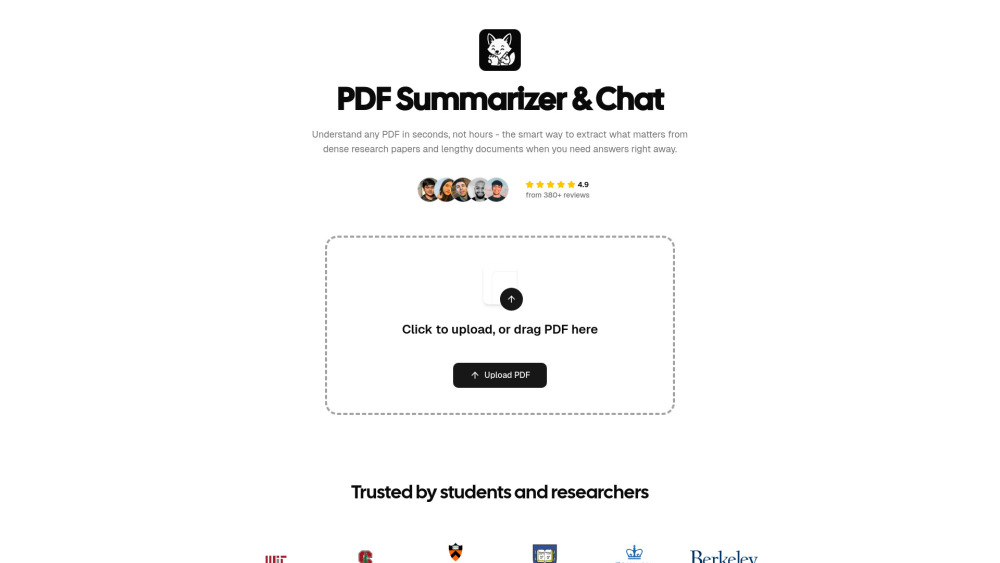
What Is PDF Summarizer?
Tired of drowning in dense PDFs? PDF Summarizer is your intelligent reading assistant — built to scan, digest, and distill any document in seconds. Whether it’s a 200-page research paper, a quarterly earnings report, or a technical manual, our AI instantly surfaces what matters: core arguments, actionable insights, data highlights, and critical context. No skimming. No rereading. Just precise, human-readable summaries — and conversational Q&A — right when you need them. Reclaim focus. Accelerate learning. Decide with confidence.
PDF Summarizer’s Core Features
Chat with Your PDFs
One-Click Smart Summarization
Real-World Use Cases
Turn textbooks into tutors. Ask questions, clarify concepts, and test your understanding — all inside your course materials.
Accelerate academic research. Upload multiple papers, compare methodologies, extract citations, and generate literature review notes — in minutes.
Decode financial statements on demand. Query revenue trends, margin shifts, or risk disclosures — no finance degree required.
Get instant help from manuals. Skip the index — just ask “How do I reset the firmware?” or “What does error code E7 mean?” and get step-by-step answers.
Demystify contracts & compliance docs. Highlight obligations, deadlines, and exclusions — then ask follow-ups like “What happens if I terminate early?”
Transform onboarding & training. Upload SOPs, policy handbooks, or safety guides — and let employees learn by asking, not memorizing.
Frequently Asked Questions
-
What exactly does PDF Summarizer do — and why is it different?
-
How does the AI understand complex documents so accurately?
-
Which file formats does PDF Summarizer support?
-
Can I start using it without signing up?
-
Is multi-document analysis supported?
-
How is my data protected during and after processing?
-
Does it support multilingual documents?
-
Can I use PDF Summarizer on mobile, tablet, or desktop?
-
Which AI models power PDF Summarizer’s intelligence?
-
Support & Contact
Have questions or feedback? Our support team is ready to help. Reach us at: [email protected]. For faster assistance, visit our Contact Us page.
-
About PDF Summarizer
Company Name: PDF Summarizer Mission: To make knowledge accessible, actionable, and effortless — one document at a time. Learn more about our story, values, and vision on the About Us page.
-
Log In to Your Account
Already a user? Access your dashboard and history anytime: Log In
-
Create Your Free Account
Start summarizing in under 10 seconds — no credit card, no trial limits: Sign Up Free
-
Follow Us on X (Twitter)
Get tips, updates, and real-world use cases: twitter.com/koskeller
FAQ from PDF Summarizer
What is PDF Summarizer?
PDF Summarizer is an AI-powered document intelligence tool designed for speed, accuracy, and simplicity. It scans your files, extracts meaning — not just keywords — and delivers concise summaries or direct answers to natural-language questions. Think of it as your personal research co-pilot: always on, always precise, and built to handle complexity without compromise.
What exactly does PDF Summarizer do — and why is it different?
Unlike basic extractors or keyword highlighters, PDF Summarizer understands context, logic, and structure. It doesn’t just pull sentences — it identifies cause-effect relationships, compares metrics across pages, infers implications, and explains jargon in plain language. You get insight, not just output.
How does the AI understand complex documents so accurately?
We combine advanced document parsing (preserving tables, figures, footnotes, and layout) with fine-tuned multimodal reasoning. Our system first builds a semantic map of your document — then routes each query to the optimal AI model based on depth, speed, and factual grounding. Answers are always traceable to source passages.
Which file formats does PDF Summarizer support?
Fully compatible with PDF (.pdf), Microsoft Word (.docx, .doc), PowerPoint (.pptx, .ppt), plain text (.txt), Markdown (.md), and EPUB (.epub). All formats retain formatting integrity — including charts, bullet points, and hierarchical headings.
Can I use PDF Summarizer without signing up?
Absolutely. Upload and summarize your first document in seconds — zero registration, zero email, zero paywall. Create an account only when you want to save history, organize folders, or enable cross-document analysis.
Is multi-document analysis supported?
Yes — and it’s powerful. Upload a folder of related files (e.g., annual reports from 2021–2024), and ask comparative questions like “How did R&D spend change year-over-year?” or “What new risks appear in the 2024 report that weren’t in 2023?”
How is my data protected during and after processing?
Your files are encrypted in transit (TLS 1.3+) and at rest (AES-256). We never train public models on your data. All documents are automatically deleted from active storage after 30 days — or instantly upon request. SOC 2 Type II certified infrastructure ensures enterprise-grade confidentiality.
Does it support multilingual documents?
Yes. PDF Summarizer natively processes English, Spanish, French, German, Portuguese, Italian, Dutch, Japanese, Korean, and Simplified Chinese — with accurate summarization and cross-lingual Q&A (e.g., ask questions in English about a Japanese contract).
Can I use PDF Summarizer on mobile, tablet, or desktop?
100%. Built as a progressive web app (PWA), it works seamlessly across Chrome, Safari, Edge, and Firefox — on laptops, tablets, and smartphones. No app download needed. Offline access to recent summaries coming soon.
Which AI models power PDF Summarizer’s intelligence?
We leverage a dynamic ensemble — primarily GPT-4.1 and GPT-4.1-mini — intelligently selected per task. Complex reasoning uses GPT-4.1; fast, factual queries use the lightweight variant. This balance ensures premium accuracy *and* sub-second response times — every time.