AI For Finance

Parallel

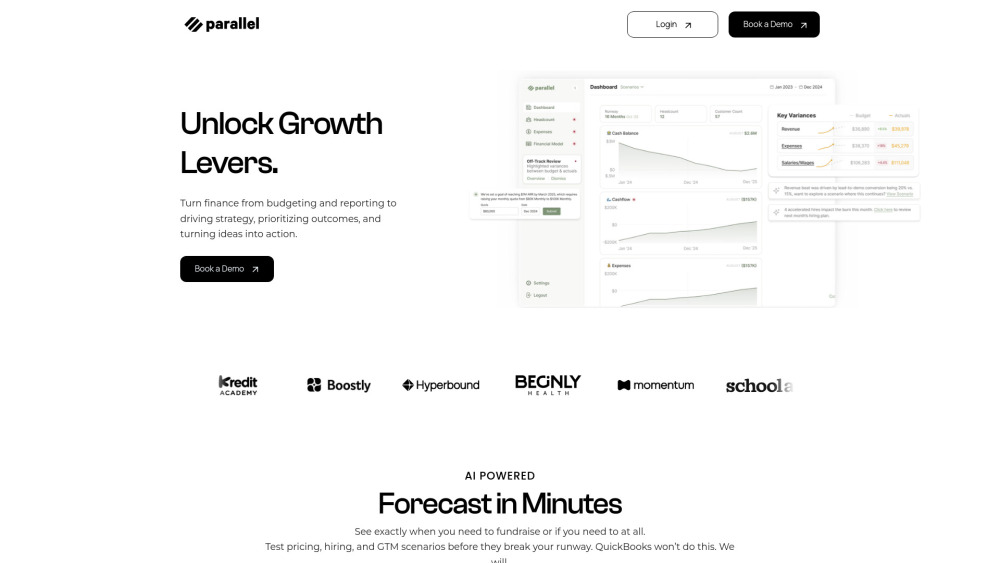
Parallel: AI-CFO for early-stage startups—automates finance, forecasts cash flow, and delivers real-time insights to scale smarter, faster.

Parallel website preview

Parallel Website screenshot

Introducing Parallel: Your AI-CFO for Early-Stage Companies

Parallel is the first AI-powered finance co-pilot purpose-built for startups at the seed and pre-Series A stage. It acts as an always-on, intelligent CFO—automating bookkeeping, modeling cash flow with surgical precision, and delivering real-time financial insights—so founders spend less time in spreadsheets and more time building their business.

Get Finance-Ready in Minutes, Not Months

Launch your live financial model in under 60 seconds: connect your bank, payroll, and revenue tools, and Parallel instantly builds a dynamic, auditable forecast. Adjust assumptions on the fly, stress-test runway under different growth or hiring paths, and generate board-ready dashboards—all without finance expertise.

Parallel’s Intelligent Finance Capabilities

AI-Powered Forecasting Engine

Auto-Generated Cash Flow Dashboard

Live Sync Across Financial Systems

Smart Alerting & Runway Guardrails

Scenario-Driven Investor Narratives

Where Founders Rely on Parallel

Pre-Board Financial Prep

Fundraising Story + Model Alignment

Strategic Headcount Planning

Pricing, Packaging & GTM Experimentation

Daily Runway Tracking with Predictive Alerts

  • Parallel Support & Contact

    Reach our support team anytime at [email protected]. For full assistance—including billing, refunds, and onboarding—visit our Contact page.

  • About Parallel

    Company Name: Parallel
    Mission: To democratize world-class financial intelligence for every early-stage founder.
    Learn more about our story, values, and team on the About Us page.

  • Access Your Parallel Account

    Log in securely here: https://getparallel.com/Login

  • Start Your Free Trial

    Begin your AI-CFO journey today—no credit card required. Sign up in seconds at https://getparallel.com/signup.

Product source: Parallel official website. Check the provider for current plans, limits and availability.

FAQ

Parallel questions and answers

Product context and practical checks for evaluating Parallel.

What is Parallel used for?

Parallel: AI-CFO for early-stage startups—automates finance, forecasts cash flow, and delivers real-time insights to scale smarter, faster.

How do I get started with Parallel?

Open the official Parallel website and identify the workflow that matches your task. Prepare a brief with a subject, composition, lighting and required output size. Test a first generation and a targeted revision to see how much control you retain.

Which capabilities are described for Parallel?

AI-Powered Forecasting EngineAuto-Generated Cash Flow DashboardLive Sync Across Financial SystemsSmart Alerting & Runway GuardrailsScenario-Driven Investor Narratives

What should I compare before choosing a Parallel plan?

Check Parallel’s current pricing page for included usage, renewal terms and any credit charges. Compare the cost of a usable result, including retries, rather than assuming that account registration includes free usage.

What inputs should I prepare for a Parallel trial?

Look for text prompts, image references, masks or sketches as appropriate. Compare composition control, supported upload types and the ability to revise a selected area.

How can I check the quality of a Parallel result?

Inspect text, hands, edges, reflections and repeated objects at full size. Check that important product or brand details survive editing.

Which export options should I check in Parallel?

Compare pixel dimensions, transparency, file formats and any enlargement options. Confirm that the downloaded result works in your design or publishing software.

What is a practical way to test Parallel against alternatives?

Prepare a brief with a subject, composition, lighting and required output size. Test a first generation and a targeted revision to see how much control you retain.

What should I review before uploading material to Parallel?

Read the provider’s rules on access, retention, deletion and use of uploaded material. Start with a non-confidential sample that you have permission to use.

Where is the official Parallel website?

The website linked from this profile is https://www.getparallel.com. Use the provider’s own documentation, account area and support channels to confirm current product details.

Visit Parallel