AI Blog Writer

Paperus

Paperus turns technical articles into captivating LinkedIn posts—perfect for pros who want to share insights, grow their audience, and save time. Discover use cases, pricing, reviews, features & alternatives.

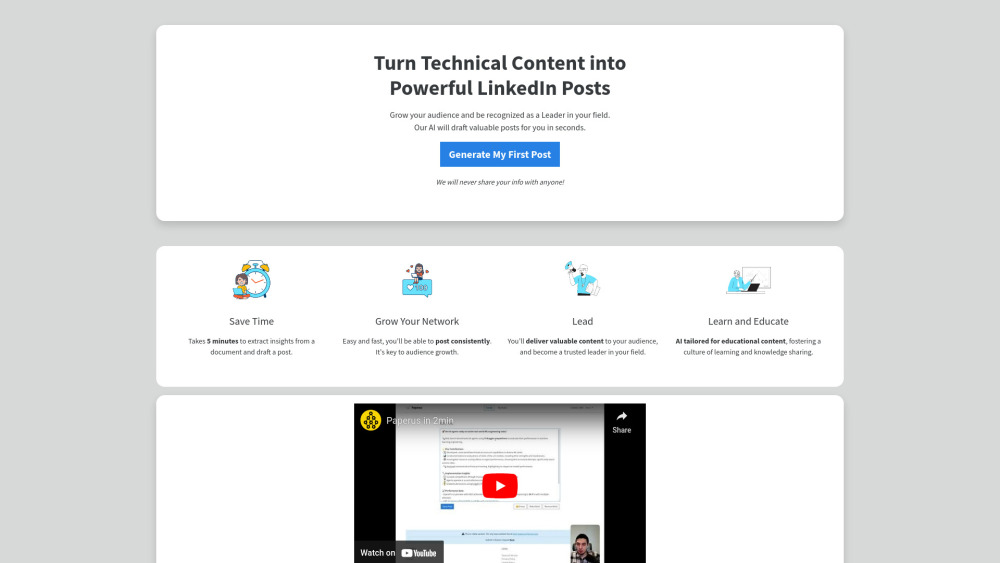
Paperus website preview

Paperus Website screenshot

What is Paperus?

Paperus is an AI-powered content assistant designed for technical professionals who want to share their expertise on LinkedIn with ease. By converting complex documents—like research papers, blog posts, or engineering reports—into concise, compelling social media updates, Paperus helps users build authority and grow their professional network without spending hours writing.

How Does Paperus Work?

Using Paperus is simple: just upload a PDF, insert a URL from your latest article, or paste raw text directly into the platform. The AI processes the input, identifies key insights, and crafts a polished LinkedIn post draft tailored to your voice and goals. You can then refine the tone, adjust length, or add personal touches before publishing.

Key Features of Paperus

Smart Content Analysis

Automatically distills technical documents into clear, audience-friendly highlights.

Custom Post Output

Generate drafts that match your style and professional branding, with full editing control.

Rapid Publishing Workflow

Turn hours of writing into minutes—ideal for busy engineers, developers, and tech leads.

Top Use Cases for Paperus

Amplify Your Thought Leadership on LinkedIn

Create regular, high-quality posts that showcase your knowledge and attract industry attention.

Summarize Technical Articles for Wider Reach

Break down dense content into digestible insights for non-expert audiences and peers alike.

Promote Engineering Achievements and Projects

Highlight project milestones, innovations, or learnings in a way that resonates with recruiters and collaborators.

Pricing & Alternatives Overview

While specific pricing tiers are not publicly listed, Paperus operates on a freemium model, allowing limited usage at no cost with premium features available through subscription. Among alternatives, tools like Taplio, Hypefury, and Copy.ai offer similar social content automation—but few focus specifically on technical content transformation like Paperus does.

Product source: Paperus official website. Check the provider for current plans, limits and availability.

FAQ

Paperus questions and answers

Product context and practical checks for evaluating Paperus.

What is Paperus used for?

Paperus turns technical articles into captivating LinkedIn posts—perfect for pros who want to share insights, grow their audience, and save time. Discover use cases, pricing, reviews, features & alternatives.

How do I get started with Paperus?

Using Paperus is simple: just upload a PDF, insert a URL from your latest article, or paste raw text directly into the platform. The AI processes the input, identifies key insights, and crafts a polished LinkedIn post draft tailored to your voice and goals. You can then refine the tone, adjust length, or add personal touches before publishing.

Which capabilities are described for Paperus?

Smart Content AnalysisAutomatically distills technical documents into clear, audience-friendly highlights.Custom Post OutputGenerate drafts that match your style and professional branding, with full editing control.Rapid Publishing WorkflowTurn hours of writing into minutes—ideal for busy engineers, developers, and tech leads.

What projects can I evaluate Paperus for?

Amplify Your Thought Leadership on LinkedInCreate regular, high-quality posts that showcase your knowledge and attract industry attention.Summarize Technical Articles for Wider ReachBreak down dense content into digestible insights for non-expert audiences and peers alike.Promote Engineering Achievements and ProjectsHighlight project milestones, innovations, or learnings in a way that resonates with recruiters and collaborators.

What should I compare before choosing a Paperus plan?

While specific pricing tiers are not publicly listed, Paperus operates on a freemium model, allowing limited usage at no cost with premium features available through subscription. Among alternatives, tools like Taplio, Hypefury, and Copy.ai offer similar social content automation—but few focus specifically on technical content transformation like Paperus does. Confirm current prices and allowances on the provider’s website before purchasing.

What inputs should I prepare for a Paperus trial?

Look for text prompts, image references, masks or sketches as appropriate. Compare composition control, supported upload types and the ability to revise a selected area.

How can I check the quality of a Paperus result?

Inspect text, hands, edges, reflections and repeated objects at full size. Check that important product or brand details survive editing.

Which export options should I check in Paperus?

Compare pixel dimensions, transparency, file formats and any enlargement options. Confirm that the downloaded result works in your design or publishing software.

What is a practical way to test Paperus against alternatives?

Prepare a brief with a subject, composition, lighting and required output size. Test a first generation and a targeted revision to see how much control you retain.

Where is the official Paperus website?

The website linked from this profile is https://paperus.tech. Use the provider’s own documentation, account area and support channels to confirm current product details.

Visit Paperus