Other

Page Assist

Boost productivity with Page Assist - Chrome Extension: Access local AI models via a sidebar and intuitive web UI for smarter browsing.

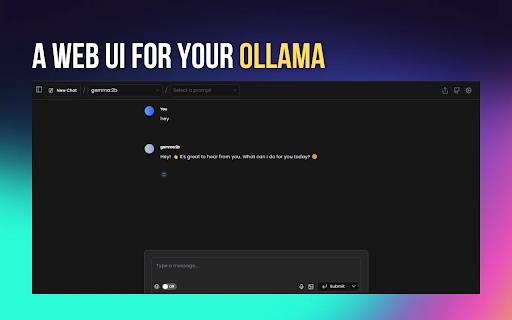
Page Assist website preview

Page Assist - Chrome Extension Website screenshot

What is Page Assist: Chrome Extension?

Page Assist is a Chrome extension that integrates a Sidebar and Web UI to help you manage and interact with AI models running locally on your system.

How Does Page Assist Work?

This extension connects with AI models hosted locally, allowing you to use them either during your browsing sessions or through a streamlined web UI designed for local AI platforms like Ollama.

Key Features of Page Assist Chrome Extension

Intuitive Sidebar for Multitasking

Access and manage multiple tasks seamlessly through the Sidebar, providing quick AI interactions without interrupting your workflow.

Support for Vision-Based AI Models

Utilize models designed for image recognition and other vision tasks directly from the extension.

Sleek Web UI for Local AI Models

The extension features a clean, minimalistic interface for managing your locally hosted AI models.

Integrated Internet Search

Quickly gather information from the web while leveraging your AI models to provide deeper insights.

Chat with PDFs and Other Document Types

Easily interact with documents like PDFs, CSVs, TXT, and Markdown files right within the Sidebar, enhancing your productivity.

Use Cases for Page Assist Chrome Extension

Real-Time Interaction with AI Models While Browsing

Engage with your AI models in real-time as you browse, opening up a world of possibilities for content generation, analysis, and research.

Optimized for Local AI Model Web UIs

Page Assist simplifies interaction with local AI models by providing a dedicated web UI that integrates into your workflow.

Product source: Page Assist official website. Check the provider for current plans, limits and availability.

FAQ

Page Assist questions and answers

Product context and practical checks for evaluating Page Assist.

What is Page Assist used for?

Boost productivity with Page Assist - Chrome Extension: Access local AI models via a sidebar and intuitive web UI for smarter browsing.

How do I get started with Page Assist?

This extension connects with AI models hosted locally, allowing you to use them either during your browsing sessions or through a streamlined web UI designed for local AI platforms like Ollama.

Which capabilities are described for Page Assist?

Intuitive Sidebar for Multitasking Access and manage multiple tasks seamlessly through the Sidebar, providing quick AI interactions without interrupting your workflow. Support for Vision-Based AI Models Utilize models designed for image recognition and other vision tasks directly from the extension. Sleek Web UI for Local AI Models The extension features a clean, minimalistic interface for managing your locally hosted AI models. Integrated Internet Search Quickly gather information from the web while leveraging your AI models to provide deeper insights. Chat with PDFs and Other Document Types Easily interact with documents like PDFs, CSVs, TXT, and Markdown files right within the Sidebar, enhancing your productivity.

What projects can I evaluate Page Assist for?

Real-Time Interaction with AI Models While Browsing Engage with your AI models in real-time as you browse, opening up a world of possibilities for content generation, analysis, and research. Optimized for Local AI Model Web UIs Page Assist simplifies interaction with local AI models by providing a dedicated web UI that integrates into your workflow.

What should I compare before choosing a Page Assist plan?

Check Page Assist’s current pricing page for included usage, renewal terms and any credit charges. Compare the cost of a usable result, including retries, rather than assuming that account registration includes free usage.

What inputs should I prepare for a Page Assist trial?

Look for text prompts, image references, masks or sketches as appropriate. Compare composition control, supported upload types and the ability to revise a selected area.

How can I check the quality of a Page Assist result?

Inspect text, hands, edges, reflections and repeated objects at full size. Check that important product or brand details survive editing.

Which export options should I check in Page Assist?

Compare pixel dimensions, transparency, file formats and any enlargement options. Confirm that the downloaded result works in your design or publishing software.

What is a practical way to test Page Assist against alternatives?

Prepare a brief with a subject, composition, lighting and required output size. Test a first generation and a targeted revision to see how much control you retain.

Where is the official Page Assist website?

The website linked from this profile is https://chromewebstore.google.com/detail/page-assist-a-web-ui-for/jfgfiigpkhlkbnfnbobbkinehhfdhndo. Use the provider’s own documentation, account area and support channels to confirm current product details.

Visit Page Assist