AI Advertising Assistant

OwlOutreach

OwlOutreach: Safeguard your organization with top-tier cybersecurity & vulnerability assessments. Dark themed, AstroJS-based design perfect for SaaS/startups.

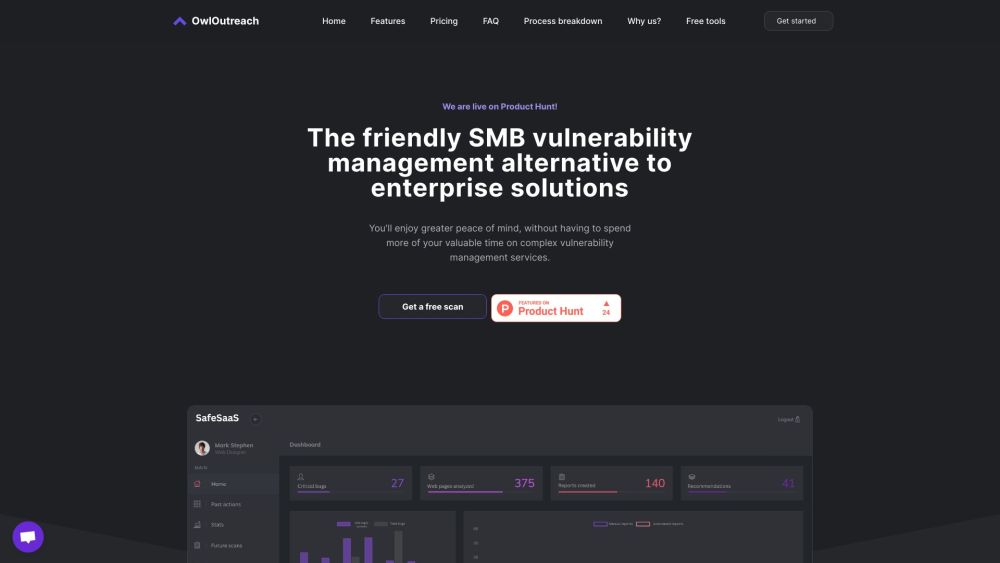
OwlOutreach website preview

OwlOutreach Website screenshot

What is OwlOutreach?

OwlOutreach is dedicated to offering robust cybersecurity solutions tailored for SaaS companies and startups. With a keen focus on comprehensive vulnerability assessments, OwlOutreach ensures that organizations can safeguard their digital assets against a multitude of cyber threats. Their dark-themed website, developed with AstroJS, complements the sleek and professional nature of SaaS and startup enterprises.

How to use OwlOutreach?

Getting started with OwlOutreach is straightforward. Here’s how: 1. Register for an account on the OwlOutreach platform. 2. Utilize the advanced scanner to perform scheduled scans on your web applications. 3. Receive detailed and comprehensible vulnerability reports tailored for your IT team's needs. 4. Use the expert guidance from OwlOutreach's cybersecurity professionals to mitigate identified vulnerabilities. 5. Achieve a higher level of security confidence knowing that your business is defended against potential cyber threats.

OwlOutreach's Core Features

Comprehensive vulnerability scanning tools

24/7 real-time monitoring

Scheduled and on-demand scanning options

Detection of the OWASP Top 10 vulnerabilities

Integrated CRM access

Priority support services

Expert cybersecurity consultancy

Integration capabilities with Zapier and Jira

OwlOutreach's Use Cases

OwlOutreach is ideal for startups and SMBs seeking an approachable yet powerful vulnerability management solution. It's perfect for businesses that need to swiftly pinpoint critical vulnerabilities in their web applications without requiring deep technical expertise. By adopting OwlOutreach, companies can proactively defend against cyber threats, safeguarding their valuable assets, data, and brand reputation.

Product source: OwlOutreach official website. Check the provider for current plans, limits and availability.

FAQ

OwlOutreach questions and answers

Product context and practical checks for evaluating OwlOutreach.

What is OwlOutreach used for?

OwlOutreach: Safeguard your organization with top-tier cybersecurity & vulnerability assessments. Dark themed, AstroJS-based design perfect for SaaS/startups.

How do I get started with OwlOutreach?

Getting started with OwlOutreach is straightforward. Here’s how: 1. Register for an account on the OwlOutreach platform. 2. Utilize the advanced scanner to perform scheduled scans on your web applications. 3. Receive detailed and comprehensible vulnerability reports tailored for your IT team's needs. 4. Use the expert guidance from OwlOutreach's cybersecurity professionals to mitigate identified vulnerabilities. 5. Achieve a higher level of security confidence knowing that your business is defended against potential cyber threats.

Which capabilities are described for OwlOutreach?

Comprehensive vulnerability scanning tools24/7 real-time monitoringScheduled and on-demand scanning optionsDetection of the OWASP Top 10 vulnerabilitiesIntegrated CRM accessPriority support servicesExpert cybersecurity consultancyIntegration capabilities with Zapier and Jira

What projects can I evaluate OwlOutreach for?

OwlOutreach is ideal for startups and SMBs seeking an approachable yet powerful vulnerability management solution. It's perfect for businesses that need to swiftly pinpoint critical vulnerabilities in their web applications without requiring deep technical expertise. By adopting OwlOutreach, companies can proactively defend against cyber threats, safeguarding their valuable assets, data, and brand reputation.

What should I compare before choosing a OwlOutreach plan?

Check OwlOutreach’s current pricing page for included usage, renewal terms and any credit charges. Compare the cost of a usable result, including retries, rather than assuming that account registration includes free usage.

What inputs should I prepare for a OwlOutreach trial?

Look for text prompts, image references, masks or sketches as appropriate. Compare composition control, supported upload types and the ability to revise a selected area.

How can I check the quality of a OwlOutreach result?

Inspect text, hands, edges, reflections and repeated objects at full size. Check that important product or brand details survive editing.

Which export options should I check in OwlOutreach?

Compare pixel dimensions, transparency, file formats and any enlargement options. Confirm that the downloaded result works in your design or publishing software.

What is a practical way to test OwlOutreach against alternatives?

Prepare a brief with a subject, composition, lighting and required output size. Test a first generation and a targeted revision to see how much control you retain.

Where is the official OwlOutreach website?

The website linked from this profile is https://owloutreach.com. Use the provider’s own documentation, account area and support channels to confirm current product details.

Visit OwlOutreach