Table of contents
Orate : AI-Powered macOS Text-to-Speech with Natural Voice
Orate: macOS text-to-speech app that instantly converts highlighted text into natural, AI-powered speech—clear, expressive, and effortless.
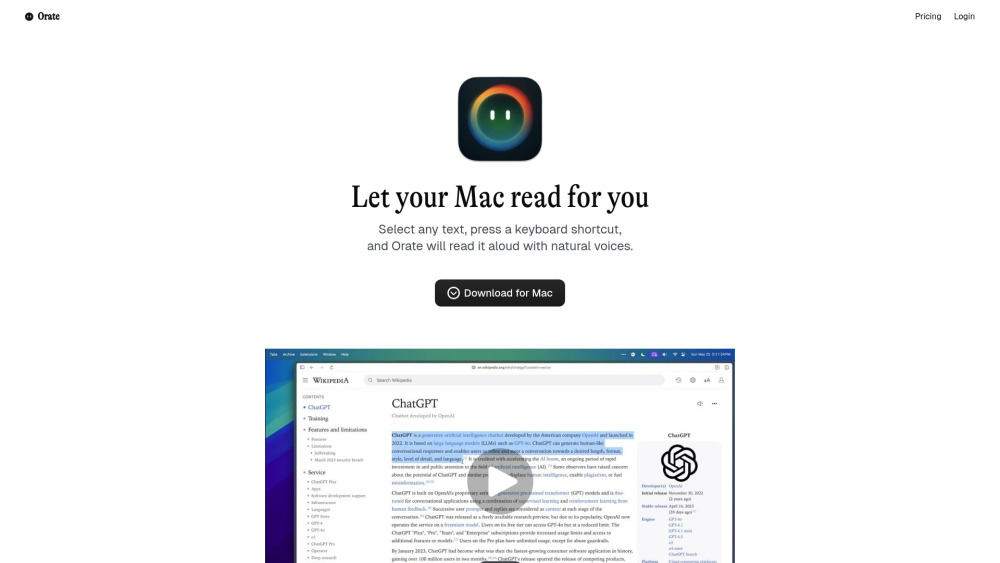
Introducing Orate: AI-Powered macOS Text-to-Speech with Natural Voice
Orate redefines how macOS users interact with written content—transforming text into lifelike speech in real time. Built exclusively for Apple Silicon and Intel Macs, this lightweight menu-bar app uses state-of-the-art generative AI voice models to deliver expressive, human-like narration with precise rhythm, emotion-aware phrasing, and contextual emphasis. With near-zero delay and seamless cross-app compatibility, Orate turns your entire Mac ecosystem—from Safari tabs to Notes, Slack messages, and PDFs—into an immersive audio experience.
Getting Started in One Second
No setup, no switching windows—just select any text, press ⌘ + E, and listen. Orate instantly synthesizes speech using its optimized on-device AI pipeline, bypassing cloud round-trips for privacy and speed. Fine-tune playback with intuitive speed sliders (0.7x–2.0x), pause/resume with a second press, and even toggle voice gender or style directly from the menu bar.
Why Orate Stands Out
Instant text-to-speech—anywhere, anytime
One universal shortcut: ⌘ + E (works system-wide)
Studio-quality AI voices trained on natural speech patterns
Privacy-first design—processing happens locally on your Mac
Real-time speed and pitch adjustment without re-synthesis
Industry-leading latency: ~75ms from trigger to first phoneme
Premium Whisper tier adds 12+ languages & regional accents
Hybrid voice library—blend free and premium voices per use case
Real-World Applications
Turn long-form web articles, research papers, or newsletters into engaging audio summaries.
Boost productivity by multitasking—listen while commuting, exercising, or reviewing code.
Support neurodiverse learners, dyslexic readers, and visually impaired users with accessible audio feedback.
Edit with your ears—catch awkward phrasing, tone mismatches, or grammatical errors by hearing your writing aloud.
Frequently Asked Questions
-
What is Orate?
-
How do I get started with Orate?
-
What makes Orate’s voices sound so natural?
-
Is there a free version—and what does it include?
-
How fast does Orate respond after I press ⌘ + E?
-
Contact Orate Support
Have questions or need assistance? Reach our support team at [email protected]. For faster help, visit our contact page (mailto:[email protected]).
-
About the Team Behind Orate
Orate is developed by Adaius, LLC—a U.S.-based software studio focused on intelligent, privacy-respecting tools for macOS power users.
-
Access Your Orate Account
Log in to manage your subscription, voice preferences, and usage analytics: https://orateai.app/auth/login
FAQ from Orate
What is Orate?
Orate is a native macOS text-to-speech application that transforms selected text into rich, emotionally intelligent speech using proprietary AI voice synthesis. Designed for speed, accessibility, and authenticity, it runs entirely on-device—no internet required for basic functionality—and integrates invisibly into your daily workflow.
How do I get started with Orate?
Download the app, install it, and launch Orate from your menu bar. Highlight any text—whether in Mail, Chrome, Pages, or Terminal—and press ⌘ + E. That’s it. Your Mac will begin speaking within milliseconds, with full control over pacing and voice selection available via the menu bar icon.
How do I use Orate?
Select text → Press ⌘ + E → Listen. You can repeat the shortcut to pause/resume, hold Option while pressing to open voice settings, or right-click the menu bar icon for quick access to speed, language, and voice presets.
What makes Orate’s voices sound so natural?
Unlike legacy TTS engines, Orate leverages fine-tuned, small-footprint AI models trained on thousands of hours of professional narration. These models understand prosody, punctuation-driven pausing, syllable stress, and semantic emphasis—so “Let’s eat, Grandma!” sounds meaningfully different from “Let’s eat Grandma!”
Is there a free version—and what does it include?
Yes—the Free tier includes unlimited use of English AI voices, core hotkey functionality, local processing, and 10,000 characters/month. The premium Whisper tier unlocks multilingual voices, commercial usage rights, priority support, and expanded monthly quotas.
How fast does Orate respond after I press ⌘ + E?
Orate delivers industry-leading responsiveness: average end-to-end latency is just 75ms—faster than most human reaction times. This near-instant feedback makes listening feel as immediate and intuitive as reading.