AI Agent

Opera Neon

Opera Neon: The agentic AI browser that automates tasks & delivers intelligent, context-aware assistance—right in your workflow.

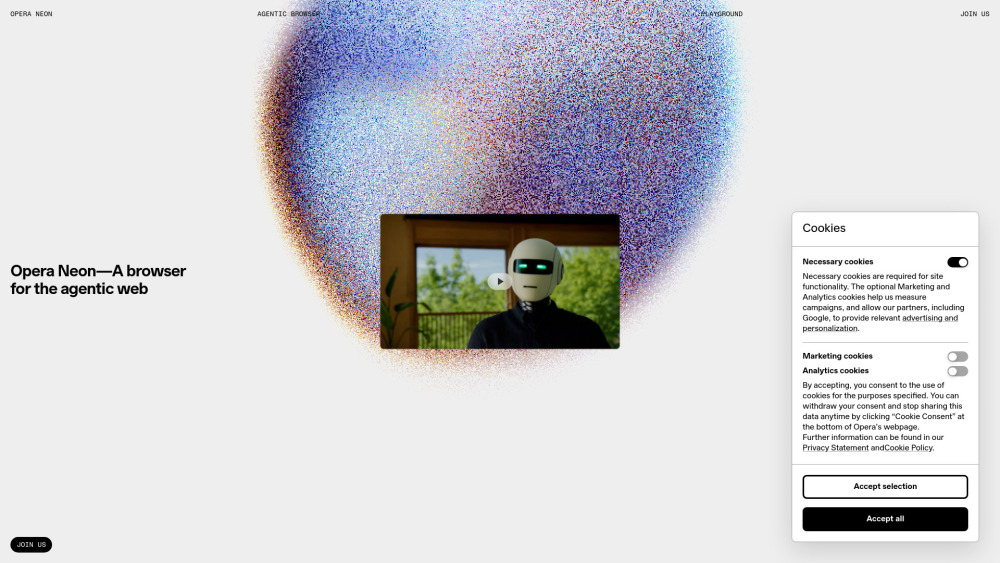
Opera Neon website preview

Opera Neon Website screenshot

Introducing Opera Neon: Where Automation Meets Intelligent Context

Opera Neon redefines the web browser—not as a passive window to the internet, but as an active, reasoning partner. Engineered with agentic AI architecture, it interprets your goals beyond keywords, infers contextual nuance from your current tab, history, and workflow, and executes multi-step tasks autonomously. Whether drafting a research summary, comparing product specs across sites, or assembling a travel itinerary, Neon bridges intent and action—transforming abstract requests into tangible, cross-site outcomes—all within a single, secure browsing environment.

Getting Started with Opera Neon

Begin by articulating your goal in natural language—no technical syntax required. Neon listens, analyzes your context (e.g., open tabs, recent searches, document selections), then orchestrates actions: fetching data, filling forms, generating drafts, or navigating workflows. It learns from feedback, refines responses in real time, and surfaces relevant next steps—making every interaction progressively more intuitive and productive.

Core Capabilities of Opera Neon

Interprets layered user intent—not just queries, but underlying objectives

Orchestrates end-to-end task execution across domains and websites

Adapts assistance dynamically based on real-time context signals

Converts high-level prompts into structured, actionable deliverables

Reduces repetitive digital labor through intelligent automation

Synthesizes information across sources while preserving provenance

Maintains contextual continuity across sessions and devices

Real-World Applications

Streamlining knowledge work—e.g., auto-generating reports from scattered web sources

Enhancing accessibility—e.g., narrating complex UIs or summarizing dense content on demand

Accelerating creative workflows—e.g., sourcing inspiration, refining concepts, and prototyping ideas in-browser

Product source: Opera Neon official website. Check the provider for current plans, limits and availability.

FAQ

Opera Neon questions and answers

Product context and practical checks for evaluating Opera Neon.

What is Opera Neon used for?

Opera Neon: The agentic AI browser that automates tasks & delivers intelligent, context-aware assistance—right in your workflow.

How do I get started with Opera Neon?

Begin by articulating your goal in natural language—no technical syntax required. Neon listens, analyzes your context (e.g., open tabs, recent searches, document selections), then orchestrates actions: fetching data, filling forms, generating drafts, or navigating workflows. It learns from feedback, refines responses in real time, and surfaces relevant next steps—making every interaction progressively more intuitive and productive.

Which capabilities are described for Opera Neon?

Interprets layered user intent—not just queries, but underlying objectivesOrchestrates end-to-end task execution across domains and websitesAdapts assistance dynamically based on real-time context signalsConverts high-level prompts into structured, actionable deliverablesReduces repetitive digital labor through intelligent automationSynthesizes information across sources while preserving provenanceMaintains contextual continuity across sessions and devices

What projects can I evaluate Opera Neon for?

Streamlining knowledge work—e.g., auto-generating reports from scattered web sourcesEnhancing accessibility—e.g., narrating complex UIs or summarizing dense content on demandAccelerating creative workflows—e.g., sourcing inspiration, refining concepts, and prototyping ideas in-browser

What should I compare before choosing a Opera Neon plan?

Check Opera Neon’s current pricing page for included usage, renewal terms and any credit charges. Compare the cost of a usable result, including retries, rather than assuming that account registration includes free usage.

What inputs should I prepare for a Opera Neon trial?

Compare support for source documents, style instructions, outlines and length limits. Check whether citations link to real material rather than merely looking like references.

How can I check the quality of a Opera Neon result?

Verify names, dates, quotations and factual claims against the original sources. Edit tone, remove repetition and make sure the text answers the intended reader’s question.

Which export options should I check in Opera Neon?

Check export to plain text, Markdown, documents or your publishing system. Formatting, headings and working links matter when moving a draft into production.

What is a practical way to test Opera Neon against alternatives?

Use a real brief and a short source document. Compare factual accuracy, structure and editing time rather than accepting the longest or most confident draft.

Where is the official Opera Neon website?

The website linked from this profile is https://operaneon.com. Use the provider’s own documentation, account area and support channels to confirm current product details.

Visit Opera Neon