AI Content Generator

Omnitrain

Omnitrain: AI-powered ad creation & customization—explore use cases, pricing, reviews, core features & top alternatives. Launch smarter ads, faster.

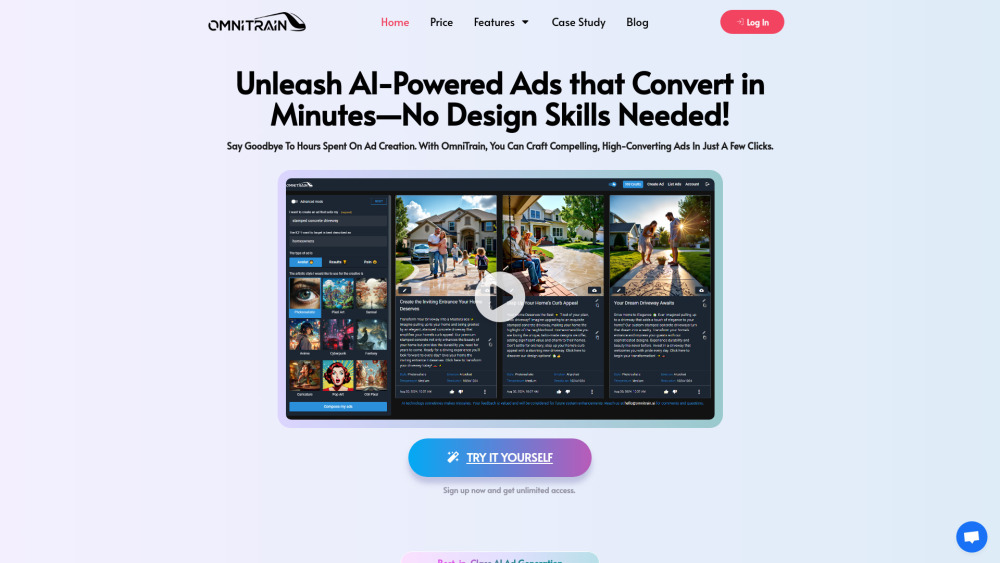
Omnitrain website preview

Omnitrain Website screenshot

Introducing Omnitrain: AI-Powered Ad Creation, Simplified

Omnitrain is a next-generation AI advertising platform that transforms marketing workflows—enabling teams and solo creators to produce scroll-stopping, performance-optimized ads in seconds, not hours. No graphic design background? No problem.

Getting Started with Omnitrain — In Under 60 Seconds

Create your account, choose your campaign goal (e.g., Instagram carousel, Google Display, or TikTok video ad), input your brand voice and key messaging, then let Omnitrain’s AI generate on-brand, conversion-ready creatives—fully editable and export-ready.

Key Capabilities That Set Omnitrain Apart

Intelligent Multi-Format Generation

Brand-Consistent AI Copy & Visual Styling

One-Click A/B Testing Framework

Real-Time Performance Suggestions Based on Ad Benchmarks

Real-World Omnitrain Use Cases

Launch high-performing paid social campaigns across Meta, LinkedIn, and Pinterest—without waiting for creative approvals

Scale localized ad variants for regional markets or seasonal promotions using dynamic templates

Quick Answers to Top Omnitrain Questions

What is Omnitrain?

A purpose-built AI ad engine that merges generative design, behavioral copywriting, and platform-specific best practices—so every ad drives measurable engagement and ROI.

How to use Omnitrain?

Describe your offer → select audience + channel → refine tone and visuals → generate, test, and publish. All within a single, intuitive workflow.

How does Omnitrain ensure ads resonate emotionally—and not just algorithmically?

Omnitrain’s models are trained on emotional response datasets (e.g., facial coding studies, sentiment-labeled ad libraries) and apply psychological triggers—like curiosity gaps, social proof framing, and urgency cues—contextually and ethically.

Does Omnitrain integrate with existing marketing tools like Shopify, HubSpot, or Google Ads?

Yes—native two-way syncs are available for Google Ads, Meta Business Suite, and Shopify. Zapier-powered connections cover 5,000+ apps, including Mailchimp, Klaviyo, and Notion.

What level of control do I retain over AI-generated assets?

Full creative autonomy. Every generated image, headline, CTA, and layout is editable in real time—down to hex codes, font weights, and aspect-ratio adjustments—no locked “AI-only” outputs.

Product source: Omnitrain official website. Check the provider for current plans, limits and availability.

FAQ

Omnitrain questions and answers

Product context and practical checks for evaluating Omnitrain.

What is Omnitrain used for?

Omnitrain: AI-powered ad creation & customization—explore use cases, pricing, reviews, core features & top alternatives. Launch smarter ads, faster.

How do I get started with Omnitrain?

Create your account, choose your campaign goal (e.g., Instagram carousel, Google Display, or TikTok video ad), input your brand voice and key messaging, then let Omnitrain’s AI generate on-brand, conversion-ready creatives—fully editable and export-ready.

Which capabilities are described for Omnitrain?

Intelligent Multi-Format GenerationBrand-Consistent AI Copy & Visual StylingOne-Click A/B Testing FrameworkReal-Time Performance Suggestions Based on Ad Benchmarks

What projects can I evaluate Omnitrain for?

Launch high-performing paid social campaigns across Meta, LinkedIn, and Pinterest—without waiting for creative approvalsScale localized ad variants for regional markets or seasonal promotions using dynamic templates

What should I compare before choosing a Omnitrain plan?

Compare tiers—from Starter to Agency—with usage-based scaling and white-glove onboarding options: https://omnitrain.ai/price/ Confirm current prices and allowances on the provider’s website before purchasing.

What inputs should I prepare for a Omnitrain trial?

Look for text prompts, image references, masks or sketches as appropriate. Compare composition control, supported upload types and the ability to revise a selected area.

How can I check the quality of a Omnitrain result?

Inspect text, hands, edges, reflections and repeated objects at full size. Check that important product or brand details survive editing.

Which export options should I check in Omnitrain?

Compare pixel dimensions, transparency, file formats and any enlargement options. Confirm that the downloaded result works in your design or publishing software.

What is a practical way to test Omnitrain against alternatives?

Prepare a brief with a subject, composition, lighting and required output size. Test a first generation and a targeted revision to see how much control you retain.

Where is the official Omnitrain website?

The website linked from this profile is https://omnitrain.ai. Use the provider’s own documentation, account area and support channels to confirm current product details.

Visit Omnitrain