Text-to-Speech

Notevibes

Transform text into lifelike speech with Notevibes: AI Text-to-Speech Tool featuring premium voices for seamless, high-quality audio output.

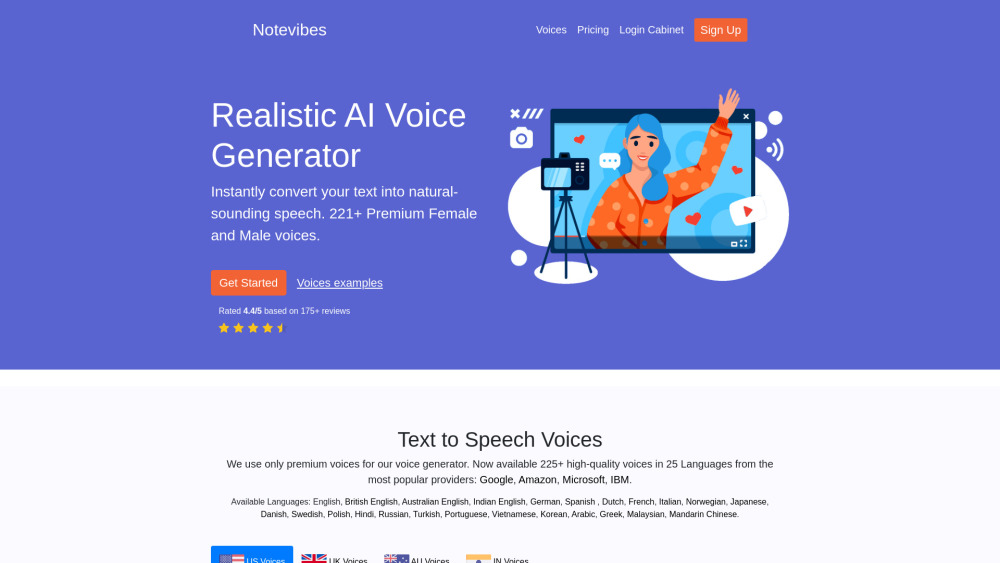
Notevibes website preview

Notevibes Website screenshot

Understanding Notevibes

Notevibes is a powerful AI-driven text-to-speech tool designed to transform written text into lifelike speech. Leveraging cutting-edge AI technology, it offers a vast array of premium voices across multiple languages, making it easy for users to convert text into audio formats like MP3 or WAV with just a few clicks.

How to Operate Notevibes

To get started with Notevibes, input your text into the user-friendly editor. You can then adjust various speech settings, such as speed and pitch, to match your desired tone. Once configured, generate your audio file within seconds, choosing between MP3 or WAV formats for optimal compatibility.

Key Features of Notevibes

Wide selection of natural-sounding voices

Sophisticated text-to-speech editor

Customizable speech parameters

Export options for MP3 or WAV audio files

Practical Applications of Notevibes

Generate realistic voiceovers for video content

Enhance business communication through audio messages

Create educational and instructional videos

Improve IVR systems and eLearning platforms

Product source: Notevibes official website. Check the provider for current plans, limits and availability.

FAQ

Notevibes questions and answers

Product context and practical checks for evaluating Notevibes.

What is Notevibes used for?

Transform text into lifelike speech with Notevibes: AI Text-to-Speech Tool featuring premium voices for seamless, high-quality audio output.

How do I get started with Notevibes?

To get started with Notevibes, input your text into the user-friendly editor. You can then adjust various speech settings, such as speed and pitch, to match your desired tone. Once configured, generate your audio file within seconds, choosing between MP3 or WAV formats for optimal compatibility.

Which capabilities are described for Notevibes?

Wide selection of natural-sounding voicesSophisticated text-to-speech editorCustomizable speech parametersExport options for MP3 or WAV audio files

What projects can I evaluate Notevibes for?

Generate realistic voiceovers for video contentEnhance business communication through audio messagesCreate educational and instructional videosImprove IVR systems and eLearning platforms Contact Notevibes Support For more information, visit the Contact Us page. Notevibes Login Access your account via the Notevibes Login page. Notevibes Sign-Up Create an account at the Notevibes Sign-Up page. Notevibes Pricing Explore pricing options at the Notevibes Pricing page.

What should I compare before choosing a Notevibes plan?

Explore pricing options at the Notevibes Pricing page. Confirm current prices and allowances on the provider’s website before purchasing.

What inputs should I prepare for a Notevibes trial?

Compare support for source documents, style instructions, outlines and length limits. Check whether citations link to real material rather than merely looking like references.

How can I check the quality of a Notevibes result?

Verify names, dates, quotations and factual claims against the original sources. Edit tone, remove repetition and make sure the text answers the intended reader’s question.

Which export options should I check in Notevibes?

Check export to plain text, Markdown, documents or your publishing system. Formatting, headings and working links matter when moving a draft into production.

What is a practical way to test Notevibes against alternatives?

Use a real brief and a short source document. Compare factual accuracy, structure and editing time rather than accepting the longest or most confident draft.

Where is the official Notevibes website?

The website linked from this profile is https://notevibes.com. Use the provider’s own documentation, account area and support channels to confirm current product details.

Visit Notevibes