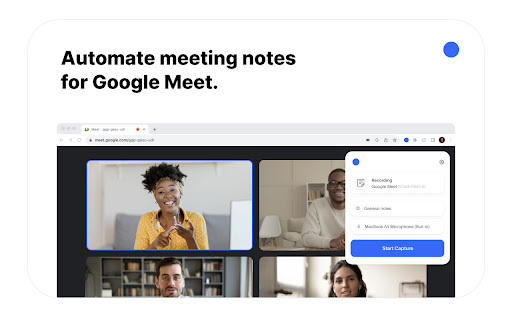
Introducing NoteTaker - Chrome Extension: AI Notes for Google Meet
NoteTaker is an innovative Chrome extension designed to revolutionize your Google Meet experience. With its advanced AI technology, NoteTaker offers seamless recording, transcription, and summarization capabilities, making it easier than ever to capture and retain important information from your meetings. Whether you're a professional, a student, or anyone in need of efficient note-taking, NoteTaker is the ultimate tool for boosting productivity and maximizing the value of your discussions.
How to Use NoteTaker - Chrome Extension?
Using NoteTaker is a breeze. Simply activate the extension during your Google Meet session by clicking the record button, and let the AI-powered technology handle the rest. NoteTaker will automatically transcribe and summarize the conversation in real-time, providing you with accurate and concise notes that you can refer back to at any time. Say goodbye to manual note-taking and hello to effortless productivity with NoteTaker.
Core Features of NoteTaker - Chrome Extension
1. Automatic Transcription
NoteTaker's advanced AI algorithms ensure precise and reliable transcription of your Google Meet discussions. With industry-leading accuracy, you can trust that every word will be captured and recorded with utmost clarity.
2. Customizable Summaries
NoteTaker allows you to personalize your summaries to suit your specific needs. Easily highlight key points, add annotations, and create concise summaries that capture the essence of your meetings. Tailor your notes to focus on what matters most to you.
Use Cases of NoteTaker - Chrome Extension
1. Taking Meeting Minutes Efficiently
NoteTaker simplifies the process of taking meeting minutes by automatically transcribing and summarizing the discussion. No more struggling to keep up with fast-paced conversations or missing important details. With NoteTaker, you can effortlessly capture and organize all the essential information.
2. Reviewing Key Discussion Points
NoteTaker's summarized notes provide a convenient way to revisit and review important discussion points. Quickly refresh your memory, extract actionable insights, and stay on top of your projects without wasting time searching through lengthy recordings or notes.