AI Image Enhancer

Nostalgia Photo

Nostalgia Photo: Advanced AI restores old, damaged photos in a few clicks, reviving cherished memories effortlessly.

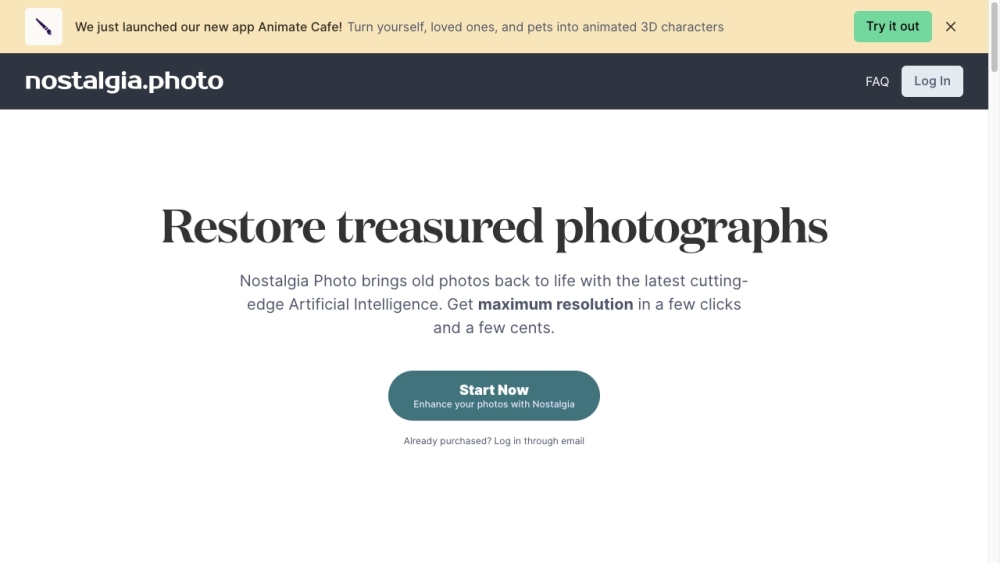
Nostalgia Photo website preview

Nostalgia Photo Website screenshot

What is Nostalgia Photo?

Nostalgia Photo is an innovative platform that harnesses the power of cutting-edge AI technology to rejuvenate and revive old, damaged photos, making your precious memories come alive again with minimal effort.

How to use Nostalgia Photo?

Using Nostalgia Photo is straightforward. Head over to our website, sign in, and upload your aged or damaged photographs. Our AI will swiftly and accurately eliminate blemishes, correct imperfections, and restore the original details. For just a small fee, you can breathe new life into your treasured memories.

Nostalgia Photo's Core Features

Nostalgia Photo offers the following core features: 1. Photo Restoration: Bring old and damaged photos back to life using our state-of-the-art AI technology. 2. Image Enhancement: Easily improve the quality and clarity of your images. 3. AI-Powered Repair: Utilize advanced AI to fix issues and restore details in your photos. 4. Imperfection Correction: Smoothly correct flaws and enhance the visual appeal of your images.

Nostalgia Photo's Use Cases

Nostalgia Photo can be used in various scenarios, including: 1. Reviving old family photos to preserve sentimental moments. 2. Enhancing vintage photo collections for both personal enjoyment and professional purposes. 3. Repairing images that have suffered damage due to aging, exposure, or physical wear. 4. Correcting defects and improving the overall quality of any photograph.

  • Nostalgia Photo Support Email & Customer service contact & Refund contact etc.

    For customer service, please contact Nostalgia Photo at: [email protected]. For more contact information, visit the contact us page(http://nostalgia.photomailto:[email protected])

  • Nostalgia Photo Company

    Nostalgia Photo Company name: Nostalgia Photo, Inc. .

Product source: Nostalgia Photo official website. Check the provider for current plans, limits and availability.

FAQ

Nostalgia Photo questions and answers

Product context and practical checks for evaluating Nostalgia Photo.

What is Nostalgia Photo used for?

Nostalgia Photo: Advanced AI restores old, damaged photos in a few clicks, reviving cherished memories effortlessly.

How do I get started with Nostalgia Photo?

Using Nostalgia Photo is straightforward. Head over to our website, sign in, and upload your aged or damaged photographs. Our AI will swiftly and accurately eliminate blemishes, correct imperfections, and restore the original details. For just a small fee, you can breathe new life into your treasured memories.

Which capabilities are described for Nostalgia Photo?

Nostalgia Photo offers the following core features: 1. Photo Restoration: Bring old and damaged photos back to life using our state-of-the-art AI technology. 2. Image Enhancement: Easily improve the quality and clarity of your images. 3. AI-Powered Repair: Utilize advanced AI to fix issues and restore details in your photos. 4. Imperfection Correction: Smoothly correct flaws and enhance the visual appeal of your images.

What projects can I evaluate Nostalgia Photo for?

Nostalgia Photo can be used in various scenarios, including: 1. Reviving old family photos to preserve sentimental moments. 2. Enhancing vintage photo collections for both personal enjoyment and professional purposes. 3. Repairing images that have suffered damage due to aging, exposure, or physical wear. 4. Correcting defects and improving the overall quality of any photograph. Nostalgia Photo Support Email & Customer service contact & Refund contact etc. For customer service, please contact Nostalgia Photo at: [email protected]. For more contact information, visit the contact us page(http://nostalgia.photomailto:[email protected]) Nostalgia Photo Company Nostalgia Photo Company name: Nostalgia Photo, Inc. .

What should I compare before choosing a Nostalgia Photo plan?

Check Nostalgia Photo’s current pricing page for included usage, renewal terms and any credit charges. Compare the cost of a usable result, including retries, rather than assuming that account registration includes free usage.

What inputs should I prepare for a Nostalgia Photo trial?

Look for text prompts, image references, masks or sketches as appropriate. Compare composition control, supported upload types and the ability to revise a selected area.

How can I check the quality of a Nostalgia Photo result?

Inspect text, hands, edges, reflections and repeated objects at full size. Check that important product or brand details survive editing.

Which export options should I check in Nostalgia Photo?

Compare pixel dimensions, transparency, file formats and any enlargement options. Confirm that the downloaded result works in your design or publishing software.

What is a practical way to test Nostalgia Photo against alternatives?

Prepare a brief with a subject, composition, lighting and required output size. Test a first generation and a targeted revision to see how much control you retain.

Where is the official Nostalgia Photo website?

The website linked from this profile is https://www.nostalgia.photo. Use the provider’s own documentation, account area and support channels to confirm current product details.

Visit Nostalgia Photo