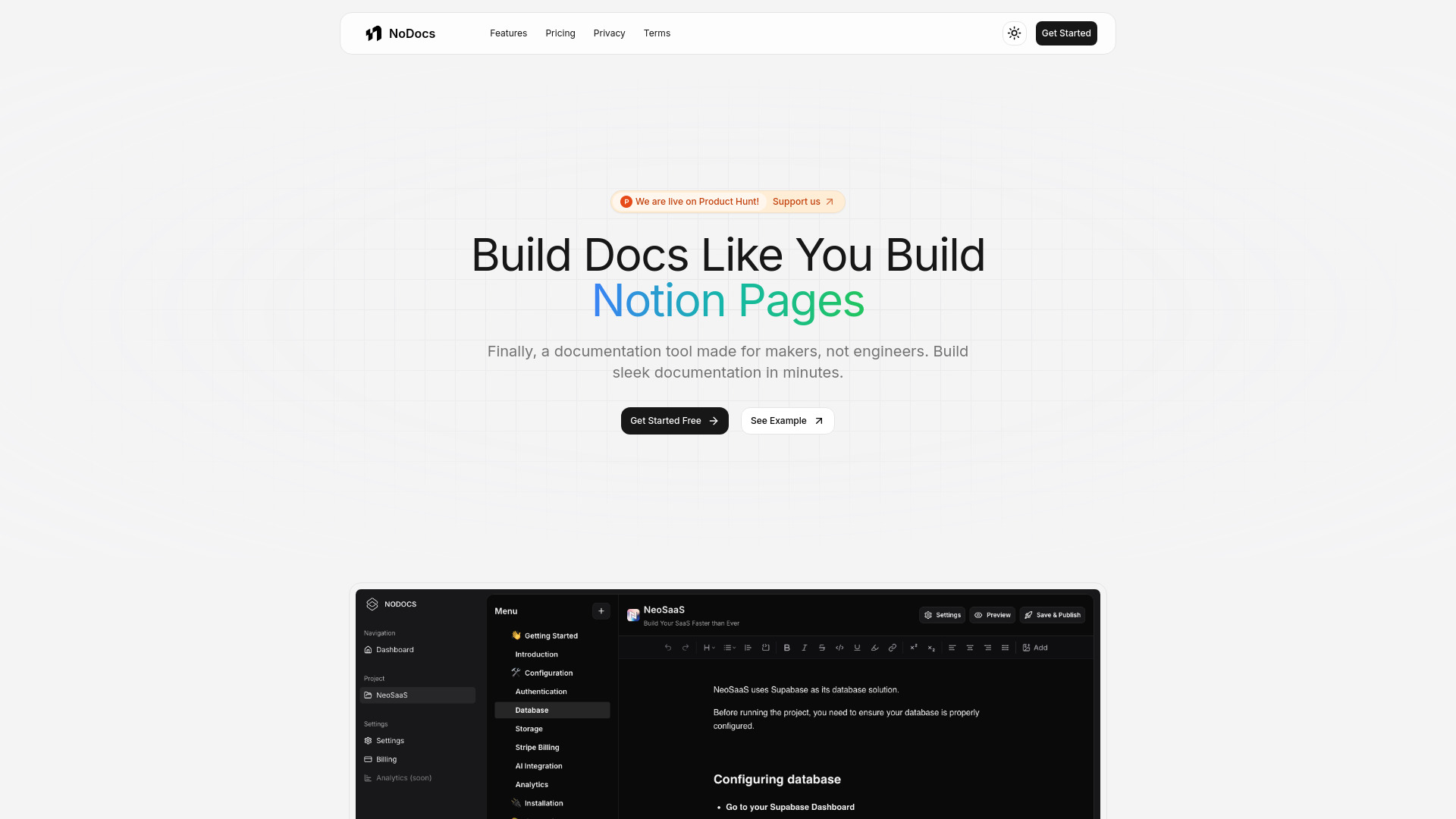
What is NoDocs?
NoDocs is an AI-powered, no-code documentation platform built for makers, product managers, developers, and growing teams. It helps users create polished product guides, API references, help centers, and internal knowledge bases without needing to design or maintain a custom documentation website. The platform combines an easy, block-based editor with intelligent content assistance, flexible page organization, and streamlined publishing tools. Teams can draft, improve, structure, and publish documentation from one workspace while keeping the experience simple for both authors and readers. With support for custom domains, NoDocs also makes it possible to present documentation under a professional, brand-aligned web address. Featured on aitop-tools.com, NoDocs gives modern teams a faster way to turn product knowledge into useful, accessible documentation.
How to Use NoDocs
Getting started with NoDocs begins at nodocs.io, where users can create a project and open the visual editor. The familiar workspace makes it easy to add pages, arrange sections, format text, and include elements such as images, links, code blocks, and other rich content. AI-powered assistance can help users develop outlines, refine explanations, improve readability, and turn rough notes into clearer documentation. This allows teams to spend more time sharing accurate product knowledge and less time handling repetitive writing tasks.
After building the content structure, organize related pages into a logical documentation hierarchy. Use navigation elements to guide readers through setup instructions, feature explanations, troubleshooting resources, or API workflows. Before release, review the documentation with the built-in preview experience to check layout and readability. Teams can then connect a custom domain, adjust their branding, and publish the project when everything is ready. Future edits can be released quickly, helping documentation stay aligned with product changes.
Key Features of NoDocs
- AI-Assisted Documentation Creation: Accelerate the writing process with intelligent tools that help generate ideas, organize information, rewrite unclear passages, and create more consistent explanations. AI support is especially useful when teams need to transform technical notes into content that customers can understand.
- No-Code Visual Editor: Build complete documentation websites through an accessible interface instead of writing templates or maintaining a development framework. Add and format content visually so product, support, and operations teams can contribute independently.
- Familiar Block-Based Editing: The clean editing experience makes it simple to work with headings, lists, code examples, callouts, links, and other content blocks. Users can create structured pages without learning a complex publishing system.
- Custom Domain Publishing: Connect documentation to a branded domain that fits naturally within your product ecosystem. A dedicated address gives customers a direct destination for support resources and creates a more consistent experience across your online presence.
- Fast Publishing Workflow: Release new pages and updates with minimal setup. A streamlined publishing process allows teams to respond quickly when features, product instructions, or API behavior change.
- Multi-Page Documentation Projects: Arrange large collections of information into sections, categories, and nested page structures. This makes NoDocs suitable for everything from a small product guide to a broad technical knowledge base.
Together, these capabilities help teams reduce the effort involved in documentation production, improve consistency across pages, and provide readers with a more organized source of product information. AI assistance supports the drafting process, while the no-code workflow keeps publishing accessible to people across the organization.
Why Choose NoDocs?
NoDocs is designed for teams that need professional documentation but do not want to build a publishing system from the ground up. Traditional documentation workflows often involve separate tools for writing, design, hosting, updates, and domain management. NoDocs brings these tasks into a single environment, giving teams a clearer path from initial idea to published resource. Its AI capabilities can help overcome the blank-page problem, while the visual editor gives authors control over the structure and presentation of each document.
The platform is also well suited to fast-moving teams. Product information changes frequently, and documentation needs to keep pace with new releases, revised workflows, and customer feedback. NoDocs makes it easier to update content, review the result, and publish improvements without waiting for a developer to modify a separate documentation site. Custom domains and branded presentation add a professional finish, helping companies create a documentation destination that feels like part of their own product experience.
Use Cases and Applications
Product teams can use NoDocs to create onboarding guides, feature overviews, setup instructions, and best-practice resources. AI writing support helps turn product notes, release information, and support questions into well-structured drafts that can be reviewed by subject matter experts. Since pages can be updated quickly, teams can keep instructions aligned with the current product and reduce confusion caused by outdated information.
API and developer relations teams can build reference materials that include endpoint explanations, authentication details, code samples, and integration steps. A clear documentation structure gives developers a practical place to find answers before contacting support. NoDocs can also support internal documentation, including team processes, operating procedures, training materials, and company knowledge. Startups and small businesses benefit from the ability to publish useful resources without assigning engineering time to hosting and maintaining a custom documentation platform.
Agencies, consultants, and independent makers can use custom domains to publish client portals, project guides, or product documentation with a polished identity. Organizations with multiple products may create separate documentation projects while maintaining a consistent approach to navigation, content quality, and publishing.