AI Advertising Assistant

NocodeCMS

NocodeCMS: Revolutionize content management with Webflow CMS integration, AI content, and free editors. Simplify collaboration and streamline publishing.

NocodeCMS website preview

**

Introducing NocodeCMS: Revolutionizing Webflow CMS Management

** **
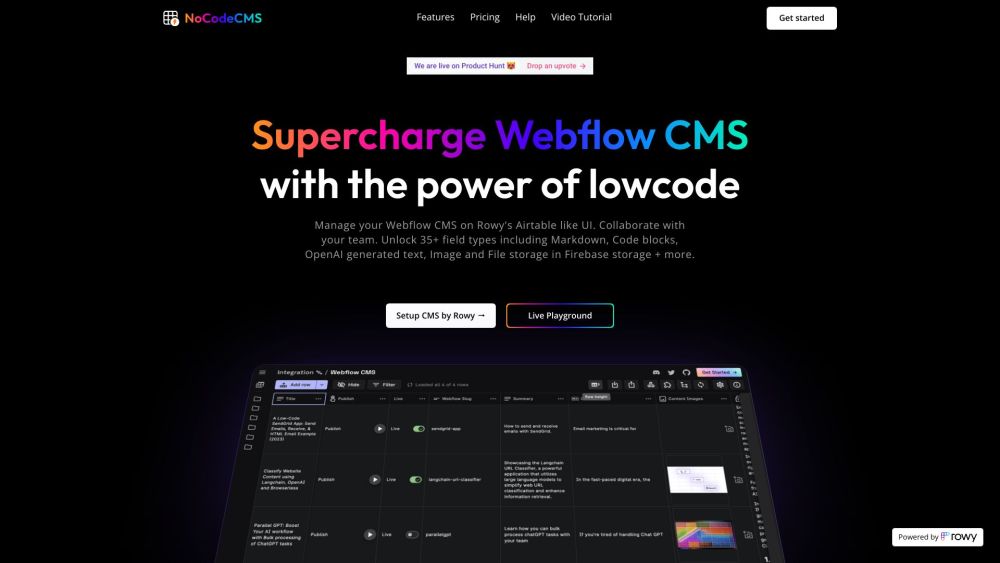
NocodeCMS Website screenshot

** **

What Sets NocodeCMS Apart?

** **

NocodeCMS is a groundbreaking platform redefining the way you interact with your Webflow CMS. Imagine managing your CMS data seamlessly on an intuitive Airtable-like interface, empowering you to unleash your creativity without limitations. With NocodeCMS, collaboration becomes effortless with free access for unlimited editors, allowing your team to work together harmoniously.

** **

Unlocking the Power of NocodeCMS

** **

Experience the convenience of AI-generated content integration, enabling you to elevate your CMS with dynamic and engaging materials. Directly publish images to your Webflow CMS and website with ease, streamlining your content delivery process. NocodeCMS offers a diverse range of field types, including Markdown, Code blocks, and OpenAI-generated text, giving you the flexibility to structure your data efficiently.

** **

Harnessing NocodeCMS for Success

** **

Enhance your Webflow CMS management and collaboration with NocodeCMS, optimizing workflows and boosting productivity. Seamlessly integrate AI-generated content to enrich your digital presence and captivate your audience. Automate CMS workflows through flexible cloud functions, empowering you to streamline operations and focus on what truly matters.

** **

Embracing Innovation with NocodeCMS

** **

Explore the endless possibilities of NocodeCMS as you embark on a journey towards efficient and effective content management. With image and file storage capabilities in Firebase storage, your data is secure and easily accessible. Embrace extensible cloud functions to customize your operations and scale your CMS management effortlessly.

** **

Discover NocodeCMS Today

** **

Unlock the full potential of NocodeCMS by seamlessly connecting Rowy table to your Webflow CMS and unleashing a new era of content management. Dive into the live playground to immerse yourself in the features of NocodeCMS and witness firsthand how it can revolutionize your digital workflow.

** **

Experience NocodeCMS – Empower Your Webflow CMS Journey

**

Product source: NocodeCMS official website. Check the provider for current plans, limits and availability.

FAQ

NocodeCMS questions and answers

Product context and practical checks for evaluating NocodeCMS.

What is NocodeCMS used for?

NocodeCMS: Revolutionize content management with Webflow CMS integration, AI content, and free editors. Simplify collaboration and streamline publishing.

How do I get started with NocodeCMS?

Open the official NocodeCMS website and identify the workflow that matches your task. Use a real brief and a short source document. Compare factual accuracy, structure and editing time rather than accepting the longest or most confident draft.

What should I compare before choosing a NocodeCMS plan?

Check NocodeCMS’s current pricing page for included usage, renewal terms and any credit charges. Compare the cost of a usable result, including retries, rather than assuming that account registration includes free usage.

What inputs should I prepare for a NocodeCMS trial?

Compare support for source documents, style instructions, outlines and length limits. Check whether citations link to real material rather than merely looking like references.

How can I check the quality of a NocodeCMS result?

Verify names, dates, quotations and factual claims against the original sources. Edit tone, remove repetition and make sure the text answers the intended reader’s question.

Which export options should I check in NocodeCMS?

Check export to plain text, Markdown, documents or your publishing system. Formatting, headings and working links matter when moving a draft into production.

What is a practical way to test NocodeCMS against alternatives?

Use a real brief and a short source document. Compare factual accuracy, structure and editing time rather than accepting the longest or most confident draft.

What should I review before uploading material to NocodeCMS?

Read the provider’s rules on access, retention, deletion and use of uploaded material. Start with a non-confidential sample that you have permission to use.

How can I check whether NocodeCMS fits my existing workflow?

List the steps before and after using NocodeCMS, including preparation, review and export. Test that complete sequence and check whether handoffs require manual conversion or another paid service.

Where is the official NocodeCMS website?

The website linked from this profile is https://www.nocodecms.co. Use the provider’s own documentation, account area and support channels to confirm current product details.

Visit NocodeCMS