Text to Image

NightCafe Creator

Create AI-generated art with NightCafe Creator. Explore, share, and discuss your creations in a vibrant community. Discover your inner artist today!

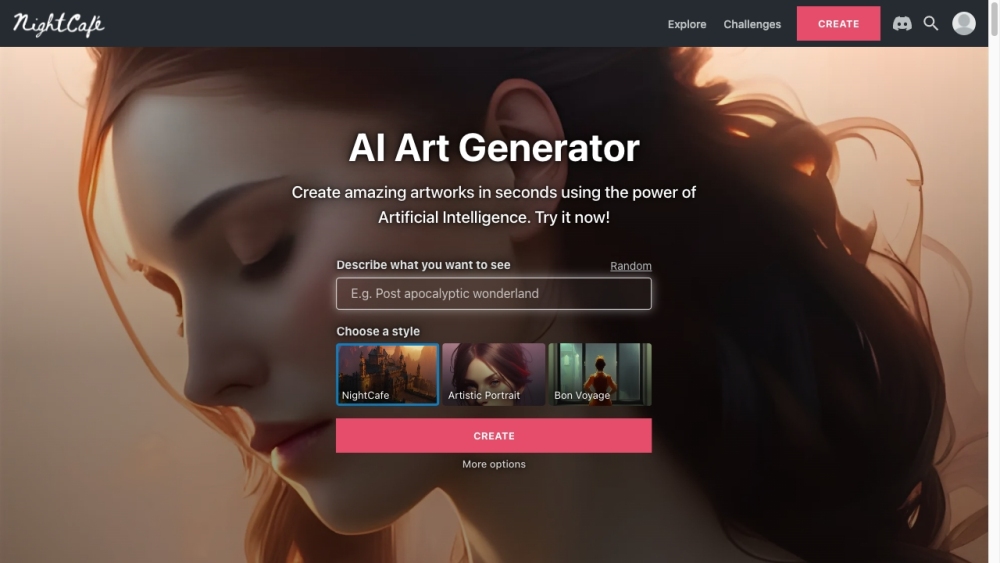
NightCafe Creator website preview

NightCafe Creator Website screenshot

Discover NightCafe Creator

NightCafe Creator is an innovative AI Art Generator app that empowers users to create breathtaking AI-generated art pieces using techniques like neural style transfer and text-to-image AI. It also acts as a dynamic community platform where AI art aficionados can showcase, discuss, and engage with their creations.

Getting Started with NightCafe Creator

To start using NightCafe Creator, head over to the website or download the app on your Android or iOS device. Click the 'Create' button and select your preferred creation method, such as neural style transfer or text-to-image AI. Follow the easy steps to input your parameters or text prompts and produce unique AI-generated artworks. Share your creations with the community, participate in discussions, and join various challenges and contests.

Key Features of NightCafe Creator

Advanced Stable Diffusion

Text-to-Image Generation

Neural Style Transfer Technology

Interactive Art Challenges

Engaging Community Forums

Collaborative Creation Options

Web and Mobile Accessibility

Extensive User Base

Daily Artwork Features

Applications of NightCafe Creator

Produce mesmerizing AI-generated art swiftly

Join and excel in AI Art Challenges

Engage in discussions with other AI artists

Explore a thriving AI art community and its diverse creations

Collaborate creatively in community chat rooms

Transform photos or text into stunning masterpieces

  • NightCafe Creator Discord

    Join the NightCafe Creator Discord at https://discord.gg/AckSBWnn2w. For more information about our Discord, click here(/discord/acksbwnn2w).

Product source: NightCafe Creator official website. Check the provider for current plans, limits and availability.

FAQ

NightCafe Creator questions and answers

Product context and practical checks for evaluating NightCafe Creator.

What is NightCafe Creator used for?

Create AI-generated art with NightCafe Creator. Explore, share, and discuss your creations in a vibrant community. Discover your inner artist today!

How do I get started with NightCafe Creator?

To start using NightCafe Creator, head over to the website or download the app on your Android or iOS device. Click the 'Create' button and select your preferred creation method, such as neural style transfer or text-to-image AI. Follow the easy steps to input your parameters or text prompts and produce unique AI-generated artworks. Share your creations with the community, participate in discussions, and join various challenges and contests.

Which capabilities are described for NightCafe Creator?

Advanced Stable DiffusionText-to-Image GenerationNeural Style Transfer TechnologyInteractive Art ChallengesEngaging Community ForumsCollaborative Creation OptionsWeb and Mobile AccessibilityExtensive User BaseDaily Artwork Features

What projects can I evaluate NightCafe Creator for?

Produce mesmerizing AI-generated art swiftlyJoin and excel in AI Art ChallengesEngage in discussions with other AI artistsExplore a thriving AI art community and its diverse creationsCollaborate creatively in community chat roomsTransform photos or text into stunning masterpieces NightCafe Creator Discord Join the NightCafe Creator Discord at https://discord.gg/AckSBWnn2w. For more information about our Discord, click here(/discord/acksbwnn2w).

What should I compare before choosing a NightCafe Creator plan?

Check NightCafe Creator’s current pricing page for included usage, renewal terms and any credit charges. Compare the cost of a usable result, including retries, rather than assuming that account registration includes free usage.

What inputs should I prepare for a NightCafe Creator trial?

Look for text prompts, image references, masks or sketches as appropriate. Compare composition control, supported upload types and the ability to revise a selected area.

How can I check the quality of a NightCafe Creator result?

Inspect text, hands, edges, reflections and repeated objects at full size. Check that important product or brand details survive editing.

Which export options should I check in NightCafe Creator?

Compare pixel dimensions, transparency, file formats and any enlargement options. Confirm that the downloaded result works in your design or publishing software.

What is a practical way to test NightCafe Creator against alternatives?

Prepare a brief with a subject, composition, lighting and required output size. Test a first generation and a targeted revision to see how much control you retain.

Where is the official NightCafe Creator website?

The website linked from this profile is https://creator.nightcafe.studio. Use the provider’s own documentation, account area and support channels to confirm current product details.

Visit NightCafe Creator