Text&ampWriting

Nano Banana AI

Create, restore, and enhance images instantly with Nano Banana AI. Bring your prompts to life with realistic image generation and editing

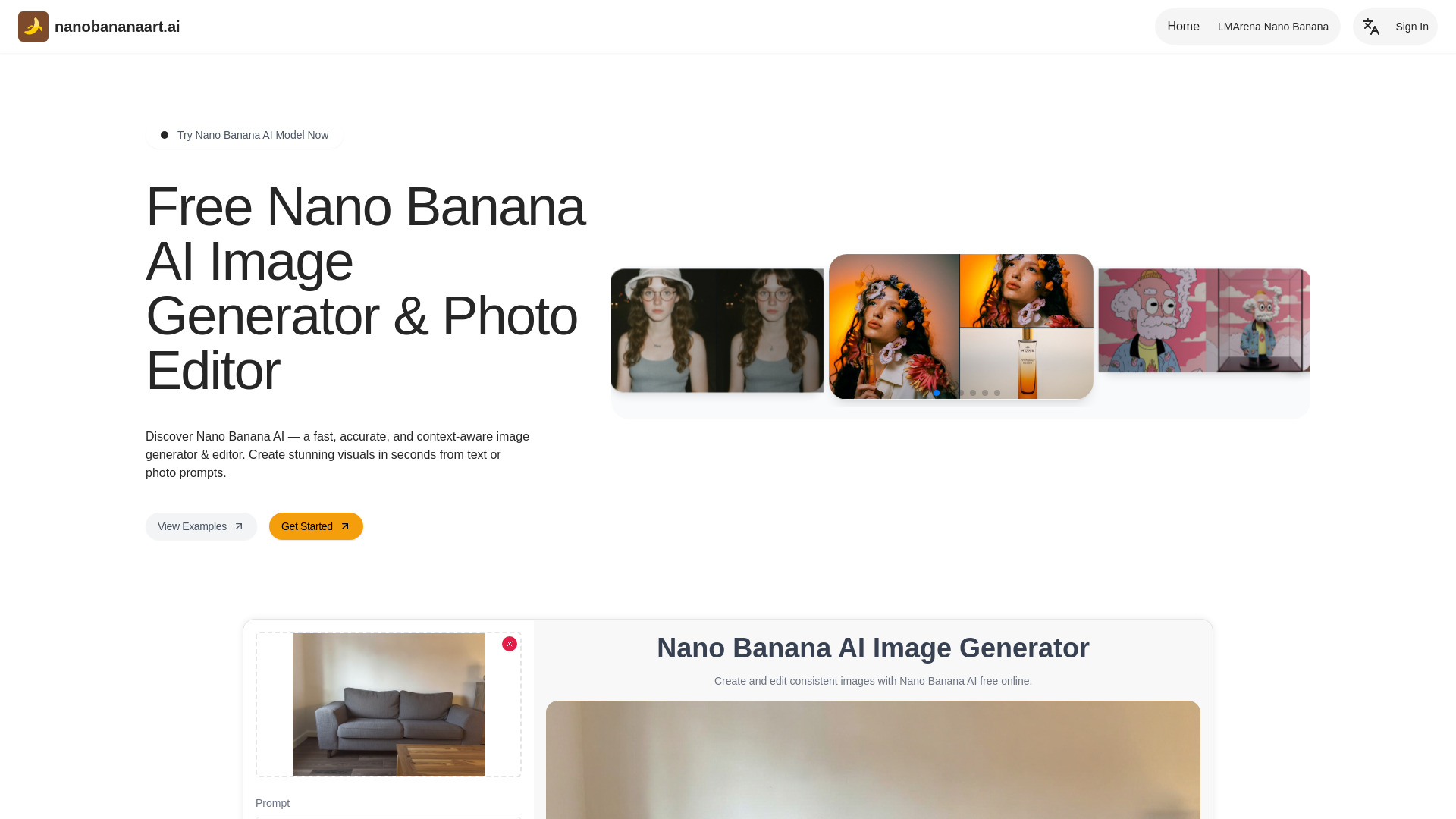
Nano Banana AI website preview

What Is Nano Banana AI: Free Image Generator, Editor & Photo Repair?

Nano Banana AI is an online image creation and editing platform that helps users turn written ideas and existing photographs into new visual content. It combines text-to-image generation, AI-assisted editing, and photo repair in a browser-based workspace. Users can describe a scene, change an image background, refine a portrait, or work on restoring an older photograph without installing desktop design software. With support for realistic imagery and illustrated styles, Nano Banana AI gives content creators, online sellers, and digital artists a practical way to explore ideas and prepare visuals for different projects.

How to Use Nano Banana AI for Image Generation and Editing

To begin, open nanobananaart.ai in your browser and choose whether to create an image or edit an existing one. For text-to-image generation, write a prompt that explains the subject, setting, style, lighting, and composition you want. For photo editing or repair, upload an image and describe the changes you need. Clear instructions, such as replacing a busy background with a neutral studio setting or improving faded colors in a family photograph, help guide the result. Review the generated image, adjust your instructions as needed, and download your preferred version.

For projects involving several related images, keep your descriptions of the subject and visual style consistent. Specify which features should remain recognizable, such as facial characteristics, clothing, product shape, or brand colors. You can also experiment with photographic, anime, and painted treatments to find an appropriate direction. Working through a few focused variations makes it easier to refine a concept while checking that important details remain suitable for your intended use.

Key Features of Nano Banana AI

  • Text-to-Image Creation: Build original visuals from written descriptions of subjects, environments, compositions, and artistic styles. Detailed prompts give users greater control over the direction of each image.
  • AI Image Editing: Update existing photographs through natural-language instructions. Adjust backgrounds, refine selected visual elements, and explore alternative presentations without manually rebuilding the entire image.
  • Photo Repair and Restoration: Work on faded, damaged, or aging pictures with AI-assisted enhancement. Improve color, clarity, and visible detail while reviewing the output against the original photograph.
  • Flexible Artistic Styles: Explore realistic photography, anime-inspired artwork, digital illustration, and painting effects within the same platform, adapting the visual approach to different creative projects.
  • Subject and Character Consistency: Create related images with an emphasis on retaining recognizable subject features. This capability supports character exploration, coordinated product visuals, and visual storytelling.
  • Online Access and Fast Iteration: Generate and edit images through a web browser without a local software installation. Free access provides a starting point for experimenting with prompts and comparing creative variations.

Why Choose Nano Banana AI for Your Creative Projects?

Nano Banana AI brings several common visual tasks into one accessible workflow. Instead of moving between separate tools for image generation, background changes, and photo enhancement, users can develop an idea and refine its presentation in the same environment. Written instructions make the process approachable for people with limited editing experience, while style options give more experienced creators room to experiment. This combination can reduce the effort involved in producing initial concepts, testing visual directions, and preparing images for further review.

The platform is particularly useful when a project calls for multiple variations of a subject or a coordinated visual theme. An online retailer might explore several product settings, while an illustrator might compare character concepts across different scenes. People working with personal photographs can also use its repair tools to improve the appearance of treasured images. The quality of each result depends on the source material, prompt, and requested changes, so reviewing details remains an important part of the creative process.

Use Cases and Applications

Online stores can use Nano Banana AI to explore product backgrounds, plan promotional imagery, and develop a more consistent look across catalog visuals. Marketing teams and social media creators can generate campaign concepts, supporting illustrations, and alternative compositions for different formats. Digital artists can test lighting, settings, and stylistic treatments before committing to a final direction. Character generation supports storyboarding and visual storytelling, while fashion-oriented concepts can help illustrate potential outfits or accessory combinations. Photo repair offers another practical application: individuals can work on faded family portraits or damaged keepsakes, improving their appearance while retaining the original files for comparison. Across these tasks, the platform helps users move from a written idea or source photograph to a visual draft they can evaluate and refine.

Product source: Nano Banana AI official website. Check the provider for current plans, limits and availability.

FAQ

Nano Banana AI questions and answers

Product context and practical checks for evaluating Nano Banana AI.

What is Nano Banana AI used for?

Create, restore, and enhance images instantly with Nano Banana AI. Bring your prompts to life with realistic image generation and editing

How do I get started with Nano Banana AI?

To begin, open nanobananaart.ai in your browser and choose whether to create an image or edit an existing one. For text-to-image generation, write a prompt that explains the subject, setting, style, lighting, and composition you want. For photo editing or repair, upload an image and describe the changes you need. Clear instructions, such as replacing a busy background with a neutral studio setting or improving faded colors in a family photograph, help guide the result. Review the generated image, adjust your instructions as needed, and download your preferred version.For projects involving several related images, keep your descriptions of the subject and visual style consistent. Specify which features should remain recognizable, such as facial characteristics, clothing, product shape, or brand colors. You can also experiment with photographic, anime, and painted treatments to find an appropriate direction. Working through a few focused variations makes it easier to refine a concept while checking that important details remain suitable for your intended use.

Which capabilities are described for Nano Banana AI?

Text-to-Image Creation: Build original visuals from written descriptions of subjects, environments, compositions, and artistic styles. Detailed prompts give users greater control over the direction of each image. AI Image Editing: Update existing photographs through natural-language instructions. Adjust backgrounds, refine selected visual elements, and explore alternative presentations without manually rebuilding the entire image. Photo Repair and Restoration: Work on faded, damaged, or aging pictures with AI-assisted enhancement. Improve color, clarity, and visible detail while reviewing the output against the original photograph. Flexible Artistic Styles: Explore realistic photography, anime-inspired artwork, digital illustration, and painting effects within the same platform, adapting the visual approach to different creative projects. Subject and Character Consistency: Create related images with an emphasis on retaining recognizable subject features. This capability supports character exploration, coordinated product visuals, and visual storytelling. Online Access and Fast Iteration: Generate and edit images through a web browser without a local software installation. Free access provides a starting point for experimenting with prompts and comparing creative variations.

What projects can I evaluate Nano Banana AI for?

Online stores can use Nano Banana AI to explore product backgrounds, plan promotional imagery, and develop a more consistent look across catalog visuals. Marketing teams and social media creators can generate campaign concepts, supporting illustrations, and alternative compositions for different formats. Digital artists can test lighting, settings, and stylistic treatments before committing to a final direction. Character generation supports storyboarding and visual storytelling, while fashion-oriented concepts can help illustrate potential outfits or accessory combinations. Photo repair offers another practical application: individuals can work on faded family portraits or damaged keepsakes, improving their appearance while retaining the original files for comparison. Across these tasks, the platform helps users move from a written idea or source photograph to a visual draft they can evaluate and refine.

How does Nano Banana AI handle text-to-image creation?

Text-to-Image Creation: Build original visuals from written descriptions of subjects, environments, compositions, and artistic styles. Detailed prompts give users greater control over the direction of each image.

How does Nano Banana AI handle ai image editing?

AI Image Editing: Update existing photographs through natural-language instructions. Adjust backgrounds, refine selected visual elements, and explore alternative presentations without manually rebuilding the entire image.

What should I compare before choosing a Nano Banana AI plan?

Check Nano Banana AI’s current pricing page for included usage, renewal terms and any credit charges. Compare the cost of a usable result, including retries, rather than assuming that account registration includes free usage.

What inputs should I prepare for a Nano Banana AI trial?

Look for text prompts, image references, masks or sketches as appropriate. Compare composition control, supported upload types and the ability to revise a selected area.

How can I check the quality of a Nano Banana AI result?

Inspect text, hands, edges, reflections and repeated objects at full size. Check that important product or brand details survive editing.

Where is the official Nano Banana AI website?

The website linked from this profile is https://nanobananaart.ai. Use the provider’s own documentation, account area and support channels to confirm current product details.

Visit Nano Banana AI