AI Advertising Assistant

MyDataNinja

Boost your business with MyDataNinja—your ultimate marketing automation & PPC software to create, track, and optimize online campaigns effortlessly.

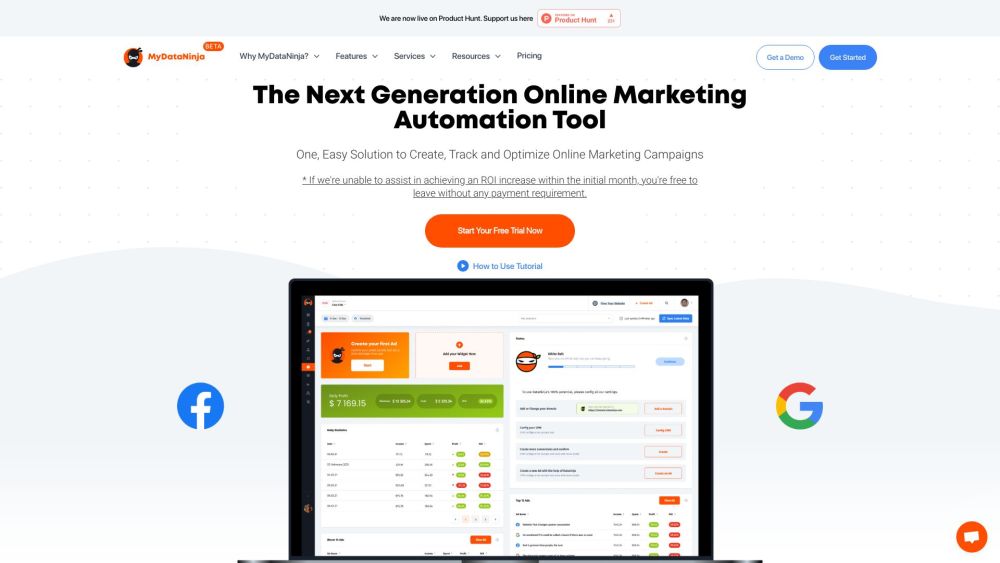
MyDataNinja website preview

MyDataNinja Website screenshot

Discover MyDataNinja

MyDataNinja is an innovative Marketing Automation Platform and Advanced PPC Software designed to assist businesses in creating, monitoring, managing, and optimizing their online marketing efforts.

Getting Started with MyDataNinja

To begin using MyDataNinja, integrate your current tools into the platform. Next, explore the array of features available, such as ad management, detailed reporting, audience creation, CRM integration, Facebook lead syncing, and a website builder. Complete the tutorial demo to fully utilize MyDataNinja's capabilities.

Key Features of MyDataNinja

Ad Management

Comprehensive Reporting

Optimized Audience Generation

CRM Integration

Facebook Leads Sync

Website Builder

Applications of MyDataNinja

Enhanced Ad Management with Real-time Data

Leverage transparent, real-time data to track exact profits and create up to 40 optimized audiences with MyDataNinja's ad management tools.

Centralized Reporting

Access real-time insights into each campaign, ad group, and individual ad. Evaluate profitability and manage all ads seamlessly from a single platform.

Advanced Audience Generation

Generate up to 40 optimized audiences using website traffic insights, facilitating precise retargeting and effective lead generation strategies.

Simplified CRM

Utilize MyDataNinja's basic CRM module or integrate with your existing CRM to view individual user revenue alongside real-time ad performance data.

Automated Facebook Leads Sync

Eliminate manual lead synchronization with MyDataNinja's automatic lead sync from Meta to your CRM, streamlining lead management.

Website Builder

Create a dynamic, user-friendly website that complements your marketing campaigns using MyDataNinja's website builder.

Product source: MyDataNinja official website. Check the provider for current plans, limits and availability.

FAQ

MyDataNinja questions and answers

Product context and practical checks for evaluating MyDataNinja.

What is MyDataNinja used for?

Boost your business with MyDataNinja—your ultimate marketing automation & PPC software to create, track, and optimize online campaigns effortlessly.

How do I get started with MyDataNinja?

To begin using MyDataNinja, integrate your current tools into the platform. Next, explore the array of features available, such as ad management, detailed reporting, audience creation, CRM integration, Facebook lead syncing, and a website builder. Complete the tutorial demo to fully utilize MyDataNinja's capabilities.

Which capabilities are described for MyDataNinja?

Ad ManagementComprehensive ReportingOptimized Audience GenerationCRM IntegrationFacebook Leads SyncWebsite Builder

What projects can I evaluate MyDataNinja for?

Enhanced Ad Management with Real-time DataLeverage transparent, real-time data to track exact profits and create up to 40 optimized audiences with MyDataNinja's ad management tools.Centralized ReportingAccess real-time insights into each campaign, ad group, and individual ad. Evaluate profitability and manage all ads seamlessly from a single platform.Advanced Audience GenerationGenerate up to 40 optimized audiences using website traffic insights, facilitating precise retargeting and effective lead generation strategies.Simplified CRMUtilize MyDataNinja's basic CRM module or integrate with your existing CRM to view individual user revenue alongside real-time ad performance data.Automated Facebook Leads SyncEliminate manual lead synchronization with MyDataNinja's automatic lead sync from Meta to your CRM, streamlining lead management.Website BuilderCreate a dynamic, user-friendly website that complements your marketing campaigns using MyDataNinja's website builder. MyDataNinja Support and Contact For support or customer service, visit the contact us page. About MyDataNinja Learn more about the company at the about us page. MyDataNinja Login Access your account via the login page. MyDataNinja Sign Up Register for an account at the sign up page. MyDataNinja Pricing View pricing details at the pricing page. MyDataNinja on Social Media Follow MyDataNinja on Facebook: Facebook YouTube: YouTube LinkedIn: LinkedIn Twitter: Twitter Instagram: Instagram

What should I compare before choosing a MyDataNinja plan?

View pricing details at the pricing page. Confirm current prices and allowances on the provider’s website before purchasing.

What inputs should I prepare for a MyDataNinja trial?

Compare repository access, context limits, supported languages and tool permissions. Check whether the assistant can read relevant files and run your existing checks.

How can I check the quality of a MyDataNinja result?

Review the diff, run tests and inspect error handling and dependency changes. Generated code should meet the same review standard as a human contribution.

Which export options should I check in MyDataNinja?

Prefer changes you can inspect and keep in version control. Check whether code, tests and configuration can be exported without depending on a hosted preview.

What is a practical way to test MyDataNinja against alternatives?

Choose a small reproducible bug with an existing failing check. Measure whether the tool fixes the cause, preserves behavior and produces a reviewable change.

Where is the official MyDataNinja website?

The website linked from this profile is . Use the provider’s own documentation, account area and support channels to confirm current product details.