AI Video Generator

Product Name

Transform your space with our sleek, innovative design. Enhance comfort and style effortlessly with "", perfect for modern living.

Product Name website preview

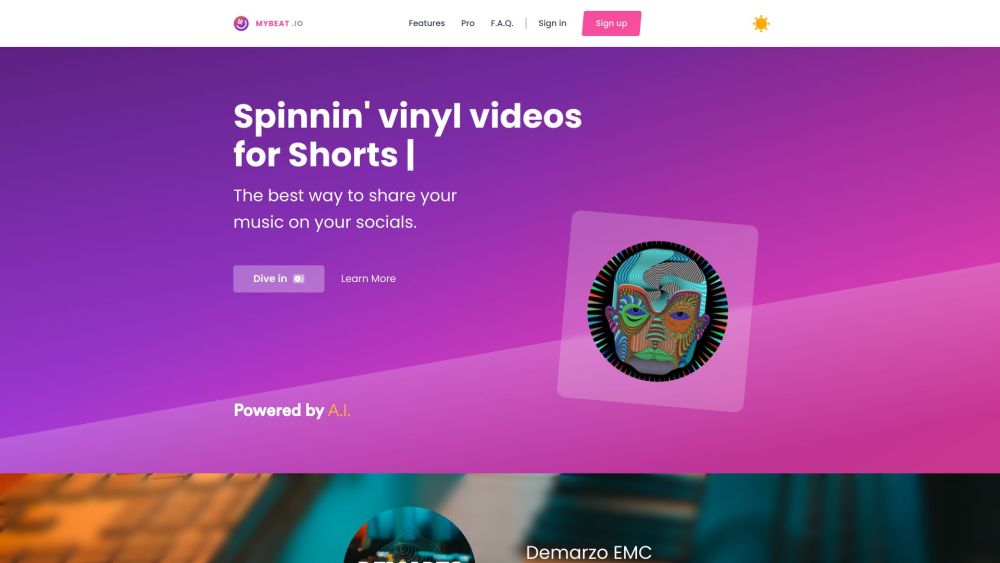
myBeat Website screenshot

Advanced Design and Cutting-Edge Technology for Top Performance

Experience the future of music video creation with myBeat, a revolutionary platform that combines advanced design with cutting-edge technology. myBeat empowers users to craft visually striking vinyl music videos effortlessly and at no cost. Harnessing the power of AI, the platform allows users to produce distinctive and captivating vinyl covers in mere moments. Furthermore, myBeat facilitates the creation of vinyl videoclips for Spotify, boosting user exposure and optimizing engagement with Spotify's algorithm. Personalize your vinyl clips with custom backgrounds, adjustable cover sizes, rotation, and fade effects for a unique touch.

How to Use myBeat

Getting started with myBeat is simple. Follow these steps to create your vinyl music videos: 1. Register for an account on myBeat.io 2. Select the 'Create Vinyl' option 3. Upload your track or pick one from your library 4. Utilize the AI artwork generator to craft a unique cover or upload your own 5. Enhance your vinyl with videos or gifs 6. Tailor your vinyl clip by adjusting size, adding a background, rotation, and fades 7. Publish directly to Spotify's Canvas to reach a broader audience 8. Choose a segment or the full track for YouTube promotion Your vinyl music video is now ready to share on social media platforms.

Key Features of myBeat

AI-Powered Artwork Creation

Spotify Vinyl Videoclip Production with Canvas

Extensive Customization Options

No Watermarks

Flexible Track Selection

Integration of Videos and Gifs

Applications of myBeat

Boost Music Promotion on Social Media

Enhance Spotify Exposure

Craft Visually Engaging Vinyl Music Videos

Share Music Releases on YouTube

Customize Vinyl Videos with Unique Artwork

Product source: Product Name official website. Check the provider for current plans, limits and availability.

FAQ

Product Name questions and answers

Product context and practical checks for evaluating Product Name.

What is Product Name used for?

Transform your space with our sleek, innovative design. Enhance comfort and style effortlessly with "", perfect for modern living.

How do I get started with Product Name?

Getting started with myBeat is simple. Follow these steps to create your vinyl music videos: 1. Register for an account on myBeat.io 2. Select the 'Create Vinyl' option 3. Upload your track or pick one from your library 4. Utilize the AI artwork generator to craft a unique cover or upload your own 5. Enhance your vinyl with videos or gifs 6. Tailor your vinyl clip by adjusting size, adding a background, rotation, and fades 7. Publish directly to Spotify's Canvas to reach a broader audience 8. Choose a segment or the full track for YouTube promotion Your vinyl music video is now ready to share on social media platforms.

Which capabilities are described for Product Name?

AI-Powered Artwork CreationSpotify Vinyl Videoclip Production with CanvasExtensive Customization OptionsNo WatermarksFlexible Track SelectionIntegration of Videos and Gifs

What projects can I evaluate Product Name for?

Boost Music Promotion on Social MediaEnhance Spotify ExposureCraft Visually Engaging Vinyl Music VideosShare Music Releases on YouTubeCustomize Vinyl Videos with Unique Artwork myBeat Support Email & Customer Service Contact For more information, visit the Contact Us page myBeat Company Company Name: myBeat myBeat Login Login at: https://mybeat.io/signin myBeat Sign Up Register at: https://mybeat.io/register myBeat Pricing Check pricing at: https://mybeat.io/pro myBeat Instagram Follow us on Instagram: https://instagram.com/mybeat.io

What should I compare before choosing a Product Name plan?

Check pricing at: https://mybeat.io/pro Confirm current prices and allowances on the provider’s website before purchasing.

What inputs should I prepare for a Product Name trial?

Look for text prompts, image references, masks or sketches as appropriate. Compare composition control, supported upload types and the ability to revise a selected area.

How can I check the quality of a Product Name result?

Inspect text, hands, edges, reflections and repeated objects at full size. Check that important product or brand details survive editing.

Which export options should I check in Product Name?

Compare pixel dimensions, transparency, file formats and any enlargement options. Confirm that the downloaded result works in your design or publishing software.

What is a practical way to test Product Name against alternatives?

Prepare a brief with a subject, composition, lighting and required output size. Test a first generation and a targeted revision to see how much control you retain.

Where is the official Product Name website?

The website linked from this profile is . Use the provider’s own documentation, account area and support channels to confirm current product details.