Text to Image

My QR Code

Create AI art-infused QR codes with My QR Code. Elevate your brand's impression with industry-leading, visually captivating codes.

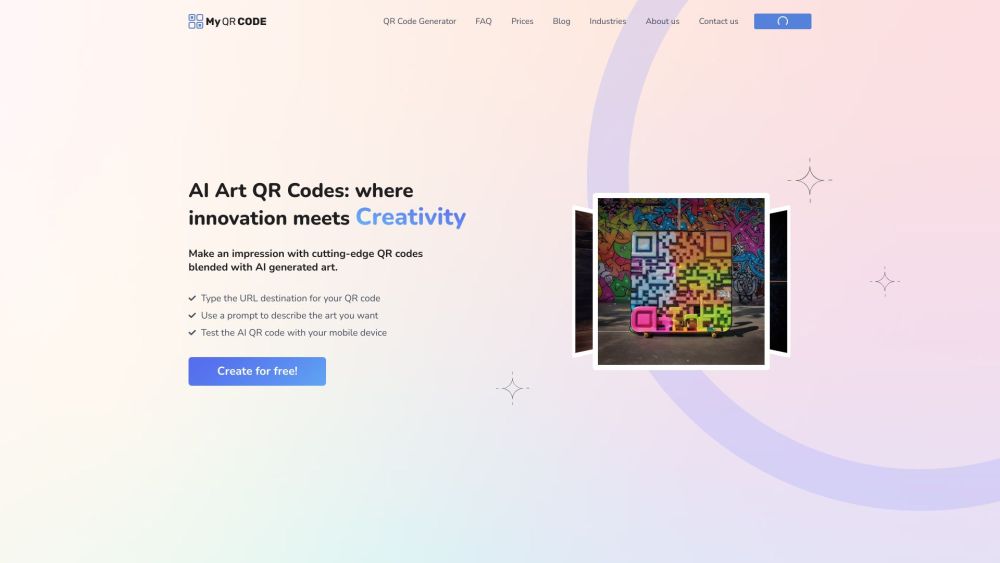
My QR Code website preview

My QR Code Website screenshot

Discover My QR Code

My QR Code allows you to create stunning AI-integrated QR codes that seamlessly blend unique AI-generated art with functional QR technology, ensuring your brand stands out with industry-leading visual appeal.

How to Utilize My QR Code

Simply input the URL you wish to direct users to, describe the artistic elements you'd like to integrate, and then download or share your personalized AI QR code.

Key Features of My QR Code

Create QR codes enriched with AI art

Link to any URL of your choice

Easy download and sharing options

Applications of My QR Code

Generate standard QR codes for diverse uses

Design QR codes for business cards or promotional materials

Create QR codes for document links, such as PDFs

Craft unique QR codes for wedding invitations

Develop QR codes for social media profiles

Embed menu QR codes within images

Enhance digital signage with creative QR codes

  • Support and Contact Information

    For more assistance, visit our contact us page.

  • About My QR Code

    Company Name: My QR Code.

    Learn more about us on our about us page.

  • Login to My QR Code

    Access your account through our login page.

  • My QR Code Pricing

    View our pricing plans on the pricing page.

  • Follow Us on Facebook

    Stay updated by following us on Facebook.

Product source: My QR Code official website. Check the provider for current plans, limits and availability.

FAQ

My QR Code questions and answers

Product context and practical checks for evaluating My QR Code.

What is My QR Code used for?

Create AI art-infused QR codes with My QR Code. Elevate your brand's impression with industry-leading, visually captivating codes.

How do I get started with My QR Code?

Simply input the URL you wish to direct users to, describe the artistic elements you'd like to integrate, and then download or share your personalized AI QR code.

Which capabilities are described for My QR Code?

Create QR codes enriched with AI artLink to any URL of your choiceEasy download and sharing options

What projects can I evaluate My QR Code for?

Generate standard QR codes for diverse usesDesign QR codes for business cards or promotional materialsCreate QR codes for document links, such as PDFsCraft unique QR codes for wedding invitationsDevelop QR codes for social media profilesEmbed menu QR codes within imagesEnhance digital signage with creative QR codes Support and Contact Information For more assistance, visit our contact us page. About My QR Code Company Name: My QR Code. Learn more about us on our about us page. Login to My QR Code Access your account through our login page. My QR Code Pricing View our pricing plans on the pricing page. Follow Us on Facebook Stay updated by following us on Facebook.

What should I compare before choosing a My QR Code plan?

View our pricing plans on the pricing page. Confirm current prices and allowances on the provider’s website before purchasing.

What inputs should I prepare for a My QR Code trial?

Look for text prompts, image references, masks or sketches as appropriate. Compare composition control, supported upload types and the ability to revise a selected area.

How can I check the quality of a My QR Code result?

Inspect text, hands, edges, reflections and repeated objects at full size. Check that important product or brand details survive editing.

Which export options should I check in My QR Code?

Compare pixel dimensions, transparency, file formats and any enlargement options. Confirm that the downloaded result works in your design or publishing software.

What is a practical way to test My QR Code against alternatives?

Prepare a brief with a subject, composition, lighting and required output size. Test a first generation and a targeted revision to see how much control you retain.

Where is the official My QR Code website?

The website linked from this profile is https://myqrcode.com/ai-qr-code. Use the provider’s own documentation, account area and support channels to confirm current product details.

Visit My QR Code