Resume Builder

**my-AWESOME-CV

A platform providing modern, professional CV and resume templates for free.

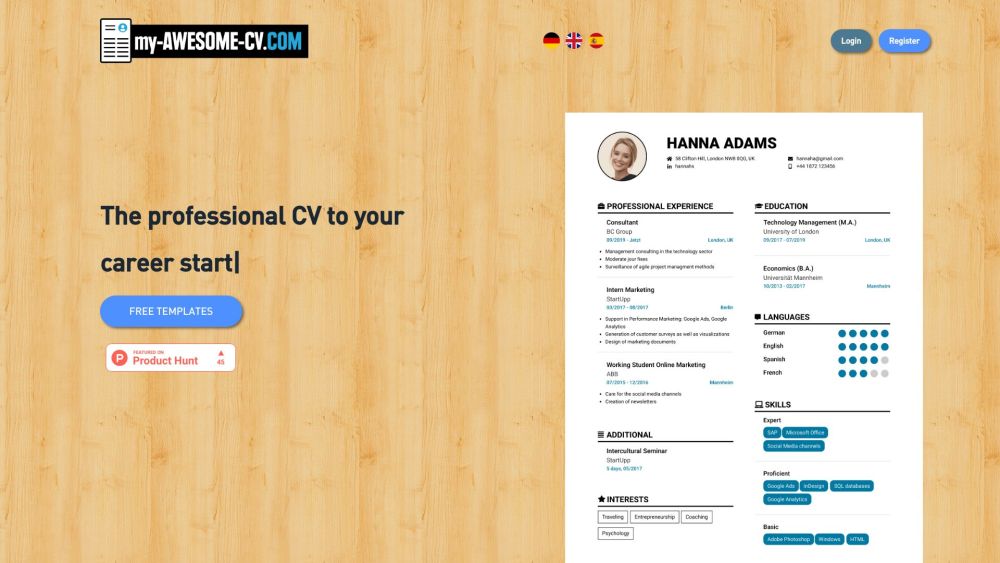
**my-AWESOME-CV website preview

my-AWESOME-CV Website screenshot

Introducing my-AWESOME-CV

my-AWESOME-CV is a cutting-edge online platform designed to help users craft professional and visually appealing CVs and resumes. By offering a selection of modern templates and an intuitive interface, my-AWESOME-CV ensures that users can effortlessly create personalized CVs that stand out. The platform also enables users to download their creations as high-quality PDF files, making it a go-to tool for job seekers.

Getting Started with my-AWESOME-CV

To begin using my-AWESOME-CV, register for a free account and log in. Once inside, users can explore a variety of templates, which can be customized in terms of font, color, and layout to suit individual preferences. The platform's direct editing capabilities eliminate the need for additional software, and users can preview their CV before downloading it as a PDF. Furthermore, the platform allows users to import CV data from Xing or LinkedIn, simplifying the process of building a resume from scratch.

Key Features of my-AWESOME-CV

Diverse selection of modern CV templates

Customizable font, color, and layout options

High-resolution PDF export

User-friendly online editing

Unique and personalized CV designs

Robust data protection

Efficient import options from Xing and LinkedIn

Practical Applications of my-AWESOME-CV

Creating a standout, professional resume

Streamlining the CV design process

Presenting qualifications in a polished format

Making a strong impression on employers

Crafting a CV that reflects your professional brand

  • my-AWESOME-CV Support & Contact Information

    For more details, visit the contact us page.

  • my-AWESOME-CV Login

    Access your account here: Login.

  • my-AWESOME-CV Sign Up

    Register for free: Sign Up.

  • my-AWESOME-CV Pricing

    Check out the pricing details here: Pricing.

  • my-AWESOME-CV on Facebook

    Follow us on Facebook: Facebook Page.

  • my-AWESOME-CV on YouTube

    Subscribe to our channel: YouTube Channel.

  • my-AWESOME-CV on LinkedIn

    Connect with us on LinkedIn: LinkedIn Profile.

  • my-AWESOME-CV on Twitter

    Follow our updates on Twitter: Twitter Profile.

  • my-AWESOME-CV on Instagram

    Follow our journey on Instagram: Instagram Profile.

Product source: **my-AWESOME-CV official website. Check the provider for current plans, limits and availability.

FAQ

**my-AWESOME-CV questions and answers

Product context and practical checks for evaluating **my-AWESOME-CV.

What is **my-AWESOME-CV used for?

A platform providing modern, professional CV and resume templates for free.

How do I get started with **my-AWESOME-CV?

To begin using my-AWESOME-CV, register for a free account and log in. Once inside, users can explore a variety of templates, which can be customized in terms of font, color, and layout to suit individual preferences. The platform's direct editing capabilities eliminate the need for additional software, and users can preview their CV before downloading it as a PDF. Furthermore, the platform allows users to import CV data from Xing or LinkedIn, simplifying the process of building a resume from scratch.

Which capabilities are described for **my-AWESOME-CV?

Diverse selection of modern CV templatesCustomizable font, color, and layout optionsHigh-resolution PDF exportUser-friendly online editingUnique and personalized CV designsRobust data protectionEfficient import options from Xing and LinkedIn

What projects can I evaluate **my-AWESOME-CV for?

Creating a standout, professional resumeStreamlining the CV design processPresenting qualifications in a polished formatMaking a strong impression on employersCrafting a CV that reflects your professional brand my-AWESOME-CV Support & Contact Information For more details, visit the contact us page. my-AWESOME-CV Login Access your account here: Login. my-AWESOME-CV Sign Up Register for free: Sign Up. my-AWESOME-CV Pricing Check out the pricing details here: Pricing. my-AWESOME-CV on Facebook Follow us on Facebook: Facebook Page. my-AWESOME-CV on YouTube Subscribe to our channel: YouTube Channel. my-AWESOME-CV on LinkedIn Connect with us on LinkedIn: LinkedIn Profile. my-AWESOME-CV on Twitter Follow our updates on Twitter: Twitter Profile. my-AWESOME-CV on Instagram Follow our journey on Instagram: Instagram Profile.

What should I compare before choosing a **my-AWESOME-CV plan?

Check out the pricing details here: Pricing. Confirm current prices and allowances on the provider’s website before purchasing.

What inputs should I prepare for a **my-AWESOME-CV trial?

Identify the files, text or account connections your task needs. Confirm that the product accepts those inputs and offers controls for reviewing its work.

How can I check the quality of a **my-AWESOME-CV result?

Test one representative task and inspect the result for accuracy and completeness. Record where manual corrections or extra tools are needed.

Which export options should I check in **my-AWESOME-CV?

Check export formats, integrations and whether you can keep using your work outside the service. Test a real export before committing to a longer plan.

What is a practical way to test **my-AWESOME-CV against alternatives?

Choose one task with a clear success condition. Keep the input consistent, record the time spent reviewing and compare the complete workflow cost.

Where is the official **my-AWESOME-CV website?

The website linked from this profile is https://my-awesome-cv.com. Use the provider’s own documentation, account area and support channels to confirm current product details.

Visit **my-AWESOME-CV