AI Chatbot

My AI Front Desk

My AI Front Desk: Virtual receptionist & AI phone answering software for businesses. 24/7 smart call handling to enhance your customer experience.

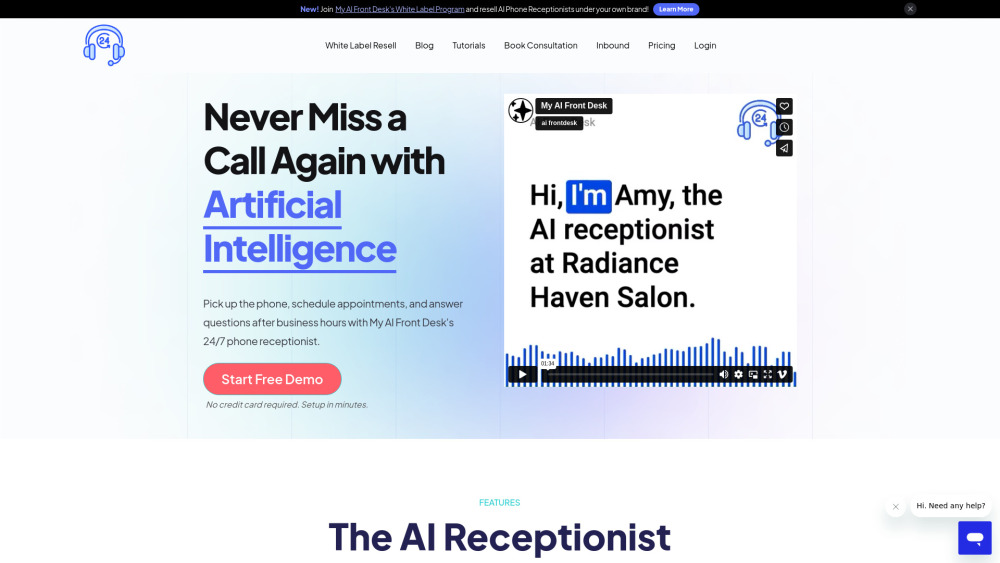
My AI Front Desk website preview

My AI Front Desk Website screenshot

Introducing My AI Front Desk

My AI Front Desk is an advanced virtual receptionist solution designed to streamline business operations by automating phone interactions and appointment scheduling around the clock. This AI-powered assistant can manage customer inquiries, handle scheduling tasks, and provide responses that closely mimic human interaction. Seamlessly integrating with popular scheduling platforms such as Vagaro and Calendly, My AI Front Desk ensures that your business remains responsive even outside regular working hours. Additionally, businesses can leverage the White Label Program to offer AI receptionist services under their own branding.

How to Get Started with My AI Front Desk

Setting up My AI Front Desk is both quick and straightforward. By supplying key information about your business, including service offerings and your preferred booking system, you can have your AI receptionist operational and ready to handle calls within minutes. The intuitive setup process ensures that businesses of all sizes can easily implement this solution.

Key Features of My AI Front Desk

Always-on phone receptionist

Engages with customers through calls and texts like a real receptionist

Seamless integration with business scheduling tools

Customizable to meet specific business needs

Detailed analytics for call and text interactions

Practical Applications of My AI Front Desk

Automated customer service for inquiries

Appointment scheduling outside of business hours

Opportunity to resell AI receptionist services under your brand

Product source: My AI Front Desk official website. Check the provider for current plans, limits and availability.

FAQ

My AI Front Desk questions and answers

Product context and practical checks for evaluating My AI Front Desk.

What is My AI Front Desk used for?

My AI Front Desk: Virtual receptionist & AI phone answering software for businesses. 24/7 smart call handling to enhance your customer experience.

How do I get started with My AI Front Desk?

Setting up My AI Front Desk is both quick and straightforward. By supplying key information about your business, including service offerings and your preferred booking system, you can have your AI receptionist operational and ready to handle calls within minutes. The intuitive setup process ensures that businesses of all sizes can easily implement this solution.

Which capabilities are described for My AI Front Desk?

Always-on phone receptionistEngages with customers through calls and texts like a real receptionistSeamless integration with business scheduling toolsCustomizable to meet specific business needsDetailed analytics for call and text interactions

What projects can I evaluate My AI Front Desk for?

Automated customer service for inquiriesAppointment scheduling outside of business hoursOpportunity to resell AI receptionist services under your brand My AI Front Desk Support Contact Information For any customer service needs, you can reach out to My AI Front Desk via email at: [email protected]. My AI Front Desk Company Information The company behind My AI Front Desk is AI Front Desk, Inc. My AI Front Desk Login Access your account through the login page: http://myaifrontdeskdashboard.com. My AI Front Desk Registration Sign up for My AI Front Desk here: https://www.myaifrontdeskdashboard.com/register. My AI Front Desk Pricing For pricing information, visit: https://www.myaifrontdesk.com/pricing. My AI Front Desk on LinkedIn Connect with us on LinkedIn: https://linkedin.com/company/aifrontdesk. My AI Front Desk on Twitter Follow us on Twitter: https://twitter.com/myaifrontdesk.

What should I compare before choosing a My AI Front Desk plan?

For pricing information, visit: https://www.myaifrontdesk.com/pricing. Confirm current prices and allowances on the provider’s website before purchasing.

What inputs should I prepare for a My AI Front Desk trial?

Look for text prompts, image references, masks or sketches as appropriate. Compare composition control, supported upload types and the ability to revise a selected area.

How can I check the quality of a My AI Front Desk result?

Inspect text, hands, edges, reflections and repeated objects at full size. Check that important product or brand details survive editing.

Which export options should I check in My AI Front Desk?

Compare pixel dimensions, transparency, file formats and any enlargement options. Confirm that the downloaded result works in your design or publishing software.

What is a practical way to test My AI Front Desk against alternatives?

Prepare a brief with a subject, composition, lighting and required output size. Test a first generation and a targeted revision to see how much control you retain.

Where is the official My AI Front Desk website?

The website linked from this profile is https://myaifrontdesk.com. Use the provider’s own documentation, account area and support channels to confirm current product details.

Visit My AI Front Desk