Text&ampWriting

Mumble Note

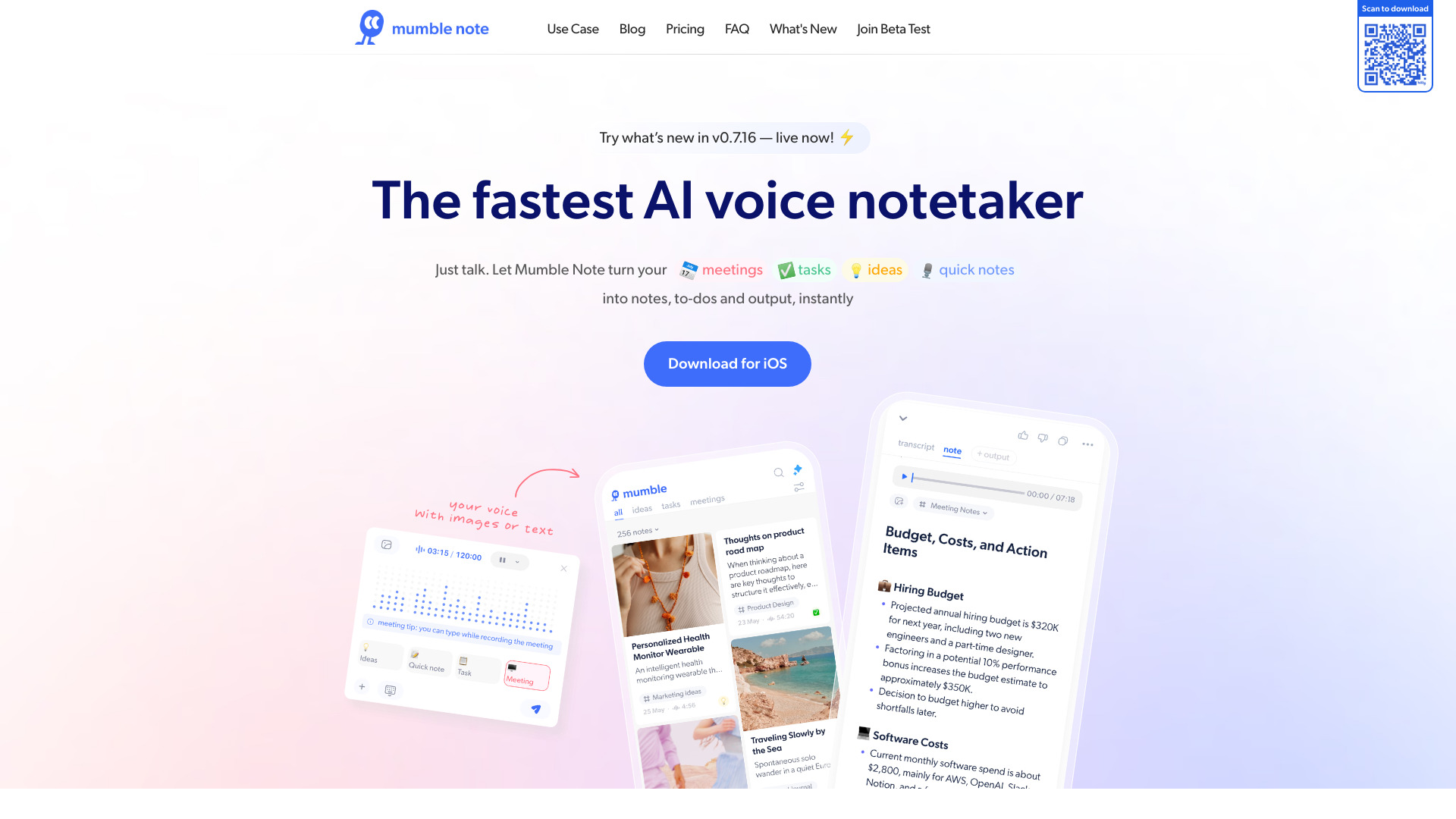
Turn speech into organized notes instantly with Mumble Note AI—transcribe, extract tasks, and capture ideas in 40+ languages

Mumble Note website preview

What is Mumble Note?

Mumble Note is a free AI-powered note-taking assistant that turns spoken thoughts into clear notes, useful tasks, and organized ideas. Instead of stopping to type during a meeting or reaching for a keyboard whenever inspiration appears, you can simply speak and let Mumble Note structure the information for you. From project discussions and personal reminders to creative brainstorming, the platform helps transform unedited voice input into practical, easy-to-review content within moments.

How to Use Mumble Note

Getting started with Mumble Note is simple: open the app or web interface and begin speaking. The AI listens to your input and can convert it into a transcript, concise summary, organized note, or task list. You can also add information by typing or capturing an image, giving you several convenient ways to collect ideas throughout the day. With mobile access and Apple Watch support, recording a thought does not require you to interrupt what you are doing.

After your content has been captured, you can ask the built-in AI to reorganize it, translate it, summarize it, or find specific details. Mumble Note can help separate decisions from discussion points, identify follow-up actions, and present information in a format that suits your workflow. Support for more than 40 languages makes it especially useful for multilingual users, remote teams, and international communication.

Key Features of Mumble Note

  • Fast AI Voice Notes: Record spoken thoughts and convert them into readable text without manually transcribing every sentence. Mumble Note is designed for quick captures, meeting records, brainstorming sessions, and everyday reminders.
  • Automatic Action-Item Detection: The AI can recognize commitments, deadlines, and next steps within your notes. It then helps turn those details into a more useful task list so important follow-ups are easier to manage.
  • Voice, Text, and Image Capture: Choose the input method that fits the situation. Speak a reminder, type a detailed note, or use an image to preserve information when typing is inconvenient.
  • Chat with Your Notes: Use natural-language questions to explore your saved content. You can ask for a recap, locate a particular detail, or request a new version of a note without searching through every line yourself.
  • Flexible Organization: Convert unstructured content into summaries, outlines, checklists, or other useful formats. This makes it easier to move from a rough idea to a clear plan.
  • Support for 40+ Languages: Transcribe and translate content across more than 40 languages. This feature helps users capture information and collaborate even when their conversations involve multiple languages.
  • Privacy-Focused Protection: Encryption and a security-conscious design help safeguard personal reflections, business discussions, and other sensitive notes stored in the platform.

Why Choose Mumble Note?

Mumble Note is built for people who want to capture information at the speed of conversation. Traditional note-taking often requires users to divide their attention between listening, thinking, and typing. Mumble Note reduces that interruption by using AI to process spoken content and create a more structured result. It can recognize the central points in a discussion, highlight potential tasks, and make rough thoughts easier to understand later.

The platform also adapts to different routines. You can make a quick recording while walking, save a thought from your Apple Watch, refine a note on your phone, or review it through the web experience. Its translation, reformatting, and AI chat tools support a range of personal and professional workflows. Since Mumble Note is available free of charge, it offers an accessible way to experiment with AI-assisted notes, tasks, and ideas without adding complexity to your daily routine.

Use Cases and Applications

Meeting Notes and Follow-Ups: Use Mumble Note to record important points during team meetings, customer conversations, interviews, or planning sessions. Once the discussion is finished, the AI can help create a summary and identify responsibilities, decisions, and follow-up actions. This allows participants to stay engaged in the conversation while still preserving useful documentation.

Ideas for Writers and Creators: Many ideas arrive when a keyboard is not nearby. Mumble Note lets writers, marketers, designers, and content creators save rough concepts by voice and later transform them into outlines, drafts, or organized research notes. The ability to reformat and summarize captured thoughts can make the early stages of content development more efficient.

Daily Planning and Personal Organization: Quickly record errands, reminders, goals, and plans as they come to mind. Mumble Note can turn a spoken list into clearer tasks and help arrange scattered thoughts into a practical plan. Cross-device access makes it easier to review those notes later, whether you are at your desk or away from it.

Multilingual Workflows: Professionals working with international colleagues can use Mumble Note to transcribe and translate information in more than 40 languages. This makes it useful for capturing multilingual conversations, preparing summaries for different audiences, and keeping ideas accessible across language boundaries.

Product source: Mumble Note official website. Check the provider for current plans, limits and availability.

FAQ

Mumble Note questions and answers

Product context and practical checks for evaluating Mumble Note.

What is Mumble Note used for?

Turn speech into organized notes instantly with Mumble Note AI—transcribe, extract tasks, and capture ideas in 40+ languages

How do I get started with Mumble Note?

Getting started with Mumble Note is simple: open the app or web interface and begin speaking. The AI listens to your input and can convert it into a transcript, concise summary, organized note, or task list. You can also add information by typing or capturing an image, giving you several convenient ways to collect ideas throughout the day. With mobile access and Apple Watch support, recording a thought does not require you to interrupt what you are doing.After your content has been captured, you can ask the built-in AI to reorganize it, translate it, summarize it, or find specific details. Mumble Note can help separate decisions from discussion points, identify follow-up actions, and present information in a format that suits your workflow. Support for more than 40 languages makes it especially useful for multilingual users, remote teams, and international communication.

Which capabilities are described for Mumble Note?

Fast AI Voice Notes: Record spoken thoughts and convert them into readable text without manually transcribing every sentence. Mumble Note is designed for quick captures, meeting records, brainstorming sessions, and everyday reminders. Automatic Action-Item Detection: The AI can recognize commitments, deadlines, and next steps within your notes. It then helps turn those details into a more useful task list so important follow-ups are easier to manage. Voice, Text, and Image Capture: Choose the input method that fits the situation. Speak a reminder, type a detailed note, or use an image to preserve information when typing is inconvenient. Chat with Your Notes: Use natural-language questions to explore your saved content. You can ask for a recap, locate a particular detail, or request a new version of a note without searching through every line yourself. Flexible Organization: Convert unstructured content into summaries, outlines, checklists, or other useful formats. This makes it easier to move from a rough idea to a clear plan. Support for 40+ Languages: Transcribe and translate content across more than 40 languages. This feature helps users capture information and collaborate even when their conversations involve multiple languages. Privacy-Focused Protection: Encryption and a security-conscious design help safeguard personal reflections, business discussions, and other sensitive notes stored in the platform.

What projects can I evaluate Mumble Note for?

Meeting Notes and Follow-Ups: Use Mumble Note to record important points during team meetings, customer conversations, interviews, or planning sessions. Once the discussion is finished, the AI can help create a summary and identify responsibilities, decisions, and follow-up actions. This allows participants to stay engaged in the conversation while still preserving useful documentation.Ideas for Writers and Creators: Many ideas arrive when a keyboard is not nearby. Mumble Note lets writers, marketers, designers, and content creators save rough concepts by voice and later transform them into outlines, drafts, or organized research notes. The ability to reformat and summarize captured thoughts can make the early stages of content development more efficient.Daily Planning and Personal Organization: Quickly record errands, reminders, goals, and plans as they come to mind. Mumble Note can turn a spoken list into clearer tasks and help arrange scattered thoughts into a practical plan. Cross-device access makes it easier to review those notes later, whether you are at your desk or away from it.Multilingual Workflows: Professionals working with international colleagues can use Mumble Note to transcribe and translate information in more than 40 languages. This makes it useful for capturing multilingual conversations, preparing summaries for different audiences, and keeping ideas accessible across language boundaries.

How does Mumble Note handle fast ai voice notes?

Fast AI Voice Notes: Record spoken thoughts and convert them into readable text without manually transcribing every sentence. Mumble Note is designed for quick captures, meeting records, brainstorming sessions, and everyday reminders.

How does Mumble Note handle automatic action-item detection?

Automatic Action-Item Detection: The AI can recognize commitments, deadlines, and next steps within your notes. It then helps turn those details into a more useful task list so important follow-ups are easier to manage.

What should I compare before choosing a Mumble Note plan?

Check Mumble Note’s current pricing page for included usage, renewal terms and any credit charges. Compare the cost of a usable result, including retries, rather than assuming that account registration includes free usage.

What inputs should I prepare for a Mumble Note trial?

Compare recording length, file types, language support and speaker handling. For voice generation, check pronunciation controls and permission to use any reference voice.

How can I check the quality of a Mumble Note result?

Listen for mispronounced names, unnatural pauses, clipped words and noise. For transcripts, compare the text with the recording and correct speaker labels.

Where is the official Mumble Note website?

The website linked from this profile is https://www.mumblenote.com. Use the provider’s own documentation, account area and support channels to confirm current product details.

Visit Mumble Note