AI Product Description Generator

Moises App

Moises App is a powerful music practice app that allows musicians to remove vocals, separate instruments, master tracks, and remix songs using artificial intelligence (AI). It provides a comprehensive set of features to enhance and personalize the practicing experience.

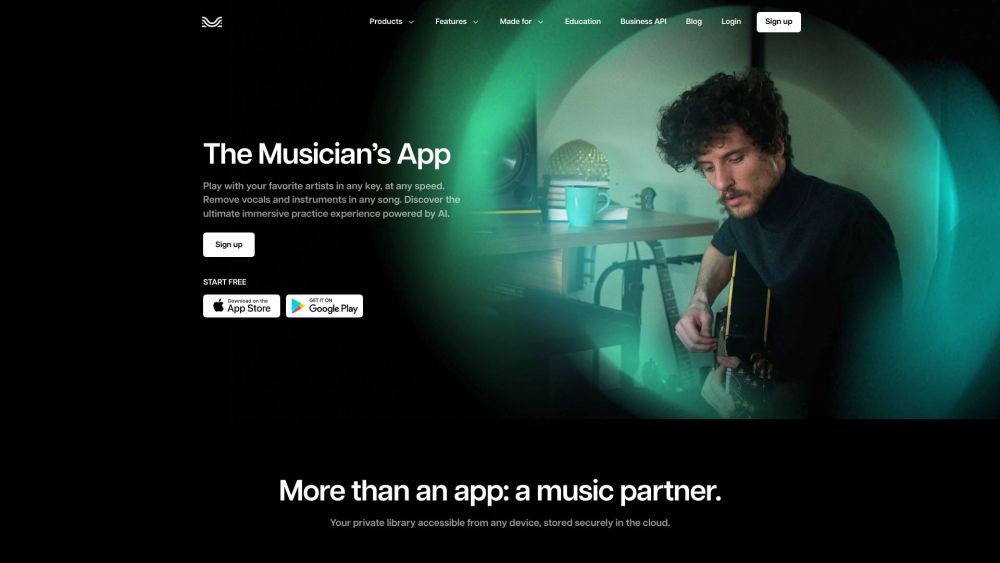
Moises App website preview

Moises App Website screenshot

What is Moises App?

Moises App is an innovative music practice tool that leverages artificial intelligence (AI) to assist musicians in removing vocals, separating instruments, mastering tracks, and remixing songs. This app offers a comprehensive suite of features aimed at enhancing and personalizing the music practice experience for users.

How to use Moises App?

To get started with Moises App, download it from either the App Store or Google Play. After installation, you can import your favorite songs into the app. Utilize the AI audio separation feature to isolate different elements like vocals, drums, guitar, bass, and keys in any song. The app also includes a smart metronome and audio speed changer to help you practice at a comfortable pace. Adjust the pitch and key with AI key detection and transpose chords in real-time using chord detection. Moises App caters to drummers, singers, bassists, guitarists, and more, providing a variety of tools to improve your musical abilities.

Moises App's Core Features

AI Audio Separation

Smart Metronome and Audio Speed Changer

Pitch Changer and AI Key Detection

Chord Detection

Moises App's Use Cases

Extract Audio from Videos

Remove Vocals from Songs

Create Guitar Backing Tracks

Find the Key of a Song

Practice Playing Along with Favorite Artists

Transpose Chords to Different Keys

Product source: Moises App official website. Check the provider for current plans, limits and availability.

FAQ

Moises App questions and answers

Product context and practical checks for evaluating Moises App.

What is Moises App used for?

Moises App is a powerful music practice app that allows musicians to remove vocals, separate instruments, master tracks, and remix songs using artificial intelligence (AI). It provides a comprehensive set of features to enhance and personalize the practicing experience.

How do I get started with Moises App?

To get started with Moises App, download it from either the App Store or Google Play. After installation, you can import your favorite songs into the app. Utilize the AI audio separation feature to isolate different elements like vocals, drums, guitar, bass, and keys in any song. The app also includes a smart metronome and audio speed changer to help you practice at a comfortable pace. Adjust the pitch and key with AI key detection and transpose chords in real-time using chord detection. Moises App caters to drummers, singers, bassists, guitarists, and more, providing a variety of tools to improve your musical abilities.

Which capabilities are described for Moises App?

AI Audio SeparationSmart Metronome and Audio Speed ChangerPitch Changer and AI Key DetectionChord Detection

What projects can I evaluate Moises App for?

Extract Audio from VideosRemove Vocals from SongsCreate Guitar Backing TracksFind the Key of a SongPractice Playing Along with Favorite ArtistsTranspose Chords to Different Keys Moises App Company Company Name: Moises Systems, Inc. Learn more about Moises App by visiting the about us page. Moises App Login Log in to Moises App at: https://studio.moises.ai/login Moises App Sign Up Sign up for Moises App at: https://studio.moises.ai/login/?signup Moises App on Social Media Follow Moises App on: Facebook: https://www.facebook.com/ai.moises YouTube: https://www.youtube.com/c/MoisesAI TikTok: https://www.tiktok.com/@moises.ai LinkedIn: https://www.linkedin.com/company/moises Twitter: https://twitter.com/moises_ai Instagram: https://www.instagram.com/moises.ai/

What should I compare before choosing a Moises App plan?

Check Moises App’s current pricing page for included usage, renewal terms and any credit charges. Compare the cost of a usable result, including retries, rather than assuming that account registration includes free usage.

What inputs should I prepare for a Moises App trial?

Look for text prompts, image references, masks or sketches as appropriate. Compare composition control, supported upload types and the ability to revise a selected area.

How can I check the quality of a Moises App result?

Inspect text, hands, edges, reflections and repeated objects at full size. Check that important product or brand details survive editing.

Which export options should I check in Moises App?

Compare pixel dimensions, transparency, file formats and any enlargement options. Confirm that the downloaded result works in your design or publishing software.

What is a practical way to test Moises App against alternatives?

Prepare a brief with a subject, composition, lighting and required output size. Test a first generation and a targeted revision to see how much control you retain.

Where is the official Moises App website?

The website linked from this profile is https://moises.ai. Use the provider’s own documentation, account area and support channels to confirm current product details.

Visit Moises App