AI Coaching

Mockin AI Interview Simulator

Ace UX/UI & Product Design interviews with Mockin AI—realistic, role-specific practice that sharpens your portfolio storytelling & problem-solving skills.

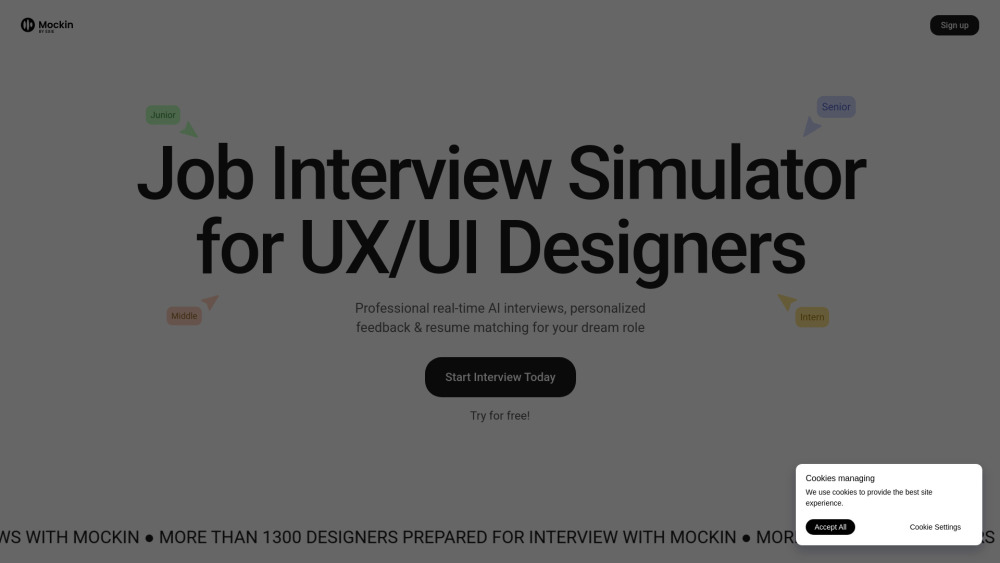
Mockin AI Interview Simulator website preview

Mockin Website screenshot

Introducing Mockin AI Interview Simulator

Mockin is a purpose-built AI interview coach engineered exclusively for UX/UI and Product Design professionals. Unlike generic interview tools, Mockin leverages contextual language understanding trained on thousands of real design interviews—evaluating not just *what* you say, but *how* you think like a designer. It delivers dynamic, conversational simulations that mirror actual hiring conversations: probing follow-ups, design critique scenarios, whiteboarding prompts, and cross-functional collaboration questions. With instant feedback on storytelling coherence, user-centered reasoning, visual communication clarity, and behavioral alignment, Mockin transforms preparation from passive rehearsal into active skill-building—helping designers articulate their process, defend decisions, and stand out in competitive hiring pipelines.

How Mockin Works — Designed for Designers

Begin with a diagnostic “Design Readiness Assessment” to benchmark your current interview fluency across four pillars: portfolio storytelling, problem-framing rigor, collaborative mindset articulation, and technical vocabulary precision. Then launch immersive simulations—respond aloud or type—to AI interviewers calibrated for roles ranging from Junior UX Designer to Lead Product Designer. Each session adapts in real time: if you mention a Figma prototype, the AI may ask how you validated its usability; if you reference stakeholder pushback, it explores your influence strategy. Post-session, you receive layered insights—not only linguistic analysis (pace, filler words, jargon balance) but also design-specific evaluations (e.g., “You described the solution before defining the user need—try reframing using Jobs-to-be-Done”). Integrated resume diagnostics scan for ATS resilience *and* design-relevant keyword alignment (e.g., “design systems,” “HEART framework,” “service blueprint”), while skill-gap reports map your verbal responses to industry-expected competencies.

Key Capabilities Built for Design Careers

Context-Aware AI Interviewers

Design-Centric Feedback Engine (evaluates process logic, not just grammar)

ATS + Human-Readable Resume Optimizer

Role-Specific Simulation Modes (Portfolio Review, Case Study Deep Dive, Cross-Functional Panel)

STAR + Design Thinking Hybrid Framework Training

250+ Curated Questions—from “Walk me through your design system” to “How would you redesign our checkout flow?”

Conversational AI That Remembers Your Answers & Builds Logical Follow-Ups

Multilingual Speaking Practice (English, Spanish, French, German, Japanese, Mandarin, Portuguese)

Portfolio Storytelling Coach (transforms project descriptions into compelling narratives)

Design Maturity Scoring & Personalized Growth Pathway

Who Uses Mockin — And Why

UX/UI designers prepping for portfolio defense sessions at top tech firms.

Product designers refining how they communicate trade-offs between speed, scalability, and user delight.

Career-changers translating non-design experience into design-relevant narratives.

Non-native English speakers practicing culturally nuanced design terminology and presentation cadence.

Design leads preparing for executive-level interviews requiring strategic vision articulation.

Students bridging academic projects to real-world design challenges and business impact framing.

Freelancers mastering discovery call techniques and scoping conversations with clients.

Product source: Mockin AI Interview Simulator official website. Check the provider for current plans, limits and availability.

FAQ

Mockin AI Interview Simulator questions and answers

Product context and practical checks for evaluating Mockin AI Interview Simulator.

What is Mockin AI Interview Simulator used for?

Ace UX/UI & Product Design interviews with Mockin AI—realistic, role-specific practice that sharpens your portfolio storytelling & problem-solving skills.

How do I get started with Mockin AI Interview Simulator?

Begin with a diagnostic “Design Readiness Assessment” to benchmark your current interview fluency across four pillars: portfolio storytelling, problem-framing rigor, collaborative mindset articulation, and technical vocabulary precision. Then launch immersive simulations—respond aloud or type—to AI interviewers calibrated for roles ranging from Junior UX Designer to Lead Product Designer. Each session adapts in real time: if you mention a Figma prototype, the AI may ask how you validated its usability; if you reference stakeholder pushback, it explores your influence strategy. Post-session, you receive layered insights—not only linguistic analysis (pace, filler words, jargon balance) but also design-specific evaluations (e.g., “You described the solution before defining the user need—try reframing using Jobs-to-be-Done”). Integrated resume diagnostics scan for ATS resilience *and* design-relevant keyword alignment (e.g., “design systems,” “HEART framework,” “service blueprint”), while skill-gap reports map your verbal responses to industry-expected competencies.

Which capabilities are described for Mockin AI Interview Simulator?

Context-Aware AI InterviewersDesign-Centric Feedback Engine (evaluates process logic, not just grammar)ATS + Human-Readable Resume OptimizerRole-Specific Simulation Modes (Portfolio Review, Case Study Deep Dive, Cross-Functional Panel)STAR + Design Thinking Hybrid Framework Training250+ Curated Questions—from “Walk me through your design system” to “How would you redesign our checkout flow?”Conversational AI That Remembers Your Answers & Builds Logical Follow-UpsMultilingual Speaking Practice (English, Spanish, French, German, Japanese, Mandarin, Portuguese)Portfolio Storytelling Coach (transforms project descriptions into compelling narratives)Design Maturity Scoring & Personalized Growth Pathway

What projects can I evaluate Mockin AI Interview Simulator for?

UX/UI designers prepping for portfolio defense sessions at top tech firms.Product designers refining how they communicate trade-offs between speed, scalability, and user delight.Career-changers translating non-design experience into design-relevant narratives.Non-native English speakers practicing culturally nuanced design terminology and presentation cadence.Design leads preparing for executive-level interviews requiring strategic vision articulation.Students bridging academic projects to real-world design challenges and business impact framing.Freelancers mastering discovery call techniques and scoping conversations with clients.

How does Mockin AI Interview Simulator handle exie app llc?

About the Team Mockin is developed by Exie App LLC—a product studio founded by designers and ex-hiring managers who’ve led interviews at companies like Spotify, Airbnb, and Shopify.

What should I compare before choosing a Mockin AI Interview Simulator plan?

Check Mockin AI Interview Simulator’s current pricing page for included usage, renewal terms and any credit charges. Compare the cost of a usable result, including retries, rather than assuming that account registration includes free usage.

What inputs should I prepare for a Mockin AI Interview Simulator trial?

Look for text prompts, image references, masks or sketches as appropriate. Compare composition control, supported upload types and the ability to revise a selected area.

How can I check the quality of a Mockin AI Interview Simulator result?

Inspect text, hands, edges, reflections and repeated objects at full size. Check that important product or brand details survive editing.

Which export options should I check in Mockin AI Interview Simulator?

Compare pixel dimensions, transparency, file formats and any enlargement options. Confirm that the downloaded result works in your design or publishing software.

Where is the official Mockin AI Interview Simulator website?

The website linked from this profile is https://mockin.work. Use the provider’s own documentation, account area and support channels to confirm current product details.

Visit Mockin AI Interview Simulator