AI Content Generator

Mini Course Generator

Create interactive mini-courses swiftly with AI! Mini Course Generator simplifies rapid micro-learning creation, saving you time and effort.

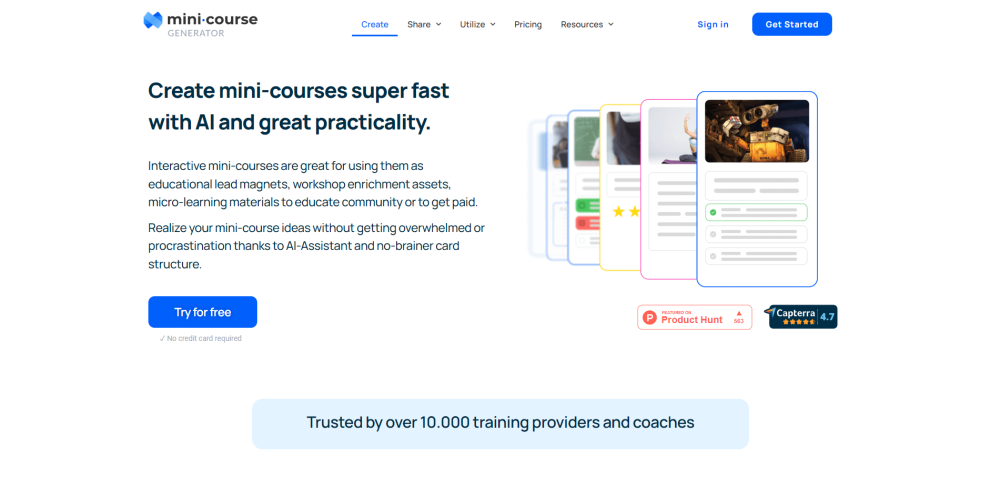
Mini Course Generator website preview

Mini Course Generator Website screenshot

What is Mini Course Generator?

Mini Course Generator is an innovative platform designed to streamline the creation of interactive mini-courses and micro-learning materials. By leveraging the power of AI-Assistant, it simplifies the entire process, making it quick and effortless for users.

How to use Mini Course Generator?

Creating mini-courses with Mini Course Generator involves these straightforward steps: 1. Log in to your account or register a new one. 2. Select the topic or subject for your course. 3. Utilize the AI-Assistant to assist with content development and course structure. 4. Incorporate multimedia elements such as videos, images, and PDFs to enrich your course. 5. Add interactive elements like quizzes or surveys to engage learners and measure their understanding. 6. Customize the appearance and theme of your course to align with your brand. 7. Choose how your audience will access the content, be it through registration, login, or other methods. 8. Embed your course on websites or share it via a unique link. 9. Employ the AI-Assistant for workflow automation and integration with other tools. 10. Review, make any final adjustments, and publish your course.

Mini Course Generator's Core Features

AI-Assistant for streamlined content creation

User-friendly card-based course structure

Support for multimedia content including videos, images, and PDFs

Interactive quizzes and surveys

Customizable layouts and themes

Custom domain options for brand alignment

Personalized completion messages

Workflow automation through webhooks

Mini Course Generator's Use Cases

Creating educational lead magnets

Enhancing workshops with supplementary materials

Developing micro-learning content

Monetizing educational content

Providing training and professional development

Product source: Mini Course Generator official website. Check the provider for current plans, limits and availability.

FAQ

Mini Course Generator questions and answers

Product context and practical checks for evaluating Mini Course Generator.

What is Mini Course Generator used for?

Create interactive mini-courses swiftly with AI! Mini Course Generator simplifies rapid micro-learning creation, saving you time and effort.

How do I get started with Mini Course Generator?

Creating mini-courses with Mini Course Generator involves these straightforward steps: 1. Log in to your account or register a new one. 2. Select the topic or subject for your course. 3. Utilize the AI-Assistant to assist with content development and course structure. 4. Incorporate multimedia elements such as videos, images, and PDFs to enrich your course. 5. Add interactive elements like quizzes or surveys to engage learners and measure their understanding. 6. Customize the appearance and theme of your course to align with your brand. 7. Choose how your audience will access the content, be it through registration, login, or other methods. 8. Embed your course on websites or share it via a unique link. 9. Employ the AI-Assistant for workflow automation and integration with other tools. 10. Review, make any final adjustments, and publish your course.

Which capabilities are described for Mini Course Generator?

AI-Assistant for streamlined content creationUser-friendly card-based course structureSupport for multimedia content including videos, images, and PDFsInteractive quizzes and surveysCustomizable layouts and themesCustom domain options for brand alignmentPersonalized completion messagesWorkflow automation through webhooks

What projects can I evaluate Mini Course Generator for?

Creating educational lead magnetsEnhancing workshops with supplementary materialsDeveloping micro-learning contentMonetizing educational contentProviding training and professional development Mini Course Generator Discord Join the Mini Course Generator community on Discord: https://discord.gg/3p74FyePEf. For more information, click here(/discord/3p74fyepef). Mini Course Generator Support Email & Customer Service Contact & Refund Contact Contact Mini Course Generator support for customer service: [email protected]. Mini Course Generator Company Company address: Lasnamäe linnaosa, Ruunaoja tn 3, 11415, Harju maakond, Tallinn, Estonia. Mini Course Generator Login Login here: https://admin.minicoursegenerator.com/login Mini Course Generator Sign Up Sign up here: https://admin.minicoursegenerator.com/register Mini Course Generator Pricing View pricing details: https://minicoursegenerator.com/pricing/ Mini Course Generator Facebook Follow on Facebook: https://facebook.com/MiniCourseGenerator/ Mini Course Generator YouTube Watch on YouTube: https://www.youtube.com/channel/UCZ_Lfax1s8PZH_TUNMjrj7A Mini Course Generator LinkedIn Connect on LinkedIn: https://www.linkedin.com/company/mini-course-generator Mini Course Generator Twitter Follow on Twitter: https://twitter.com/minicoursegen Mini Course Generator Instagram Follow on Instagram: https://www.instagram.com/minicourse_generator/

What should I compare before choosing a Mini Course Generator plan?

View pricing details: https://minicoursegenerator.com/pricing/ Confirm current prices and allowances on the provider’s website before purchasing.

What inputs should I prepare for a Mini Course Generator trial?

Compare repository access, context limits, supported languages and tool permissions. Check whether the assistant can read relevant files and run your existing checks.

How can I check the quality of a Mini Course Generator result?

Review the diff, run tests and inspect error handling and dependency changes. Generated code should meet the same review standard as a human contribution.

Which export options should I check in Mini Course Generator?

Prefer changes you can inspect and keep in version control. Check whether code, tests and configuration can be exported without depending on a hosted preview.

What is a practical way to test Mini Course Generator against alternatives?

Choose a small reproducible bug with an existing failing check. Measure whether the tool fixes the cause, preserves behavior and produces a reviewable change.

Where is the official Mini Course Generator website?

The website linked from this profile is https://minicoursegenerator.com. Use the provider’s own documentation, account area and support channels to confirm current product details.

Visit Mini Course Generator